
Why Every Developer Installs These 6 CLI Tools First on Linux

Linux has evolved into a polished, user-friendly operating system—but when it comes to real productivity, developers still rely heavily on the command line. Whether you’re managing servers, writing code, or automating workflows, CLI tools offer unmatched speed, efficiency, and control.
In fact, studies and developer surveys consistently show that terminal-based workflows can be significantly faster and more resource-efficient than graphical alternatives, especially in remote or production environments.
So what do experienced developers do right after installing Linux?
They set up a powerful toolkit of CLI utilities that transform a basic system into a high-performance development machine.
Let’s explore the six essential CLI tools every developer installs first, and how combining them with a remote solution like 99RDP unlocks even greater performance.
Why CLI Tools Still Matter in 2026
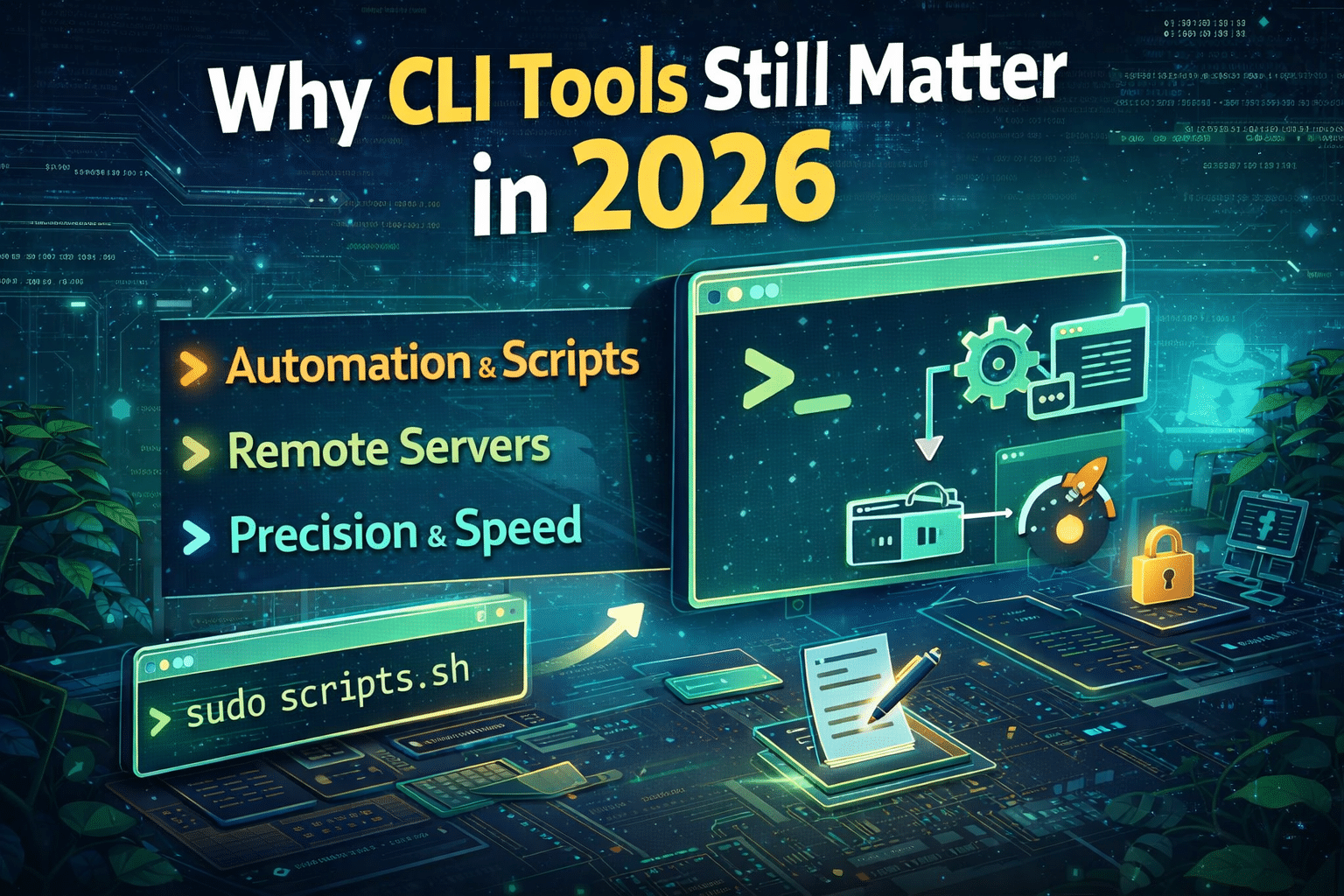
Before we dive into the tools, it’s important to understand why CLI tools continue to dominate:
- Speed: No rendering overhead like GUI apps
- Automation: Easily script repetitive tasks
- Remote-first: Essential for SSH, servers, and cloud environments
- Low resource usage: Perfect for lightweight systems and VPS
This is why modern developers increasingly adopt a remote-first workflow, often running their tools on powerful remote machines instead of local devices.
The 6 Must-Have CLI Tools
1. tmux – The Ultimate Terminal Multiplexer
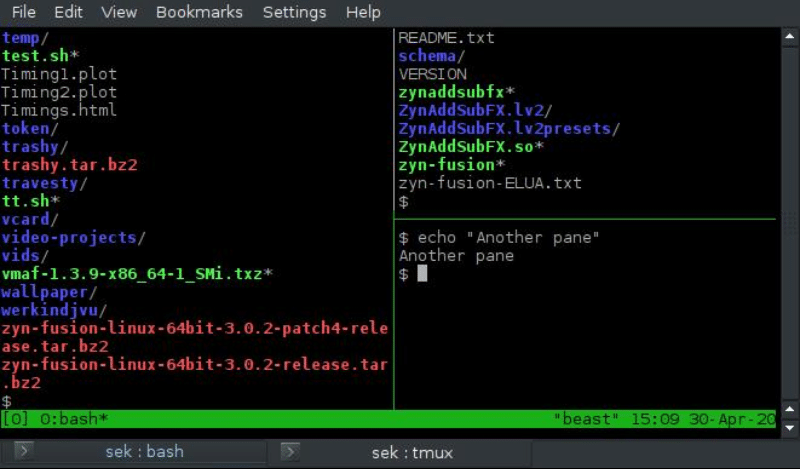
If you install only one CLI tool, make it tmux.
What it does:
- Splits your terminal into multiple panes
- Lets you run multiple sessions simultaneously
- Allows you to detach and reattach sessions anytime
Why developers love it:
Imagine running builds, servers, and logs all at once—without opening multiple windows.
Even better:
If your connection drops, your session keeps running in the background.
Real-world use:
- Long-running scripts
- Remote server management
- Monitoring multiple services
Pro Tip:
Run tmux on a 99RDP server, and your sessions will stay alive 24/7—even if your laptop shuts down.
2. fzf – The Speed Search Engine for Your Terminal
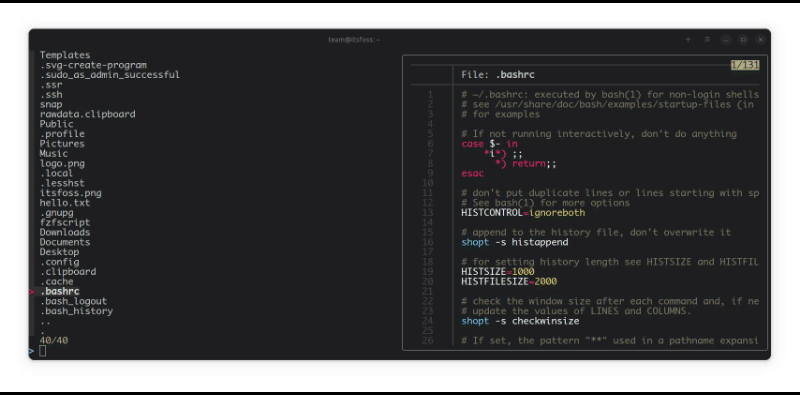
Searching manually is slow. fzf changes that.
What it does:
- Provides fuzzy search for files, commands, and history
- Works instantly with keyboard shortcuts
- Integrates with bash, zsh, and vim
Why it matters:
Developers waste a surprising amount of time navigating directories. fzf eliminates that friction.
Example:
ls | fzf
Instantly filter through hundreds of files.
Real-world impact:
- Jump between projects quickly
- Search logs on remote machines
- Find commands from history instantly
3. htop – Real-Time System Monitoring Made Simple
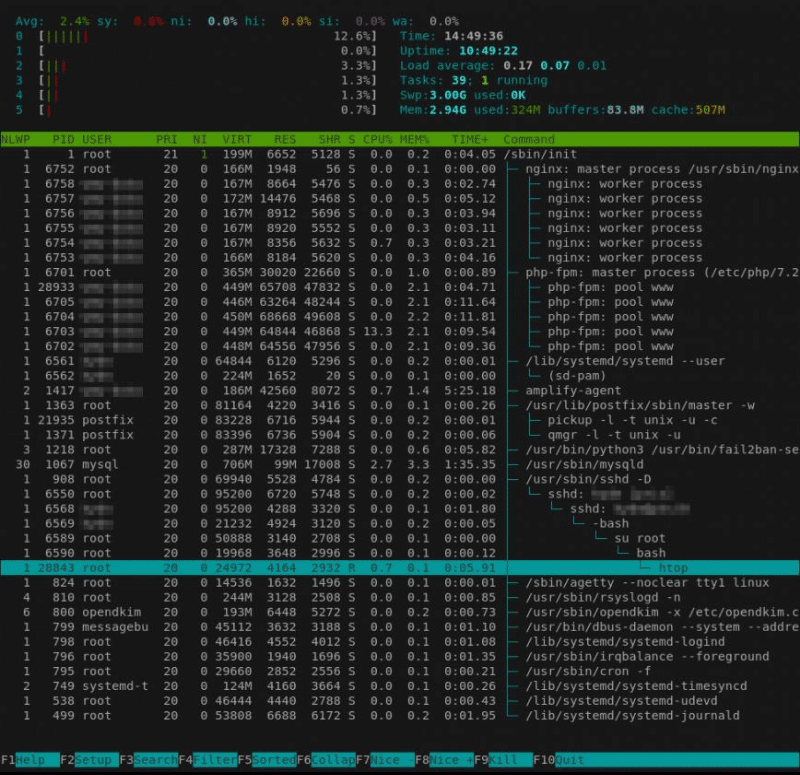
When performance matters, you need visibility. That’s where htop shines.
What it does:
- Displays CPU, memory, and process usage in real time
- Lets you kill or manage processes interactively
- Shows a clean, color-coded interface
Why developers install it:
Compared to the default top, htop is easier, faster, and far more intuitive.
Use cases:
- Debugging performance issues
- Monitoring servers
- Managing background processes
Best Practice:
Use htop on a 99RDP VPS to monitor heavy workloads without stressing your local machine.
4. ripgrep (rg) – Blazing-Fast Code Search
Searching code with traditional tools can be painfully slow. ripgrep (rg) solves that.
What it does:
- Searches entire codebases in milliseconds
- Automatically ignores
.gitignorefiles - Uses optimized algorithms for speed
Why it’s essential:
In large projects, speed matters. ripgrep helps you find:
- Bugs
- Variables
- Configurations
Example:
rg "functionName"
Developer advantage:
- Works seamlessly with editors like Vim and VS Code
- Ideal for large repositories
5. Midnight Commander – GUI Power Inside Your Terminal
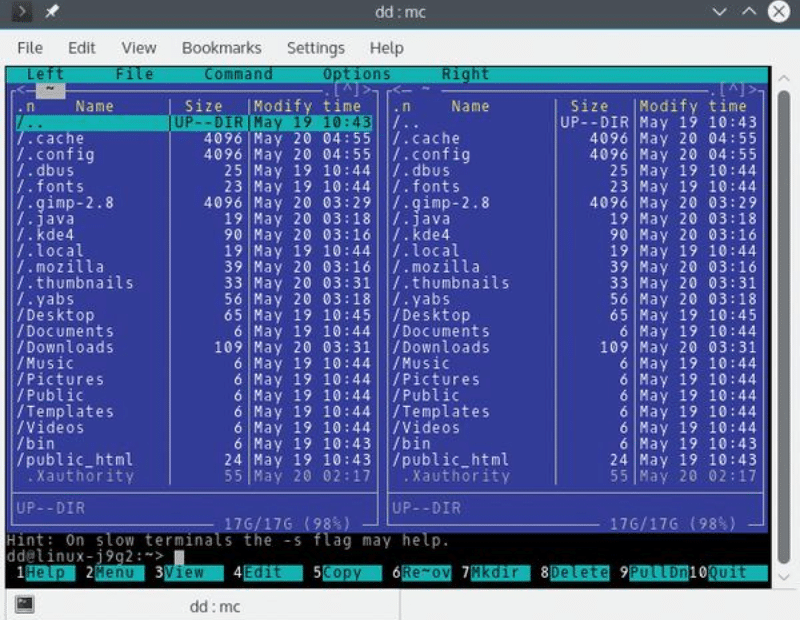
Not every task is faster with raw commands. Sometimes, you need a visual layout.
What it does:
- Provides a dual-pane file manager
- Allows easy copy, move, rename operations
- Works entirely inside the terminal
Why developers use it:
It combines the speed of CLI with the usability of GUI tools—perfect for remote servers.
Best use cases:
- Managing files on headless systems
- Navigating directories visually
- Editing files quickly
6. fd – A Smarter, Faster Alternative to find
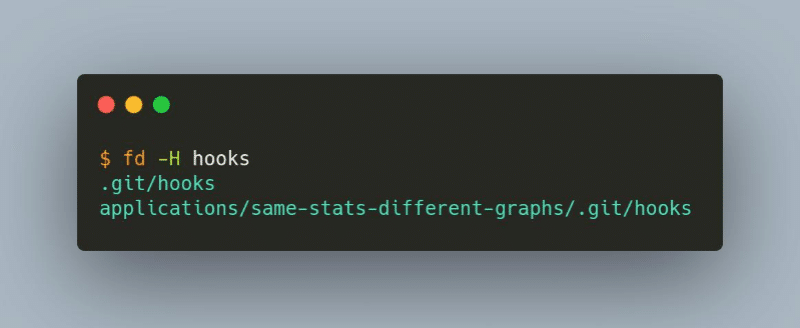
The traditional find command is powerful—but complicated. fd simplifies everything.
What it does:
- Searches files quickly with simple syntax
- Supports regex and parallel execution
- Ignores hidden and irrelevant files by default
Why developers prefer it:
It’s faster, cleaner, and easier to use.
Example:
fd config
Result:
Instant file discovery without complex flags.
Supercharge These Tools with 99RDP
Installing these tools locally is just the beginning. The real power comes when you run them on a high-performance remote system.
That’s where 99RDP makes a difference.
Why developers combine CLI tools with 99RDP:
1. Always-On Development Environment
- Run scripts, servers, and sessions 24/7
- Never lose progress
2. Better Performance
- Execute heavy searches and builds faster
- Handle large workloads effortlessly
3. Work from Anywhere
- Access your Linux environment via RDP or SSH
- Continue work on any device
4. Ideal for DevOps & Automation
- Run cron jobs, pipelines, and deployments continuously
5. Cost-Effective Scaling
- Upgrade resources without changing your setup
Data-Driven Benefits of CLI + Remote Workflow
| Feature | Local Setup | CLI + 99RDP |
|---|---|---|
| Uptime | Limited | 24/7 |
| Performance | Hardware dependent | Scalable |
| Multitasking | Moderate | High |
| Remote Access | Limited | Global |
| Automation | Basic | Advanced |
The Perfect Developer Workflow
Here’s how professionals actually use these tools together:
- Connect to a 99RDP Linux server
- Start a tmux session
- Navigate using fzf + fd
- Monitor performance with htop
- Search code using ripgrep
- Manage files via Midnight Commander
This setup creates a fast, reliable, and scalable development environment.
Final Thoughts
The best developers don’t just write code—they optimize how they work.
These six CLI tools:
- Save time
- Reduce friction
- Increase productivity
And when you combine them with a powerful remote solution like 99RDP, you unlock a workflow that is:
- Faster
- Smarter
- Always available
Conclusion
If you’re setting up a Linux machine today, don’t stop at the basics.
Install these six CLI tools.
Pair them with a high-performance environment like 99RDP.
And build a development workflow that scales with your ambition.
EXPLORE MORE ; Ghostty’s Scrollbar Feature Meets High-Performance Linux RDP

READ OUR BLOGS


