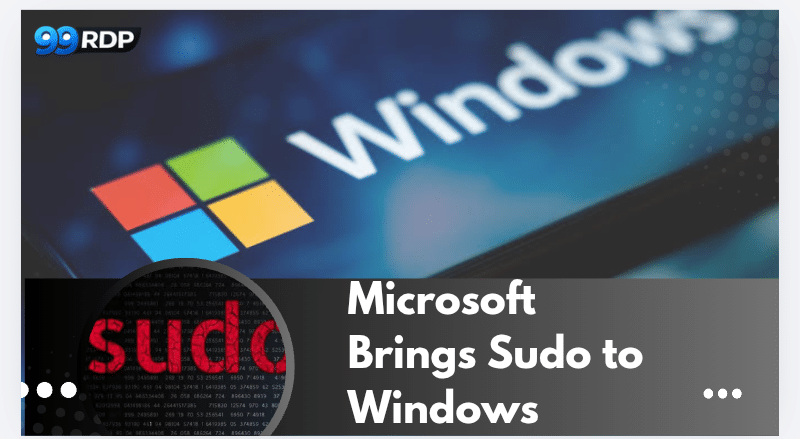
Microsoft Brings Sudo to Windows: How It Transforms the Terminal Experience
For decades, the sudo command has been a cornerstone of Linux and Unix systems. Developers and system administrators rely on it daily to run commands with elevated privileges while staying inside the same terminal session.
Now, Microsoft has introduced a native sudo command in modern Windows builds, marking a major shift in how developers interact with the Windows terminal environment. The change might look small on the surface, but it significantly improves productivity, aligns Windows with Linux workflows, and simplifies administrative tasks.
For developers, DevOps engineers, and system administrators, this update transforms the Windows command-line experience and makes it far more efficient for modern development environments.
Let’s explore what Windows sudo is, how it works, why it matters, and how remote infrastructure solutions like 99RDP help developers fully leverage this powerful feature.
Understanding the Sudo Command

The term sudo stands for “superuser do.”
In Linux systems, it allows a regular user to execute commands with administrator (root) privileges without switching to the root account. Instead of opening a separate privileged terminal, the user simply adds sudo before a command.
For example:
sudo apt update
This command runs the operation with elevated privileges while the user remains in the same terminal session.
Until recently, Windows users had to follow a more complicated process. They typically needed to:
- Close their normal terminal window
- Reopen the terminal as Administrator
- Re-run the command
This workflow slowed down developers and disrupted command-line productivity.
Microsoft’s New Sudo Command in Windows

Microsoft introduced a native sudo command in newer Windows builds, particularly with Windows 11 developer-focused updates.
With this feature enabled, Windows users can run a command with elevated privileges directly from the terminal using:
sudo <command>
For example:
sudo netstat -ab
Windows then prompts the user through User Account Control (UAC) and runs the command with administrative privileges.
This approach mirrors the behavior Linux users have relied on for decades.
Why Microsoft Added Sudo to Windows
Microsoft has been steadily transforming Windows into a developer-friendly operating system.
Over the past few years, several major improvements have supported this vision:
- Windows Terminal
- Windows Subsystem for Linux (WSL)
- Native package managers like Winget
- Improved PowerShell capabilities
Adding the sudo command is another step toward making Windows more comfortable for developers who frequently work across multiple operating systems.
Many engineers who use Linux or macOS daily expect the sudo workflow. By bringing it to Windows, Microsoft removes a friction point that has existed for years.
Key Features of Windows Sudo

The Windows implementation of sudo is flexible and configurable. It offers several operating modes that determine how elevated commands run.
1. Inline Execution Mode
In inline mode, Windows runs the elevated command directly inside the same terminal window.
This mode closely mimics the traditional Linux experience and is ideal for developers who prefer uninterrupted command-line workflows.
2. New Window Mode
In this mode, Windows opens a new elevated terminal window to execute the command.
This approach provides an additional layer of separation between normal commands and administrative operations.
3. Input Disabled Mode
Windows also offers a configuration where the elevated command runs in the same terminal but blocks user input during execution.
This prevents accidental interference while the command is running.
How Sudo Improves the Developer Workflow

The introduction of sudo simplifies many everyday development tasks.
Developers frequently run commands that require administrative privileges, including:
- Installing software
- Configuring system services
- Managing network settings
- Editing protected files
Previously, switching between elevated and non-elevated terminals disrupted the workflow.
Now, developers can execute commands instantly.
Real Developer Use Cases
Let’s explore some practical scenarios where Windows sudo improves productivity.
Installing Software Packages
Developers often install tools that require administrator access.
For example:
sudo winget install docker
Instead of reopening the terminal as Administrator, the command runs directly from the current session.
Managing Network Configurations
System administrators regularly perform network diagnostics and configuration tasks.
Example:
sudo netsh interface show interface
These operations typically require administrative privileges, making sudo extremely useful.
Modifying System Files
Some configuration files remain protected by default.
With sudo, developers can edit or remove these files without switching terminals.
Example:
sudo del protectedfile.txt
This saves time and keeps the workflow uninterrupted.
The Growing Importance of Terminal-Based Development
Modern development environments increasingly rely on command-line tools.
Developers frequently work with technologies such as:
- Docker
- Kubernetes
- Git
- Node.js
- Python virtual environments
Many of these tools depend heavily on terminal commands, and some operations require administrative privileges.
The addition of sudo makes Windows much more compatible with this terminal-first development model.
Why Remote Development Environments Are Rising
While local machines remain important, many developers now rely on remote infrastructure for their development environments.
Several factors drive this shift:
Higher Computing Power
Remote servers can provide stronger hardware than personal laptops.
Developers gain access to:
- high-performance CPUs
- large RAM configurations
- GPU acceleration
Always-On Systems
Remote environments remain available 24/7, allowing long-running tasks like:
- compiling large applications
- machine learning training
- server monitoring
Device Independence
Developers can work from any device while accessing the same environment.
How 99RDP Enhances the Modern Terminal Workflow
This is where 99RDP’s remote desktop services become extremely valuable for developers.
By combining Windows’ new sudo command with powerful remote infrastructure, developers gain a highly efficient working environment.
High-Performance Remote Machines
Local laptops often struggle with heavy development workloads.
99RDP provides remote desktops with:
- powerful CPUs
- large memory configurations
- stable remote access
Developers can run demanding applications without overloading their personal devices.
Perfect for DevOps and System Administration
DevOps professionals frequently execute commands that require administrative privileges.
With sudo-enabled Windows environments on 99RDP servers, engineers can easily:
- configure infrastructure
- deploy applications
- manage system services
All from a secure remote terminal.
Ideal for Developers Using CLI-Based Tools
Modern development stacks rely heavily on command-line tools.
Developers working with Git, Docker, and other CLI-based technologies benefit greatly from environments where elevated commands are easy to run.
The Windows sudo feature makes this workflow smoother, and 99RDP provides the computing power needed to support it.
Global Accessibility
Remote desktop infrastructure enables developers to work from anywhere.
Whether using a laptop, tablet, or secondary PC, developers can access their full development environment instantly.
This flexibility makes remote RDP environments increasingly popular among freelancers, startups, and distributed teams.
Security Considerations
While sudo improves efficiency, it must be used responsibly.
Elevated privileges can allow critical system changes, which means organizations should maintain proper security practices.
Important precautions include:
- Limiting administrator permissions
- Monitoring command usage
- Using authentication prompts for elevated commands
Windows continues to use User Account Control (UAC) to ensure that elevated operations receive explicit approval.
This provides an important safeguard against unauthorized system modifications.
The Future of Windows for Developers
Microsoft has clearly shifted its focus toward supporting developers more aggressively.
Recent improvements demonstrate this strategy:
- modern Windows Terminal
- deep Linux integration through WSL
- built-in package management
- Linux-style sudo functionality
These changes bring Windows closer to the development environments engineers already use in Linux systems.
When combined with high-performance remote infrastructure such as 99RDP, the platform becomes even more powerful.
Developers gain the ability to build, test, and deploy applications on scalable systems without relying entirely on local hardware.
Final Thoughts
The introduction of the sudo command in Windows marks an important milestone for the platform.
It simplifies privilege management, reduces workflow interruptions, and aligns Windows with the development practices used in Linux environments.
For developers and system administrators, the benefits are immediate:
- faster command execution
- fewer interruptions in terminal sessions
- improved productivity
When paired with reliable remote desktop infrastructure like 99RDP, developers gain access to powerful systems that support modern command-line workflows.
As Windows continues evolving into a developer-first ecosystem, features like sudo will play an essential role in shaping the future of terminal-based development.
EXPLORE MORE ; Ghostty’s Scrollbar Feature Meets High-Performance Linux RDP

READ OUR BLOGS