Turn Your Downloads Folder into a Smart System Using Bash Scripts and 99RDP
Your Downloads folder silently tracks your digital behavior. Every PDF, image, installer, ZIP archive, and spreadsheet lands there first. Over time, it becomes cluttered, slow to navigate, and difficult to manage.
Instead of manually cleaning it every weekend, you can transform it into an automated, self-organizing system using Bash scripts. And when you run that automation on a high-performance remote machine from 99RDP, you unlock true 24/7 efficiency.
In this guide, you will learn:
- Why messy Downloads folders hurt productivity
- How Bash automation solves the problem
- How to schedule and scale file automation
- Why running automation on a remote RDP server makes strategic sense
- Practical use cases for developers, students, content writers, and business owners
Let’s turn chaos into a system.
The Real Cost of a Messy Downloads Folder
A cluttered folder doesn’t just look bad — it reduces efficiency.
Productivity Data Speaks
- Research from professional productivity surveys shows employees spend 1.5–2.5 hours daily searching for information.
- Poor file organization significantly increases cognitive load.
- Repetitive manual sorting wastes time that could be invested in deep work.
Even if you spend just 15 minutes per week cleaning files, that equals:
13 hours per year lost to something automation can do in seconds.
If you are a student, developer, content creator, or remote worker, that time matters.
Why Bash Is Perfect for File Automation
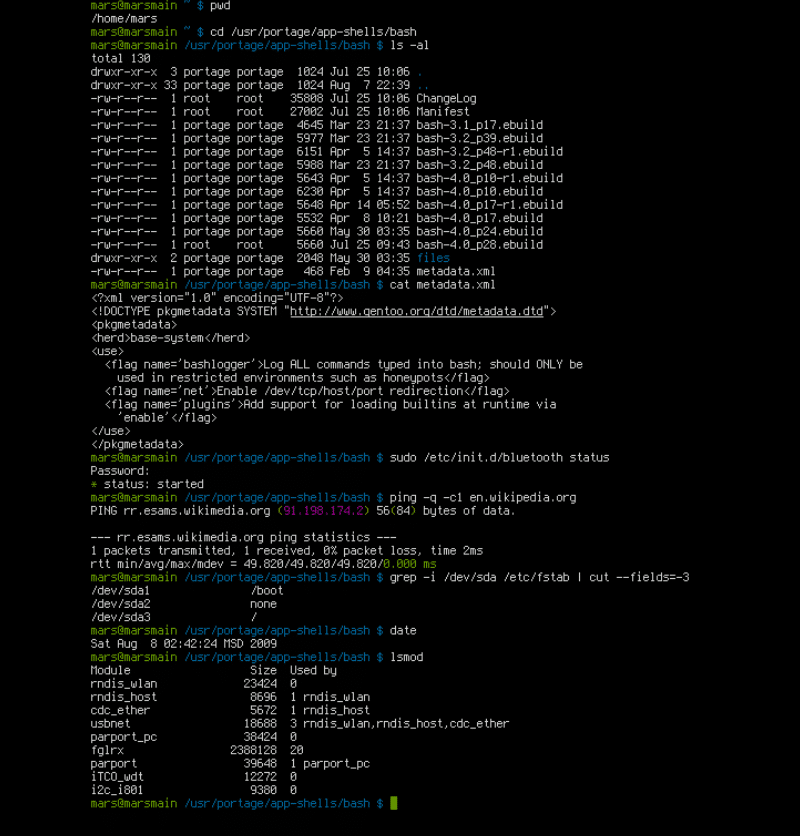
Bash is lightweight, powerful, and already available on Linux and macOS systems (and usable via WSL on Windows).
It allows you to:
- Detect file extensions
- Create folders automatically
- Move files instantly
- Delete unwanted file types
- Schedule tasks with cron
- Log operations for tracking
Unlike GUI tools, Bash runs silently in the background and consumes minimal resources.
Step 1: Define a Smart Folder Structure
Instead of letting files pile up randomly, define logical categories:
- Documents (PDF, DOCX, TXT)
- Images (JPG, PNG, WEBP)
- Videos (MP4, MKV)
- Music (MP3, WAV)
- Archives (ZIP, RAR, TAR)
- Installers (EXE, DMG, DEB)
This structured system reduces friction when retrieving files later.
Step 2: Create the Automation Script
Here’s a simplified example of a Bash automation workflow:
#!/bin/bash

cd ~/Downloads

mkdir -p Documents Images Videos Music Archives Installers

mv *.pdf *.docx *.txt Documents 2>/dev/null
mv *.jpg *.png *.webp Images 2>/dev/null
mv *.mp4 *.mkv Videos 2>/dev/null
mv *.mp3 *.wav Music 2>/dev/null
mv *.zip *.rar *.tar Archives 2>/dev/null
mv *.exe *.dmg *.deb Installers 2>/dev/null
This script:
- Enters the Downloads folder
- Creates organized subfolders
- Moves files based on extensions
- Suppresses errors if no matching files exist
Execution takes seconds.
Step 3: Schedule It Automatically
Automation becomes powerful when it runs without intervention.
Use cron:
crontab -e
Add:
0 23 * * * /path/to/script.sh
Now your system organizes itself every night at 11 PM.
No reminders. No manual sorting. No mental load.
Why Running This on Your Local PC Is Limited
Your laptop:
- Shuts down
- Sleeps
- Consumes battery
- Competes for CPU with other tasks
- Stops automation when offline
If you want true automation — especially for larger workflows — you need infrastructure that stays online.
This is where 99RDP becomes strategic.
Why 99RDP Makes Your Automation Smarter
Always-On Infrastructure
With a remote desktop from 99RDP, your system runs 24/7.
That means:
- Scheduled automation never stops
- File sorting runs even when your laptop is off
- Background downloads and classification continue uninterrupted
Consistency increases reliability.
High-Speed SSD Performance
File operations depend on storage speed.
99RDP provides SSD-based infrastructure that:
- Moves large files faster
- Handles bulk sorting efficiently
- Processes archive-heavy workloads smoothly
If you manage large media files, logs, or datasets, performance matters.
Ideal for Developers & Technical Users
If you:
- Download build artifacts
- Process log files
- Run scripts daily
- Manage automation workflows
- Handle web scraping outputs
Running automation on a remote server ensures:
- Isolation from your personal machine
- Clean development environment
- Scalable resource allocation
Developers often combine Bash scripts with automation tools, CI pipelines, or scheduled jobs. A remote environment enhances control.
Secure and Isolated Environment
When you automate file handling locally, sensitive documents remain on your personal device.
With 99RDP, you:
- Separate work files from personal files
- Maintain a controlled remote workspace
- Reduce risk of accidental deletion
Isolation improves operational discipline.
Scale Beyond Downloads
Once you start automating your Downloads folder, you can expand automation to:
- Automated backups
- File compression after 7 days
- Cloud sync scripts
- Email attachments auto-sorting
- Log file archiving
- Data classification
A remote server allows expansion without stressing your device.
Real-World Use Cases
Students & Exam Aspirants
If you download:
- PDFs
- Notes
- Question papers
- Admit cards
Automation ensures:
- Everything gets categorized instantly
- You never lose important documents
- Study material stays structured
Especially for serious aspirants managing hundreds of documents, this reduces friction.
Content Writers & Bloggers
If you regularly download:
- Images
- Research PDFs
- Templates
- Media files
Automated organization helps you:
- Retrieve references quickly
- Maintain research libraries
- Separate drafts from assets
Efficiency improves content turnaround time.
Developers
Developers often handle:
- Package downloads
- Test files
- Compressed builds
- Logs
A structured automation system prevents chaos in development environments.
Remote Professionals
Business owners and remote workers can automate:
- Invoices
- Client files
- Reports
- Contracts
Reducing admin overhead frees time for strategic tasks.
Advanced Automation Ideas
Once you’re comfortable with Bash, consider:
✔ Auto-Delete After X Days
Delete temporary installers after 30 days.
✔ Auto-Compress Old Files
Archive inactive files to reduce clutter.
✔ Add Logging
Track moved files:
echo "Moved file.pdf to Documents" >> log.txt
✔ Integrate with Cloud
Sync organized folders with cloud storage automatically.
Automation becomes a digital assistant.
Data-Driven Impact of Automation
Let’s quantify:
If automation saves:
- 15 minutes weekly
- 1 hour monthly
That equals:
- 12 hours per year
- 120 hours in 10 years
That’s 5 full days of productivity recovered.
Now imagine expanding automation beyond just Downloads.
The compounding effect is powerful.
Why Infrastructure + Automation Wins
Automation alone is helpful.
Automation + Always-On Infrastructure is transformational.
When you combine:
- Bash scripting
- Scheduled tasks
- Remote RDP environment
- High-speed storage
You create a system that:
- Runs independently
- Scales with workload
- Improves productivity
- Reduces cognitive load
99RDP provides the remote environment that makes this sustainable long-term.
Final Thoughts: Build Systems, Not Habits
Instead of relying on motivation to clean your folders, build a system that does it automatically.
Start small:
- Write a simple Bash script
- Test it locally
- Schedule it
- Move it to a remote RDP server
- Expand gradually
Over time, your digital workspace becomes:
- Organized
- Predictable
- Efficient
- Scalable
Your Downloads folder transforms from chaos into a smart system.
And when you power that system with reliable infrastructure from 99RDP, you move from simple automation to professional workflow optimization.
EXPLORE MORE ; Ghostty’s Scrollbar Feature Meets High-Performance Linux RDP

READ OUR BLOGS