
Why Linux Mint 22.3?

Linux Mint has always stood for stability, usability, and a no-nonsense desktop experience. With Linux Mint 22.3 “Zena”, the team doesn’t try to reinvent the wheel—instead, it refines every spoke. Powered by Cinnamon 6.6 and built on Ubuntu 24.04 LTS, Linux Mint 22.3 feels calmer, smarter, and noticeably more mature than its predecessors.
This release proves that polish matters. Small improvements, when done consistently across the system, create a desktop that simply stays out of your way and lets you work. Let’s break down why Linux Mint 22.3 is the most refined Cinnamon release to date—and why it’s an excellent choice for local and remote Linux workflows alike.
1. Cinnamon 6.6 , Linux Mint 22.3
Cinnamon 6.6 is the heart of Linux Mint 22.3, and it shows a clear design philosophy: improve what users already love.
Key refinements include:
- A redesigned application menu with a cleaner layout and a customizable sidebar
- Faster navigation to favorites, bookmarks, and system locations
- Smoother animations and better responsiveness across the desktop
- Improved keyboard navigation and Alt+Tab behavior for power users
Instead of flashy visuals, Cinnamon 6.6 prioritizes workflow efficiency. Everything feels deliberate—menus open instantly, system dialogs behave predictably, and multitasking feels smoother even on mid-range hardware.
👉 Why this matters: Developers, writers, and students spend hours inside their desktop. Cinnamon 6.6 reduces friction and mental load, which directly improves focus and output.
2. A Native, Smarter On-Screen Keyboard Experience : Linux Mint 22.3
One of the quiet but impactful upgrades in Linux Mint 22.3 is the rewritten on-screen keyboard, now natively integrated into Cinnamon.
This improves:
- Compatibility with hybrid laptops and touchscreen devices
- Stability when switching between keyboard modes
- Visual consistency with the rest of the desktop
This change signals something important: Cinnamon is preparing for the future—without forcing Wayland or experimental features onto users prematurely.
3. System Tools That Respect the User’s Time
Linux Mint 22.3 introduces improved System Information and System Administration tools that centralize what used to be scattered across commands and utilities.
You now get:
- Detailed hardware info (CPU, GPU, USB, PCI, BIOS) in one interface
- Clear boot and system configuration access
- Easier diagnostics without touching the terminal
For users managing multiple machines or troubleshooting remotely, this is a huge win.
👉 Practical benefit: You spend less time hunting for system details and more time solving actual problems.
4. File Management and Backup Finally Feel Modern
Linux Mint has always been reliable, but version 22.3 makes core utilities feel modern without breaking habits.
Nemo File Manager Improvements
- Pause and resume file transfers
- Better handling of large files and external drives
- More predictable behavior during long operations
Timeshift & Backup Enhancements
- Pause and resume system snapshots
- Improved reliability for backup operations
- Better support for hidden configuration files
These changes matter most to users who handle large datasets, project directories, or media files—especially over remote connections.
5. Built on Ubuntu 24.04 LTS for Long-Term Stability
Linux Mint 22.3 is based on Ubuntu 24.04 LTS, which means:
- Long-term security updates
- Newer Linux kernel with improved hardware support
- Better compatibility with modern CPUs, GPUs, and SSDs
This foundation makes Mint 22.3 ideal not just for personal desktops, but also for virtual machines, remote servers, and RDP-based environments.
Why Linux Mint 22.3 Shines in Remote Desktop & RDP Use Cases
As more professionals work remotely, the Linux desktop is no longer limited to a physical machine. Many developers and content creators now rely on remote Linux systems for heavy workloads.
This is where Linux Mint 22.3 pairs beautifully with 99RDP’s Linux RDP services.
Linux Mint + 99RDP: A Powerful Remote Desktop Combo
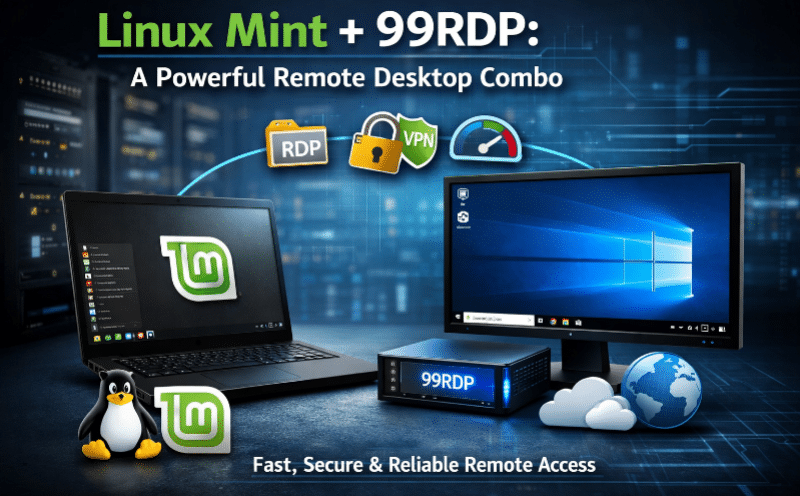
Linux Mint’s lightweight Cinnamon desktop performs exceptionally well over RDP—especially when hosted on a high-performance remote server.
With 99RDP’s Linux-friendly RDP solutions, users can:
- Deploy Linux servers with full xRDP support
- Run Cinnamon, Xfce, or other desktops remotely
- Access their Linux environment securely from anywhere
- Work on heavy tasks without stressing local hardware
Why 99RDP fits perfectly here:
- High-performance CPUs (Ryzen & Xeon) for smooth desktop sessions
- Secure RDP connections with encryption support
- Low-latency global data centers
- Full root/admin access for custom Linux setups
👉 Real-world example:
A developer uses Linux Mint 22.3 locally for daily tasks and connects to a 99RDP-hosted Linux server for compiling large projects, running tests, or managing production systems—without slowing down their laptop.
Ideal for Students, Developers, and Professionals
Linux Mint 22.3 feels especially well-suited for:
- Students who need stability and simplicity
- Developers who want a predictable desktop for coding
- Content writers who value focus and minimal distractions
- Remote workers using RDP or cloud-based Linux systems
The Cinnamon desktop remains intuitive for beginners while offering enough depth for advanced users.
What truly sets Linux Mint 22.3 apart is consistency:
- Fonts look sharper
- Notifications behave more intelligently
- Theme elements feel cohesive
- Desktop settings remain logical and discoverable
Nothing screams for attention—and that’s exactly the point.
Linux Mint 22.3 respects your workflow instead of competing with it.
A Desktop That Has Grown Up
Linux Mint 22.3 “Zena” is not revolutionary—but it is refined, reliable, and deeply polished. Cinnamon 6.6 focuses on usability, performance, and long-term comfort rather than trends.
When combined with 99RDP’s powerful Linux RDP services, Linux Mint becomes more than a local desktop—it turns into a scalable, remote-ready Linux workstation that fits modern work styles.
If you value:
- Stability over hype
- Productivity over flash
- Control over complexity
Then Linux Mint 22.3 is, without question, the most polished Cinnamon release yet.
EXPLORE MORE ; CachyOS vs Arch Linux

READ OUR BLOGS


