by mr rockstar | Jul 6, 2020 | Blog, RDP Fix, remote desktop
A web hosting control panel is a web-based interface provided by a web hosting service that allows users to manage their servers and hosted services. Web hosting control panels usually include the following modules: Web server (e.g. Apache HTTP Server, NGINX, Internet...
by Abhishek Thakur | May 30, 2020 | Blog, News & Update, remote desktop
Before listing its pros and cons, let’s understand what’s shared hosting? An easy explanation is a fact that it is a form of web hosting in which multiple sites, often belonging to several businesses, are hosted on precisely the same server. A system...
by Abhishek Thakur | Feb 20, 2020 | Blog, remote desktop
Below mentioned is the most prevalent ways for transferring data between your computer and your server: How to employ cPanel’s “File Manager” to transfer data among your computer and your web server. How to set up a Desktop FTP client, FTP: File Transfer Protocol The...
by Mayank Kumar | Jan 31, 2020 | Blog, News & Update, remote desktop
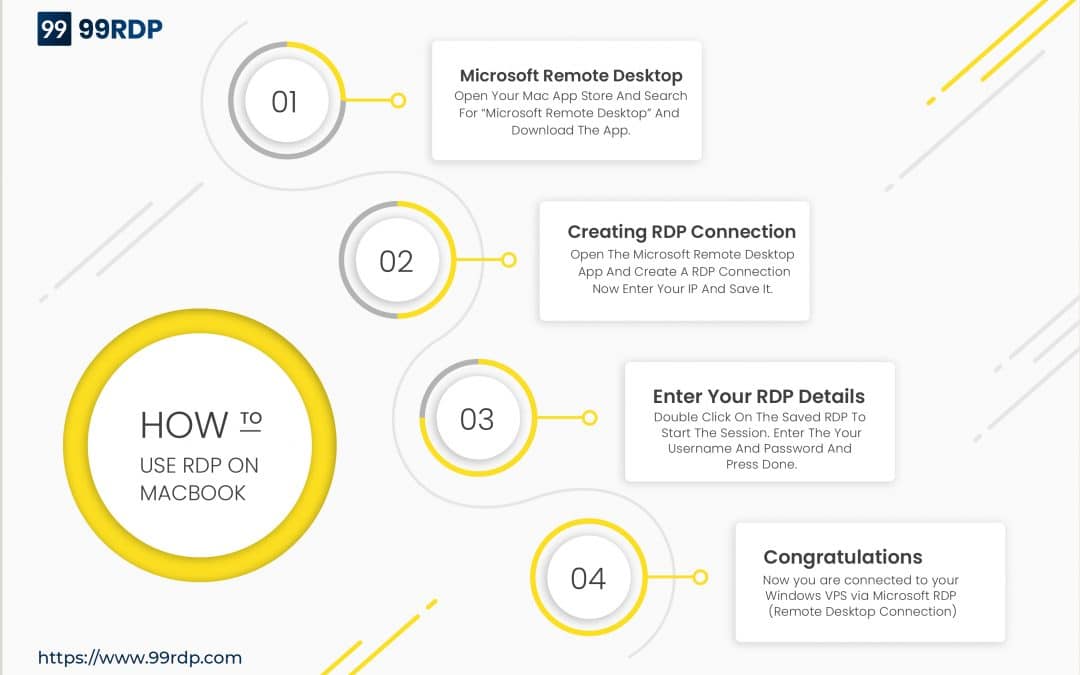
You can use the Remote Desktop client for Mac to work with Windows apps, resources, and desktops from your Mac computer. After activation of a Windows VPS server, it takes 15 to 40 minutes to load the Operating System for the first time then you can connect to the...
by Mayank Kumar | Dec 13, 2019 | Blog, News & Update, remote desktop
Introducing the New Features and Function of the RDP VPS Panel: VPS Control Panel is a web-based application that allows a server administrator to manage various server functions. Management of VPS ( Virtual Private Server ) will be easier if you use a panel compared...
by Mayank Kumar | Nov 23, 2019 | Blog, remote desktop
A remote desktop is “a software or operating system feature that allows a personal computer’s desktop environment to be run remotely on one system (usually a PC, but the concept applies equally to a server) while being displayed on a separate client...