
How LibreOffice’s New UI Personalization Features Improve Daily Workflows

The modern workplace has changed dramatically over the past decade. Employees no longer work exclusively from corporate offices, productivity applications are increasingly cloud-connected, and users expect software to adapt to their preferences rather than forcing them into rigid interfaces.
In this evolving environment, user experience has become just as important as functionality. The best productivity tools are no longer defined solely by the number of features they offer. Instead, they are judged by how effectively users can access those features, customize their workspace, and remain productive throughout the day.
LibreOffice, one of the world’s most widely used open-source productivity suites, has continued refining its user experience through a series of interface enhancements. Among the latest improvements is support for personalized backgrounds within the Tabbed User Interface (UI), adding a new layer of customization to an office suite already known for flexibility and user control.
At first glance, changing a background image might seem like a minor update. However, when viewed through the lens of productivity, usability, enterprise adoption, and remote work trends, this enhancement represents a meaningful step forward.
Let’s explore how LibreOffice’s new UI personalization features can improve daily workflows for individual users, businesses, educational institutions, and remote teams.
The Growing Importance of User Experience in Productivity Software
Historically, office suites were designed primarily around functionality.
The focus was on:
- Word processing
- Spreadsheet calculations
- Presentations
- Database management
- Document compatibility
Visual customization was often considered secondary.
That approach no longer works in today’s software landscape.
Modern users spend eight to ten hours daily interacting with digital tools. Small usability improvements can have a significant cumulative impact on productivity over weeks, months, and years.
Studies across software development, workplace ergonomics, and UX design consistently demonstrate that personalized interfaces can contribute to:
- Reduced cognitive fatigue
- Faster task completion
- Better user satisfaction
- Improved software adoption rates
- Enhanced workflow efficiency
LibreOffice’s personalization updates align directly with these modern UX principles.
LibreOffice’s Tabbed User Interface
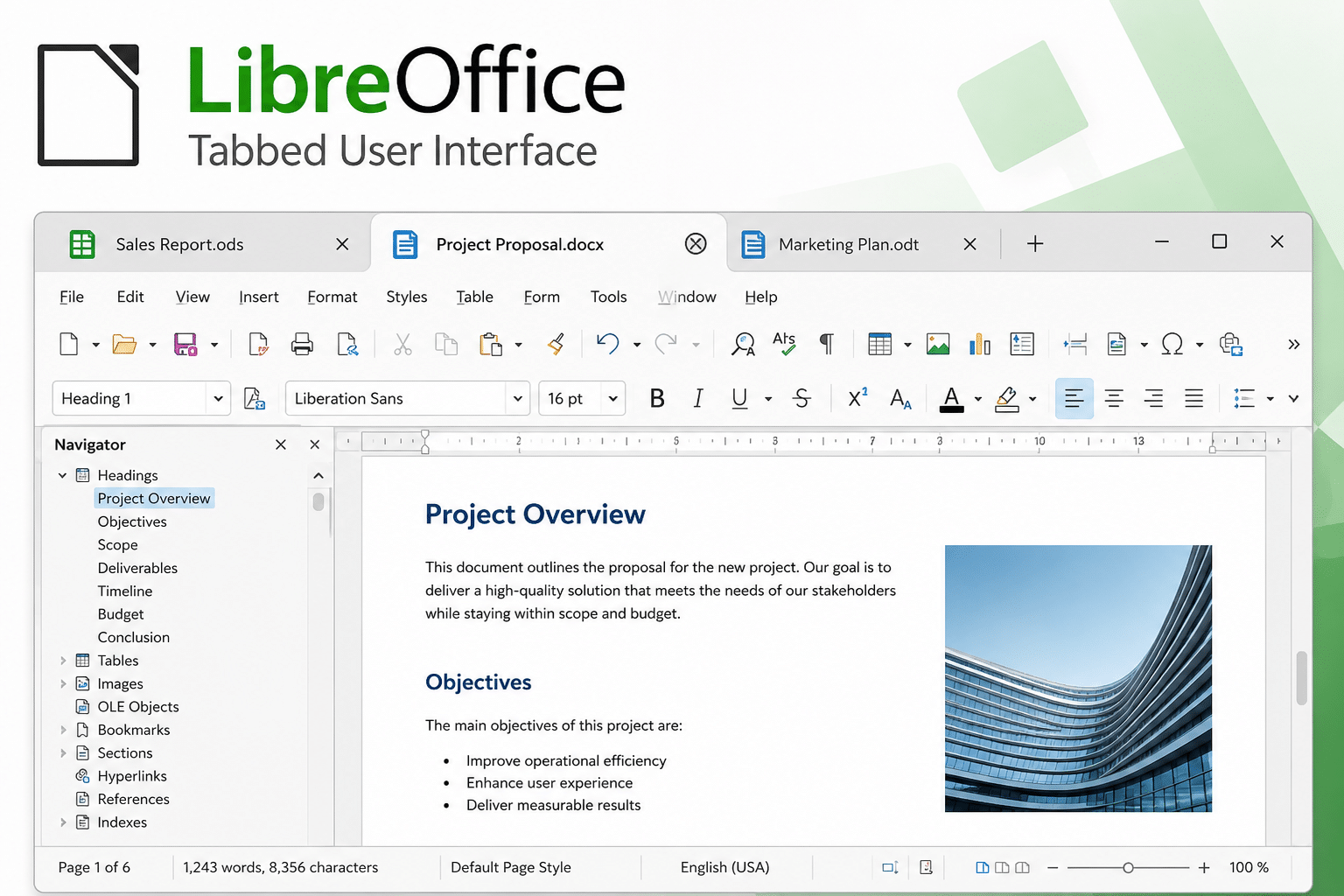
Before examining the new customization features, it is important to understand the Tabbed UI itself.
LibreOffice traditionally relied on:
- Menu bars
- Toolbars
- Side panels
While powerful, these layouts often felt overwhelming to new users.
To simplify navigation and improve familiarity for users migrating from Microsoft Office, LibreOffice introduced the NotebookBar system.
The Tabbed UI variant organizes commands into categorized sections similar to ribbon interfaces.
Examples include:
Home Tab
Contains:
- Formatting tools
- Font controls
- Paragraph settings
- Clipboard actions
Insert Tab
Provides quick access to:
- Images
- Tables
- Charts
- Shapes
Layout Tab
Includes:
- Page formatting
- Margins
- Orientation
- Columns
Review Tab
Offers:
- Comments
- Track changes
- Proofing tools
This organization reduces interface clutter and allows users to locate functions more quickly.
Now LibreOffice is enhancing this experience further through visual customization.
What Are the New UI Personalization Features?
The latest improvements allow users to customize the appearance of the Tabbed UI by applying personalized backgrounds.
Users can:
- Select custom images
- Modify visual themes
- Create unique workspace identities
- Differentiate multiple environments
Although seemingly cosmetic, these changes provide several practical workflow advantages.
Personalized Workspaces Reduce Cognitive Friction
One of the most overlooked productivity killers is cognitive friction.
Cognitive friction occurs when users must repeatedly expend mental effort navigating interfaces, identifying environments, or locating tools.
Even small interruptions create micro-delays.
Over time these delays accumulate.
A personalized workspace helps users build stronger visual associations with their environment.
Examples include:
Technical Documentation Workspace
Using a dark industrial background.
Financial Analysis Environment
Using a corporate-themed visual identity.
Educational Workspace
Using institution-specific branding.
Creative Writing Setup
Using distraction-free minimalist themes.
When users immediately recognize their environment, context switching becomes faster.
The brain spends less time orienting itself and more time focusing on meaningful work.
Visual Differentiation Improves Multi-Project Management
Many professionals work on multiple projects simultaneously.
Examples include:
- Developers managing client projects
- Consultants serving multiple organizations
- Marketing agencies handling various campaigns
- Accountants working across departments
Switching between projects often involves opening multiple LibreOffice documents throughout the day.
Custom UI backgrounds create visual separation between environments.
Benefits include:
- Faster project recognition
- Reduced navigation mistakes
- Better organizational awareness
- Fewer context-switching errors
This becomes especially useful when users maintain several remote desktop sessions simultaneously.
Better Experience for Microsoft Office Migrants
One of the largest barriers to LibreOffice adoption has historically been familiarity.
Many users spend years working within Microsoft’s ecosystem.
Moving to a new office suite introduces learning curves.
LibreOffice has steadily addressed this challenge through:
- Improved compatibility
- Ribbon-style layouts
- Better icon themes
- Enhanced visual consistency
The new personalization features strengthen this strategy.
Users transitioning from Microsoft Office often expect:
- Flexible interface layouts
- Theme customization
- Personalized workspaces
Providing these capabilities makes LibreOffice feel more modern and approachable.
As a result, organizations considering migration encounter less user resistance.
Enhanced Productivity During Long Work Sessions
Interface fatigue is a real phenomenon.
Employees often spend:
- 6+ hours editing documents
- 4+ hours working with spreadsheets
- Entire days preparing presentations
Monotonous visual environments contribute to mental exhaustion.
Personalization introduces variety without sacrificing functionality.
Benefits include:
Improved Engagement
Customized workspaces feel more inviting.
Reduced Visual Fatigue
Users can select colors and imagery that improve comfort.
Increased Ownership
Personalized environments foster stronger connections with software.
Better Concentration
Comfortable interfaces help users maintain focus for longer periods.
These advantages become increasingly important in remote and hybrid work settings.
Strengthening Enterprise Identity
Organizations increasingly seek ways to create consistent digital experiences.
Branding is no longer limited to websites and marketing materials.
Internal productivity environments also matter.
Companies can leverage LibreOffice customization to create:
Department-Specific Interfaces
Examples:
- HR workspace branding
- Finance workspace branding
- Marketing workspace branding
Corporate Themes
Using:
- Company logos
- Brand colors
- Visual assets
Project-Based Workspaces
Distinct appearances for:
- Development projects
- Client engagements
- Internal initiatives
These visual cues help employees quickly identify their working environment.
Accessibility and Personal Comfort
Personalization is also valuable from an accessibility perspective.
Every user interacts with software differently.
Factors include:
- Visual sensitivity
- Color preferences
- Contrast requirements
- Workspace lighting conditions
Custom themes allow users to create environments better suited to their needs.
Potential benefits include:
- Improved readability
- Better focus
- Reduced eye strain
- Enhanced comfort
Inclusion and accessibility are becoming central considerations for software design, making customization increasingly important.
The Role of Personalization in Remote Work
Remote work has transformed software expectations.
Workers now access productivity tools through:
- Home offices
- Co-working spaces
- Hotels
- Client sites
- Mobile environments
Consistency becomes critical.
Personalized LibreOffice environments help users maintain familiarity regardless of location.
Benefits include:
- Reduced adjustment time
- Faster workflow resumption
- Better workspace continuity
- Improved user satisfaction
Whether employees work from home or across continents, their preferred workspace remains recognizable.
Cloud Desktops Amplify the Benefits
The advantages of personalization become even more apparent in cloud-hosted desktop environments.
Organizations increasingly deploy productivity software through:
- Virtual Desktop Infrastructure (VDI)
- Remote Desktop Services
- Cloud workstations
- Dedicated Windows servers
Rather than relying on local machines, employees connect to centralized desktops.
This approach improves:
- Security
- Scalability
- Accessibility
- Resource management
LibreOffice personalization integrates naturally into these environments.
Users maintain consistent experiences regardless of the device used to access their desktop.
Why 99RDP Is an Ideal Platform for LibreOffice Workloads
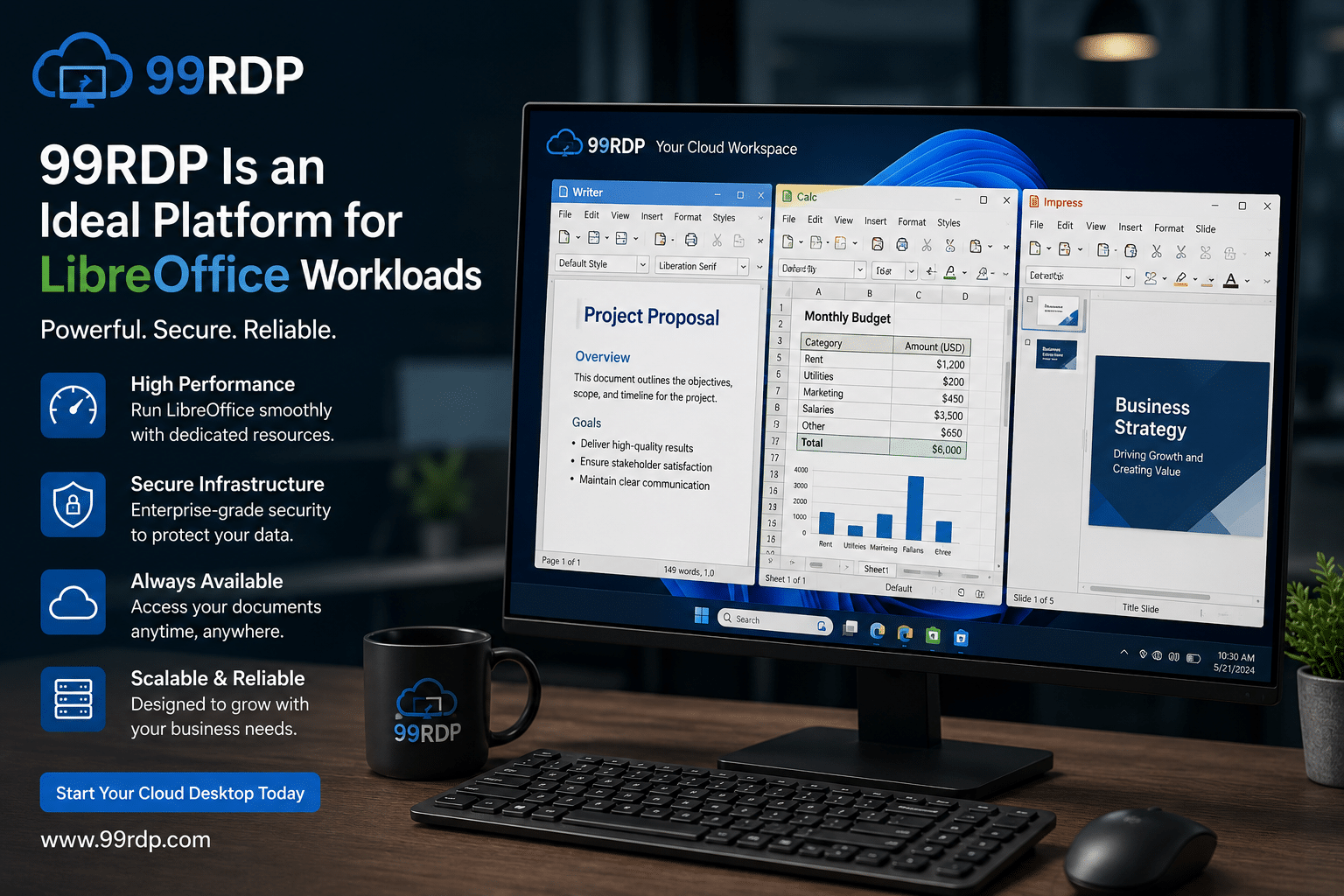
As businesses adopt LibreOffice for document creation, spreadsheets, reporting, and collaboration, reliable infrastructure becomes essential.
This is where 99RDP adds significant value.
99RDP provides high-performance Windows remote desktop solutions designed for modern business workloads.
Organizations can deploy LibreOffice within dedicated cloud desktops and enjoy:
Anywhere Access
Employees can access documents and applications from virtually any location.
Consistent Performance
Cloud-hosted resources eliminate dependence on aging hardware.
Centralized Management
IT teams maintain standardized environments.
Rapid Scalability
New users can be provisioned quickly.
Business Continuity
Critical productivity tools remain available even during local hardware failures.
Combining LibreOffice with 99RDP enables organizations to create highly accessible productivity environments that support both personalization and operational efficiency.
Reducing Training Costs Through Familiar Interfaces
Training costs represent a significant expense during software migrations.
Every hour spent learning new interfaces reduces productive work time.
LibreOffice’s personalized UI strategy helps minimize this challenge.
Benefits include:
- Faster onboarding
- Reduced support tickets
- Easier adaptation
- Greater user confidence
When users can tailor interfaces to match their preferences, the transition process becomes smoother.
Organizations deploying LibreOffice at scale often discover that customization accelerates adoption.
Open Source Meets Modern UX Expectations
A common misconception suggests that open-source software prioritizes functionality over user experience.
LibreOffice increasingly disproves this assumption.
Recent development efforts focus heavily on:
- Interface refinement
- Accessibility improvements
- Visual consistency
- Workflow optimization
- User personalization
These investments demonstrate that open-source software can compete effectively with commercial alternatives in both functionality and usability.
Future Possibilities for LibreOffice Personalization
The current customization features may represent only the beginning.
Potential future enhancements could include:
Dynamic Themes
Automatically changing based on time of day.
Cloud-Synced Preferences
User settings following individuals across devices.
Team-Based Profiles
Shared interface standards for departments.
AI-Driven Workspace Optimization
Adaptive interfaces based on usage patterns.
Expanded Accessibility Controls
More advanced visual customization options.
As LibreOffice continues evolving, personalization will likely become an increasingly important component of the overall user experience.
The Business Case for Interface Personalization
Organizations evaluating productivity tools often focus on:
- Licensing costs
- Compatibility
- Security
- Performance
However, user experience directly affects return on investment.
Personalized environments contribute to:
- Faster adoption
- Improved productivity
- Reduced training expenses
- Higher employee satisfaction
- Better software utilization
Even small workflow improvements can generate significant productivity gains across hundreds or thousands of employees.
LibreOffice’s Competitive Position in 2026
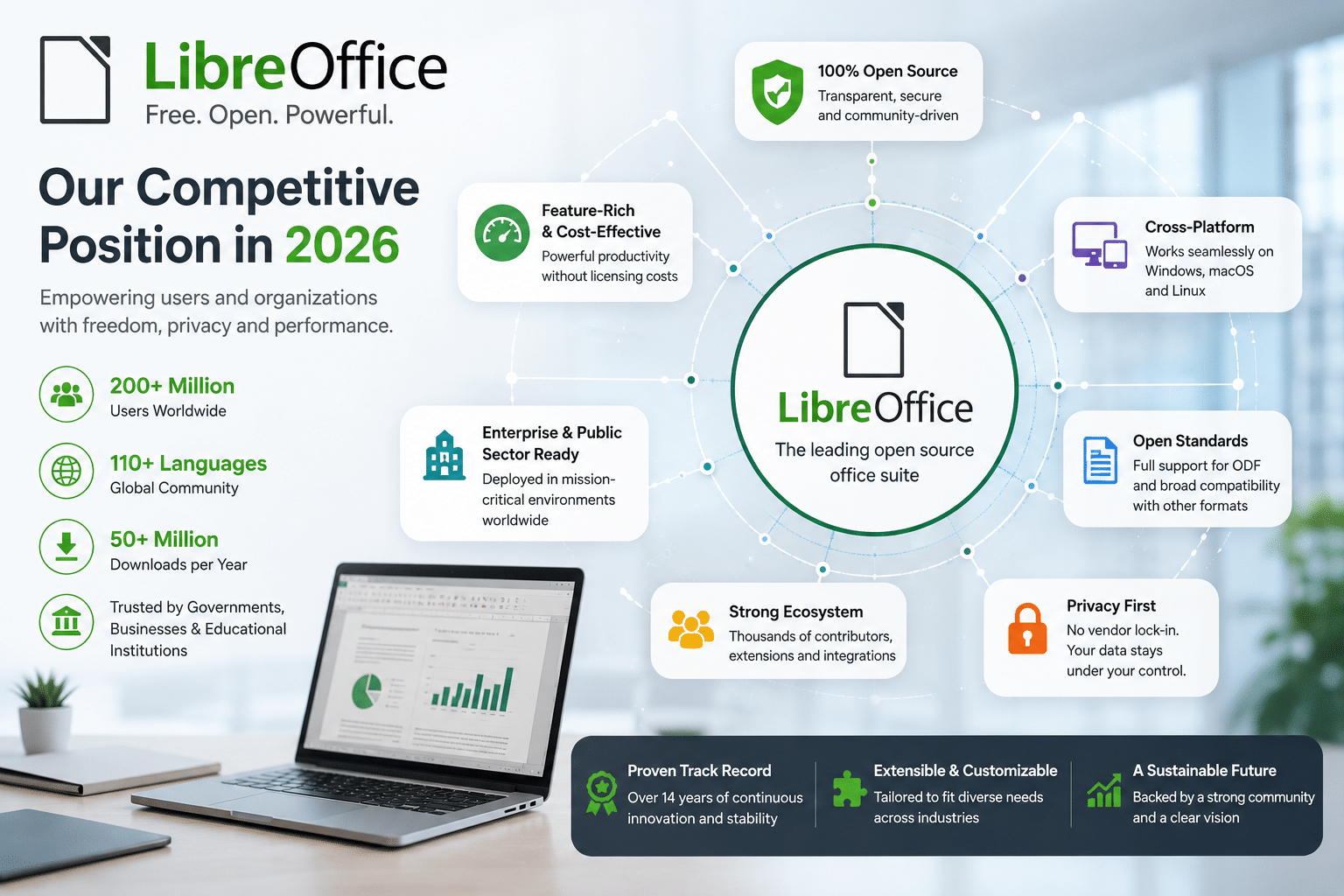
The productivity software market remains highly competitive.
Organizations now expect:
- Modern interfaces
- Flexible customization
- Cloud compatibility
- Strong document support
- Cost efficiency
LibreOffice increasingly delivers across all these categories.
Its open-source nature provides:
- Freedom from subscription costs
- Greater transparency
- Community-driven innovation
- Long-term flexibility
The addition of UI personalization strengthens its position against proprietary competitors.
Final Thoughts
LibreOffice’s new UI personalization features may initially appear to be simple cosmetic enhancements, but their impact extends far beyond visual appearance.
Customized backgrounds and personalized interfaces help reduce cognitive friction, improve workspace recognition, enhance user satisfaction, support accessibility, and streamline daily workflows.
For individuals, these features create a more comfortable and productive environment.
For businesses, they improve adoption, strengthen branding, and support large-scale deployments.
For remote teams, they provide consistency across distributed work environments.
When combined with cloud desktop infrastructure such as 99RDP, LibreOffice becomes an even more powerful productivity platform capable of supporting modern hybrid workforces.
As organizations continue seeking cost-effective alternatives to proprietary office suites, LibreOffice’s focus on personalization, usability, and workflow optimization demonstrates that open-source software is not only keeping pace with industry expectations—it is actively helping define the future of workplace productivity.
EXPLORE MORE ; BleachBit TUI vs Traditional Linux Cleaners
READ OUR BLOGS


