
Why Calibre 9.10’s New Content Server UI Is Great News for E-Book Enthusiasts

Digital reading has come a long way. E-books are no longer just downloadable files sitting on a laptop or e-reader. Readers now expect their libraries to be accessible across devices, searchable from anywhere, and easy to share with family, students, or colleagues. As digital collections continue to grow, managing thousands of books efficiently has become just as important as acquiring them.
This is precisely why the release of Calibre 9.10 matters.
The latest version of Calibre, the world’s most popular open-source e-book management platform, introduces a significantly redesigned Content Server interface along with several under-the-hood improvements aimed at making digital library management more intuitive and accessible. While the update may appear incremental at first glance, it actually represents an important step toward modernizing self-hosted digital libraries.
For e-book enthusiasts, publishers, researchers, educational institutions, and businesses maintaining extensive digital collections, Calibre 9.10 delivers meaningful enhancements that improve both usability and accessibility.
Let’s dive into why this release deserves attention.
What Is Calibre?
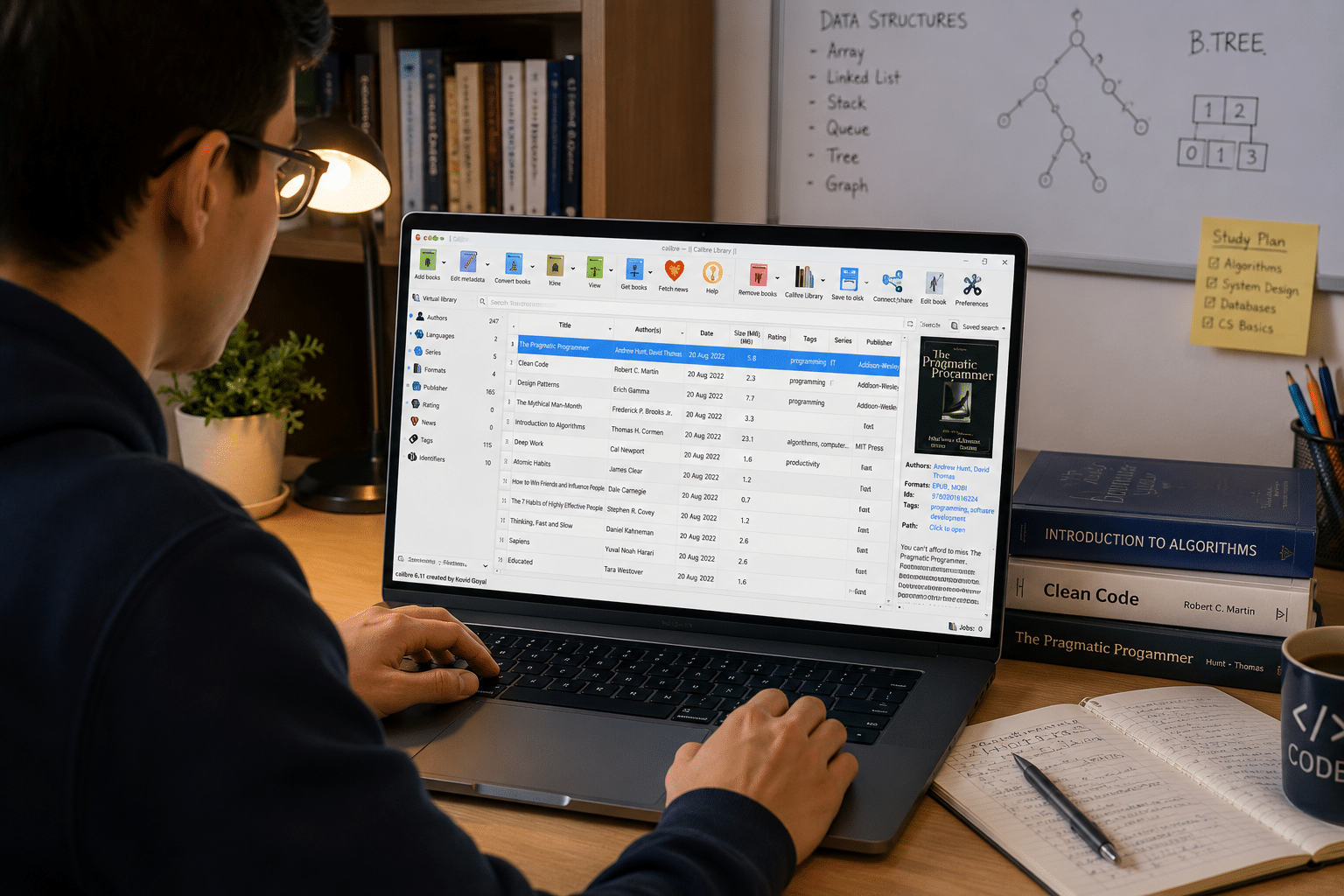
Calibre is a free and open-source e-book management application developed by Kovid Goyal. Since its initial release in 2006, it has evolved from a simple e-book organizer into a comprehensive digital library ecosystem.
Today, millions of users worldwide rely on Calibre to:
- Organize massive e-book collections
- Convert books between formats
- Edit EPUB files
- Download metadata and covers
- Synchronize with e-readers
- Manage digital archives
- Share libraries over networks
- Access books remotely through its Content Server
The platform supports Windows, Linux, and macOS, making it one of the most versatile e-book management solutions available.
Why Digital Libraries Need Better Interfaces
The digital publishing industry has experienced explosive growth over the past decade.
Several trends are driving this expansion:
Rising E-Book Adoption
Readers increasingly prefer digital books because they are:
- Portable
- Searchable
- Environmentally friendly
- Easy to purchase instantly
- Accessible on multiple devices
Remote Education Growth
Schools and universities now maintain large repositories of:
- Textbooks
- Research papers
- Course materials
- Academic journals
Enterprise Knowledge Management
Businesses increasingly manage digital documentation such as:
- Technical manuals
- Employee training guides
- Internal publications
- Product documentation
As these collections expand, users need interfaces that make navigation effortless.
This is where Calibre 9.10 shines.
The New Content Server UI
The headline feature of Calibre 9.10 is undoubtedly its redesigned Content Server interface.
For many users, the Content Server is one of Calibre’s most powerful capabilities.
It transforms your personal e-book library into a self-hosted digital library that can be accessed remotely through a web browser.
In simple terms, it turns your computer into your own private e-book cloud.
The redesign focuses heavily on usability.
1. Cleaner Navigation
Previous versions of the Content Server were highly functional but sometimes felt dated.
Calibre 9.10 introduces:
- Improved navigation layouts
- Cleaner presentation
- Better menu organization
- Easier library browsing
The result is a significantly smoother experience.
Whether you’re managing:
- 100 books
- 5,000 books
- 50,000 books
finding content becomes considerably easier.
2. Better Mobile Experience
Modern readers rarely access digital content from a single device.
Most people read across:
- Smartphones
- Tablets
- Laptops
- Desktop computers
- E-readers
The redesigned Content Server adapts more naturally to different screen sizes.
This improvement matters because mobile reading habits continue to rise globally.
A modern responsive interface ensures that your digital library remains comfortable to browse regardless of device.
3. Faster Content Discovery
One of the biggest challenges of large digital libraries is finding the right book quickly.
Poor interfaces create friction.
The new Content Server UI reduces this friction by making navigation more intuitive.
Benefits include:
- Faster category browsing
- Easier access to authors
- Improved series navigation
- Better metadata presentation
- More efficient searching
For users maintaining thousands of titles, even small improvements in navigation can save significant time.
4. A More Modern User Experience
Software interfaces influence productivity more than most people realize.
A cluttered interface can make even simple tasks frustrating.
A modern interface:
- Reduces learning curves
- Improves efficiency
- Encourages regular use
- Makes library management enjoyable
Calibre’s redesigned interface brings the platform closer to the experience users expect from contemporary web applications.
Progressive Web App Support Is a Game Changer
Another standout addition in Calibre 9.10 is support for Progressive Web Apps (PWAs).
For many users, this may be the most underrated feature in the release.
What Is a Progressive Web App?
A PWA is essentially a website that behaves like an installed application.
It can:
- Launch like an app
- Load quickly
- Offer app-style interfaces
- Work smoothly on mobile devices
When running over HTTPS, Calibre’s Content Server can now be installed as a Progressive Web App.
Why This Matters
PWA support brings several practical benefits.
Faster Access
Instead of opening a browser and typing an address, users can launch their library directly.
Improved User Experience
Libraries feel like dedicated applications rather than websites.
Better Mobile Integration
The reading experience becomes more seamless.
Increased Accessibility
Libraries become easier to access for:
- Students
- Researchers
- Publishers
- Business users
- Families sharing libraries
The PWA capability effectively transforms Calibre into a lightweight self-hosted cloud library platform.
E-Book Editing Tools
Calibre has always been more than a library organizer.
It also provides powerful editing capabilities.
Version 9.10 introduces additional improvements for e-book editors.
Image Conversion Enhancements
The editor now supports:
- PNG to JPEG conversion
- PNG to WebP conversion
This may seem like a minor feature, but it offers significant advantages.
Smaller File Sizes
Image optimization can substantially reduce EPUB sizes.
Faster Downloads
Smaller books load more quickly.
Lower Storage Requirements
Libraries consume less disk space.
Better Distribution
Publishers can distribute books more efficiently.
For users managing extensive libraries, these optimizations add up quickly.
CSS Level 4 Support Improves EPUB Development
Calibre 9.10 introduces support for modern CSS Level 4 selectors.
For casual readers, this feature may go unnoticed.
For publishers and developers, however, it is extremely valuable.
Modern CSS capabilities enable:
- Better typography
- More advanced layouts
- Enhanced styling flexibility
- Improved EPUB compatibility
- Better rendering options
As digital publishing standards evolve, these capabilities become increasingly important.
Improved Search Management
As digital collections grow, search functionality becomes critical.
Calibre 9.10 improves saved search capabilities by introducing keyword filtering.
This feature benefits users managing:
- Academic libraries
- Technical documentation
- Research repositories
- Publishing archives
- Large personal collections
Saved searches essentially become smarter and easier to manage.
For professionals who rely on complex metadata organization, this improvement can significantly improve workflow efficiency.
Why Self-Hosted Libraries Are Becoming Popular Again
Cloud services are convenient.
However, many users are increasingly interested in maintaining ownership of their digital collections.
Self-hosted libraries offer several advantages.
Greater Privacy
Your reading habits remain under your control.
Complete Ownership
Books remain accessible regardless of third-party platform decisions.
Better Organization
Metadata and categories can be customized extensively.
Flexible Sharing
Libraries can be shared with:
- Family members
- Students
- Employees
- Research teams
- Publishing partners
Calibre’s improved Content Server directly supports this growing demand for digital ownership and control.
Infrastructure Still Matters
Even the best software requires dependable infrastructure.
Many users eventually discover limitations when hosting Calibre libraries on personal computers.
Common challenges include:
- Power interruptions
- Limited availability
- Network restrictions
- Performance constraints
- Hardware reliability concerns
These issues become more noticeable as libraries grow.
Why Remote Infrastructure Makes Sense for Calibre
For users maintaining large digital libraries, hosting Calibre in a remote desktop environment can provide significant advantages.
A reliable remote infrastructure allows users to:
- Keep libraries online continuously
- Access collections from anywhere
- Manage large archives efficiently
- Perform updates remotely
- Improve reliability
This is particularly useful for:
- Educational institutions
- Publishers
- Research organizations
- Documentation teams
- Enterprise knowledge bases
How 99RDP Complements Calibre Deployments
Running Calibre on a dependable remote desktop environment can significantly improve the overall experience.
99RDP provides remote desktop solutions that align particularly well with applications like Calibre.
1. Always-On Availability
Digital libraries remain accessible around the clock.
Benefits include:
- Continuous access
- Better reliability
- Reduced downtime
- Improved productivity
2. Dedicated Computing Resources
Large libraries can involve:
- Metadata processing
- Book conversions
- Cover generation
- Database indexing
Dedicated resources help maintain smooth performance.
3. Remote Administration
Administrators can:
- Update libraries remotely
- Manage collections securely
- Add new books easily
- Maintain repositories from virtually anywhere
4. Better Collaboration
Organizations can provide shared access to:
- Training materials
- Documentation
- Academic resources
- Research archives
This makes remote desktop environments an excellent complement to Calibre’s Content Server capabilities.
Who Benefits Most From Calibre 9.10?
Individual Readers
Benefits include:
- Easier navigation
- Better mobile access
- Improved organization
- App-like experience
Students
Benefits include:
- Centralized study materials
- Easier access to textbooks
- Improved research organization
Researchers
Benefits include:
- Better archive management
- Enhanced search capabilities
- More efficient knowledge organization
Publishers
Benefits include:
- Better EPUB editing
- Smaller file sizes
- Improved distribution workflows
- Enhanced styling support
Businesses
Benefits include:
- Documentation management
- Knowledge sharing
- Centralized repositories
- Improved remote accessibility
Why Calibre Continues to Lead the Open-Source E-Book Space
Calibre remains one of the most successful open-source applications because it consistently focuses on practical improvements.
The project continues to deliver:
- Cross-platform compatibility
- Extensive customization
- Powerful conversion tools
- Rich metadata management
- Active development
- Community-driven innovation
Version 9.10 reinforces this philosophy.
Rather than introducing unnecessary complexity, it modernizes one of the platform’s most important features: the Content Server.
Final Thoughts
Calibre 9.10 may not look revolutionary on paper, but it delivers exactly the kind of improvements that matter in everyday use.
The redesigned Content Server interface makes self-hosted digital libraries easier to navigate and more pleasant to use. Progressive Web App support brings app-like convenience across devices. Enhanced editing tools and CSS Level 4 support improve publishing workflows, while search enhancements make large collections easier to manage.
Together, these updates push Calibre further toward becoming a modern, self-hosted digital library platform rather than simply an e-book organizer.
For e-book enthusiasts, researchers, educational institutions, and businesses managing growing digital collections, Calibre 9.10 is excellent news. And when paired with dependable remote infrastructure solutions like 99RDP, the platform becomes even more powerful—offering an always-accessible, scalable, and highly flexible environment for managing digital knowledge in an increasingly connected world.
In an era where digital libraries continue to expand and users expect seamless access everywhere, Calibre 9.10 proves once again why it remains the gold standard for open-source e-book management.
EXPLORE MORE ; How to Skip Bloatware and Automate Windows 11 Installs

READ OUR BLOGS


