
Linux Mint’s Screenshot Upgrade Could Transform Remote Support and DevOps Workflows

The Linux desktop ecosystem continues evolving in practical and surprisingly impactful ways. While major headlines often focus on AI integration, kernel advancements, or gaming performance, smaller usability improvements frequently deliver the biggest real-world productivity gains.
Linux Mint’s upcoming Cinnamon screenshot tool upgrade falls directly into that category.
At first glance, a screenshot utility update may seem minor. But for remote support teams, DevOps engineers, Linux administrators, cloud operators, and distributed development organizations, better screenshot functionality can significantly improve communication, documentation, troubleshooting speed, and operational efficiency.
As Linux increasingly powers remote engineering environments and cloud-hosted workstations, workflow optimization matters more than ever.
The new screenshot improvements expected in Linux Mint’s Cinnamon desktop environment highlight a broader trend:
Linux distributions are becoming highly refined productivity platforms designed for modern remote workflows.
This shift creates new opportunities not only for Linux users but also for remote desktop infrastructure providers such as 99RDP that support scalable Linux-based remote operations.
Why Screenshot Tools Matter More Than Most People Realize
Screenshots are one of the most heavily used communication tools in modern technical operations.
Every day, engineers, administrators, and support teams use screenshots for:
- Reporting bugs
- Demonstrating UI problems
- Sharing terminal outputs
- Explaining infrastructure issues
- Creating documentation
- Conducting onboarding
- Escalating support tickets
- Validating deployments
- Monitoring dashboards
- Collaborating asynchronously
In distributed teams, screenshots reduce communication friction dramatically.
A well-captured screenshot can replace:
- Long explanations
- Multiple support messages
- Time-consuming meetings
- Repetitive troubleshooting sessions
This becomes even more important in remote-first environments where visual clarity directly impacts productivity.
Linux Mint’s Growing Role in Professional Linux Workflows
Linux Mint has steadily built a reputation as one of the most accessible and productivity-focused Linux distributions available today.
Unlike experimental desktop environments that prioritize visual redesigns over usability, Linux Mint continues focusing on:
- Stability
- Simplicity
- Familiar workflows
- Resource efficiency
- Practical desktop experiences
That approach has helped Linux Mint gain popularity among:
- Remote developers
- IT professionals
- Freelancers
- SMBs
- Educational institutions
- Linux beginners
- Productivity-focused users
The Cinnamon desktop environment especially appeals to professionals who want a traditional desktop workflow without sacrificing modern functionality.
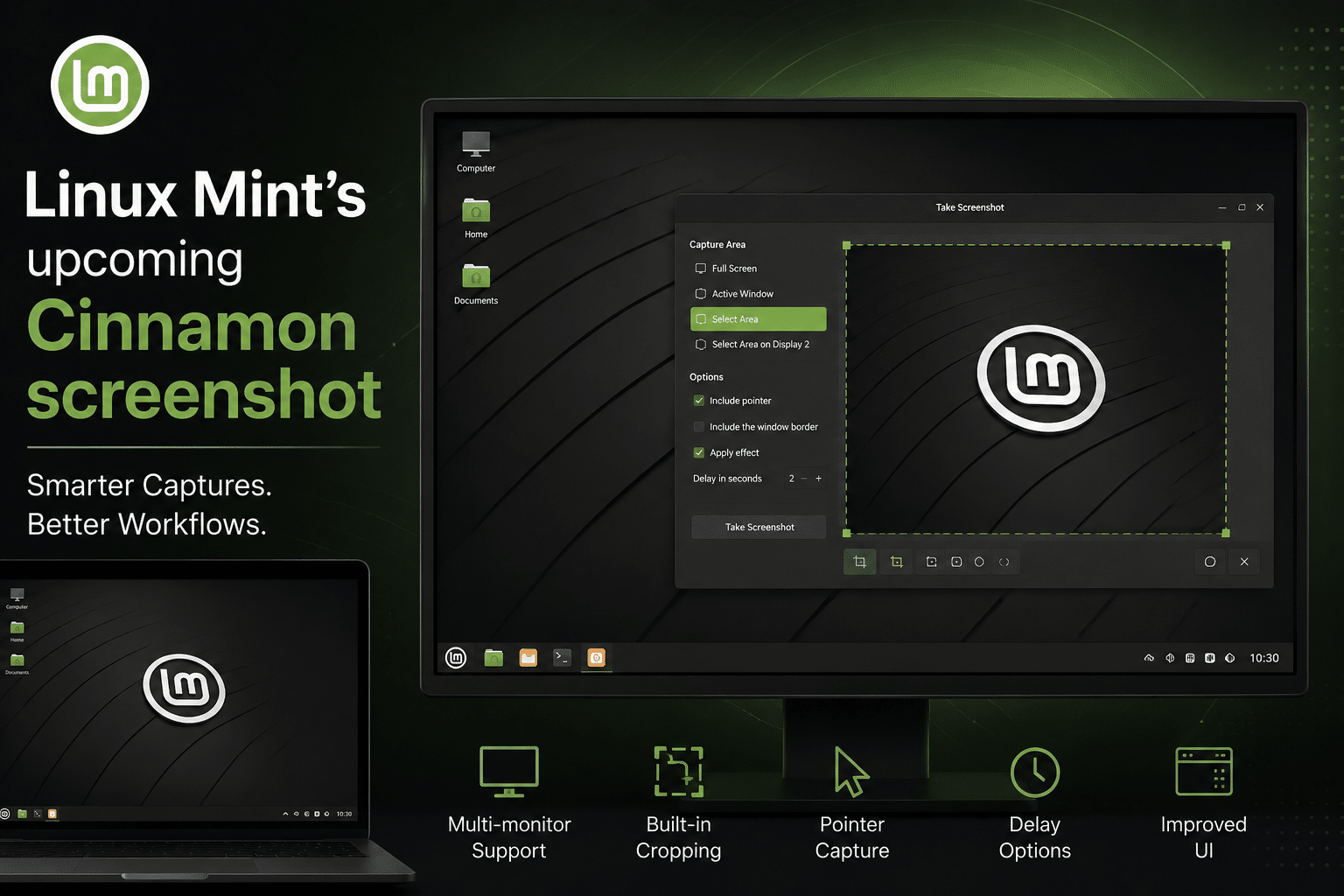
What Is Changing in the Cinnamon Screenshot Tool
Recent development discussions surrounding Linux Mint indicate that the Cinnamon screenshot utility is receiving meaningful workflow improvements.
These updates reportedly include:
- Better cropping capabilities
- Improved multi-monitor support
- Refined user interface behavior
- Faster screenshot handling
- More intuitive workflows
While these changes may appear incremental individually, together they modernize one of the most frequently used desktop utilities in Linux workflows.
And that matters because modern remote operations rely heavily on fast visual communication.
The Hidden Cost of Poor Screenshot Workflows
Organizations rarely measure screenshot inefficiency directly.
But its impact appears everywhere:
- Delayed issue resolution
- Confusing documentation
- Slower onboarding
- Miscommunication between teams
- Longer support cycles
- Increased ticket escalations
Consider a remote DevOps team troubleshooting a deployment issue.
Without effective screenshot tools:
- Engineers may send oversized images
- Important details may get missed
- Cropping requires extra applications
- Multi-monitor captures become confusing
- Context gets lost in communication
Over hundreds or thousands of support interactions, those small inefficiencies compound into significant operational costs.
Linux Mint’s improvements directly target these pain points.
Why Multi-Monitor Screenshot Support Matters
Modern engineering environments are increasingly multi-display by default.
A typical remote engineer may use:
- One monitor for IDEs
- One for terminal sessions
- Another for dashboards or logs
- Additional displays for documentation or communication
In these environments, poor screenshot behavior creates constant friction.
Common problems include:
- Capturing the wrong display
- Losing cursor focus
- Inconsistent region selection
- Improper scaling
- Difficult cropping workflows
Improved multi-monitor awareness allows users to:
- Capture only relevant screens
- Reduce confusion in support tickets
- Improve screenshot clarity
- Accelerate troubleshooting
For remote operations, this directly improves collaboration quality.
Faster Cropping Means Faster Communication
Cropping functionality sounds basic until teams operate at scale.
Technical screenshots often contain unnecessary elements:
- Personal information
- Irrelevant windows
- Background clutter
- Unneeded desktop space
Efficient cropping helps teams:
- Highlight exact issues
- Reduce visual noise
- Improve readability
- Speed up issue identification
For DevOps workflows, that becomes extremely valuable.
Imagine an engineer capturing:
- Kubernetes dashboard errors
- CI/CD failures
- Server monitoring alerts
- Terraform deployment issues
- Container logs
- Cloud console warnings
Fast cropping immediately improves signal-to-noise ratio.
That shortens troubleshooting cycles.
Remote Support Teams Depend on Visual Accuracy
Technical support has become increasingly visual.
Modern support agents frequently rely on screenshots to:
- Verify system states
- Diagnose user issues
- Validate UI problems
- Explain resolutions
- Document incidents
A weak screenshot workflow creates communication gaps.
A stronger workflow improves:
- Ticket accuracy
- First-response resolution
- Customer satisfaction
- Internal escalation efficiency
Linux Mint’s improvements align perfectly with this reality.
DevOps Teams Are Becoming More Distributed
The DevOps ecosystem itself has changed dramatically over the past decade.
Today’s infrastructure teams often operate across:
- Multiple countries
- Multiple time zones
- Hybrid cloud environments
- Remote workstations
- Browser-based administration tools
Distributed teams depend heavily on asynchronous communication.
Screenshots serve as lightweight operational evidence.
Engineers routinely share:
- Failed deployments
- Pipeline screenshots
- Infrastructure diagrams
- Configuration mismatches
- Monitoring anomalies
A better screenshot workflow directly improves collaboration quality across distributed infrastructure teams.
Linux Desktops Are Becoming Cloud-Native Workstations
Another major trend driving the importance of desktop workflow improvements is the rise of cloud-hosted Linux desktops.
More organizations now deploy:
- Remote Linux workstations
- Browser-accessible development environments
- Virtual desktop infrastructure
- Cloud-hosted DevOps systems
- GPU-enabled remote desktops
This shift changes how Linux desktops are used.
Instead of functioning only as local operating systems, Linux environments increasingly operate as:
- Centralized cloud workspaces
- Remote engineering platforms
- Distributed productivity environments
That makes every workflow optimization more valuable.
Why Remote Desktop Infrastructure Matters More Than Ever
As Linux usage grows in remote operations, businesses increasingly need reliable remote desktop access.
This is where platforms like 99RDP become strategically important.
Remote desktop infrastructure allows teams to:
- Access Linux workstations remotely
- Centralize development environments
- Reduce local hardware dependency
- Improve collaboration
- Standardize workflows
- Scale engineering operations efficiently
When paired with productivity-focused Linux desktops like Linux Mint, remote desktop services create highly flexible operational environments.
How 99RDP Supports Modern Linux Productivity
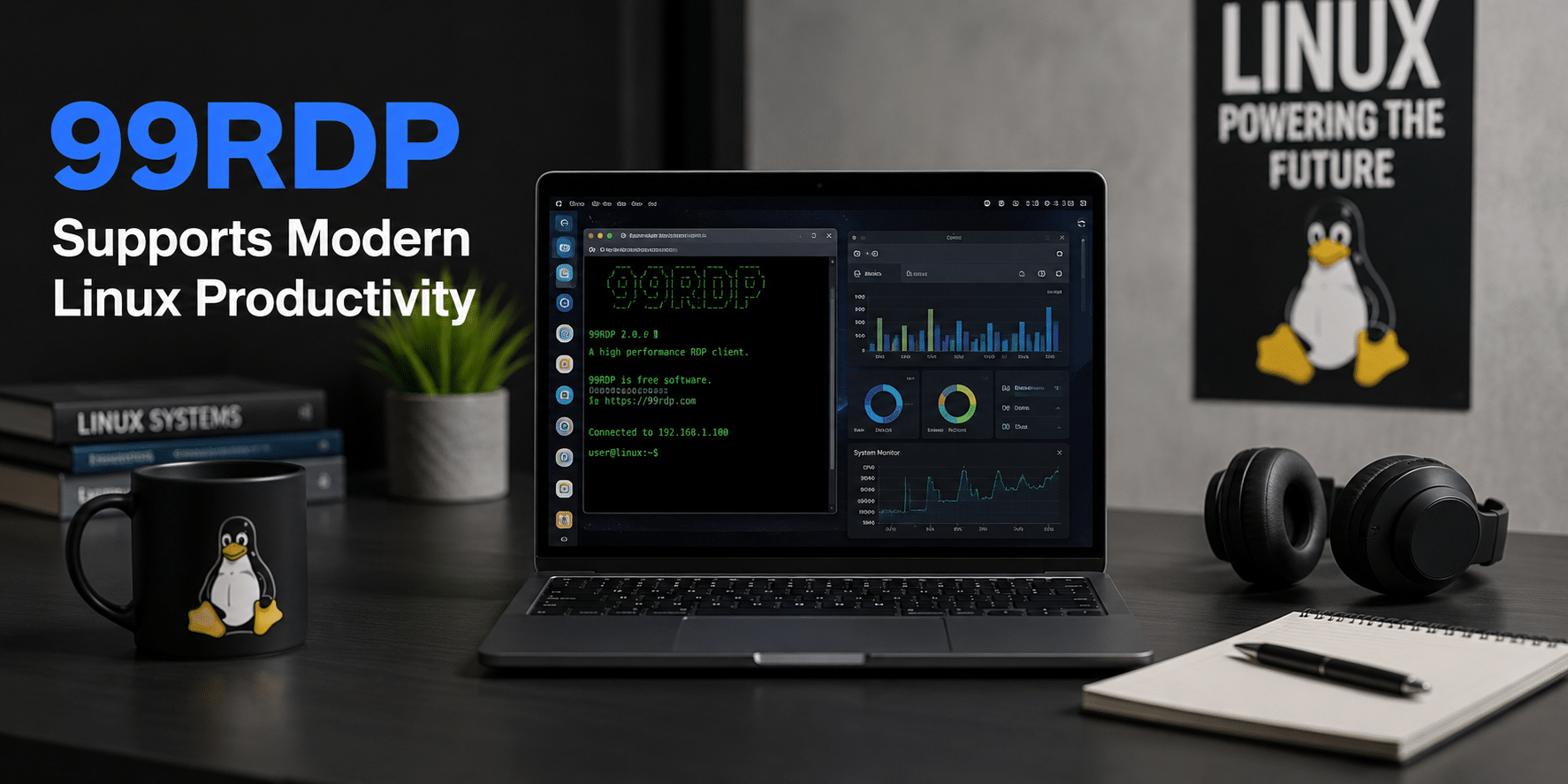
Modern remote workflows require more than simple remote access.
Teams increasingly expect:
- Low-latency performance
- Multi-monitor compatibility
- Stable browser access
- High-resolution rendering
- Consistent uptime
- Secure connectivity
- Flexible scaling
99RDP helps organizations deploy remote-access environments capable of supporting:
- Linux development
- DevOps management
- Remote support operations
- Cloud administration
- Browser-centric workflows
This becomes especially useful for:
- Freelancers
- Startups
- Remote agencies
- Offshore teams
- Distributed engineering organizations
Browser-Centric Workflows Are Redefining Linux Usage
Modern Linux workflows are increasingly browser-driven.
Engineers now spend large portions of their day inside:
- Cloud dashboards
- Kubernetes interfaces
- Git platforms
- CI/CD tools
- Documentation systems
- SaaS applications
- Monitoring panels
- AI development platforms
This creates new workflow priorities:
- Fast visual sharing
- Smooth remote rendering
- Better screenshot handling
- Reliable remote accessibility
Linux Mint’s screenshot improvements fit naturally into this evolving ecosystem.
Documentation Quality Has Become a Competitive Advantage
Organizations increasingly rely on internal documentation quality.
Poor documentation creates:
- Knowledge silos
- Slow onboarding
- Repeated mistakes
- Higher operational costs
Strong visual documentation improves:
- Process clarity
- Incident response
- Employee training
- Infrastructure consistency
Screenshot quality directly affects documentation quality.
This is especially true in:
- DevOps runbooks
- SOP creation
- Infrastructure onboarding
- Technical knowledge bases
Linux Mint’s updated screenshot tooling can improve these workflows substantially.
Remote Linux Adoption Continues Expanding
Linux adoption continues growing across:
- Cloud infrastructure
- AI workloads
- DevOps pipelines
- Cybersecurity operations
- Software engineering
- Web hosting
- Edge computing
At the same time, remote work remains deeply embedded in global technology operations.
These two trends intersect in important ways.
Organizations now need:
- Better remote Linux accessibility
- More efficient collaboration tools
- Productivity-focused desktop environments
- Simplified operational workflows
Linux Mint’s ongoing desktop refinements demonstrate how Linux distributions are adapting to this new reality.
Why Linux Mint Remains Popular Among Productivity Users
Linux Mint succeeds because it prioritizes practical usability instead of unnecessary complexity.
The distribution appeals to users who value:
- Predictable workflows
- Desktop familiarity
- Stable updates
- Low maintenance
- Reliable performance
This philosophy is especially attractive for remote teams where operational stability matters more than experimental features.
The updated screenshot utility reinforces that identity.
Instead of reinventing desktop interaction entirely, Linux Mint improves the tools professionals actually use every day.
Small UX Improvements Create Massive Productivity Gains
One of the most underestimated realities in technology operations is this:
Small workflow improvements compound over time.
Saving even:
- 30 seconds per ticket
- 1 minute per escalation
- 2 minutes per deployment issue
can create major productivity gains across large teams.
For example:
- 50 support tickets daily
- 2 minutes saved each
- 100 minutes recovered per day
Over a year, those gains become operationally significant.
This is why mature operating systems increasingly focus on workflow refinement instead of dramatic redesigns.
Linux Mint’s screenshot improvements follow this strategy perfectly.
The Rise of Visual-First Technical Communication
Technical communication itself is becoming more visual.
Modern teams increasingly use:
- Screenshots
- Screen recordings
- Annotated diagrams
- Shared dashboards
- Collaborative documentation
This trend accelerates in remote environments because:
- Teams operate asynchronously
- Meetings are expensive
- Clarity matters more
- Written explanations alone are often insufficient
A faster screenshot workflow directly improves:
- Team alignment
- Troubleshooting speed
- Knowledge transfer
- Operational consistency
Linux Mint’s Improvements Reflect Broader Linux Maturity
The Linux desktop ecosystem has matured significantly over the last decade.
Historically, Linux desktop development focused heavily on:
- Customization
- Enthusiast experimentation
- Technical flexibility
Today, priorities increasingly include:
- Productivity
- Workflow optimization
- Enterprise usability
- Remote compatibility
- Collaboration efficiency
Linux Mint’s screenshot updates symbolize this broader transition.
Linux is no longer merely an enthusiast platform.
It is becoming a serious productivity ecosystem for distributed technical operations.
Cloud Workstations and Linux Desktops Are Converging
Another important trend is the convergence between:
- Traditional Linux desktops
- Cloud-hosted workstations
- Virtual desktop environments
- Remote engineering infrastructure
As this convergence accelerates, workflow tools gain greater importance.
Remote users need:
- Faster interaction
- Better UI responsiveness
- Simplified sharing
- Clear documentation tools
This makes productivity enhancements increasingly valuable in cloud-hosted Linux environments powered by providers like 99RDP.
Security and Operational Consistency Benefit Too
Better screenshot workflows also indirectly improve operational security.
Clear screenshots help teams:
- Identify configuration errors faster
- Spot anomalies earlier
- Improve incident response documentation
- Standardize troubleshooting
Remote infrastructure environments benefit greatly from:
- Consistent workflows
- Clear visual reporting
- Faster operational analysis
This becomes increasingly important as organizations scale distributed infrastructure operations.
The Future of Linux Productivity Is Remote
Linux desktop evolution is no longer centered solely around local computing.
The future increasingly includes:
- Remote workstations
- Cloud-hosted desktops
- Browser-accessible Linux environments
- Distributed DevOps teams
- AI-enhanced engineering workflows
In this environment:
- Usability matters
- Communication speed matters
- Workflow efficiency matters
Linux Mint’s screenshot improvements may seem small individually, but they fit directly into this larger transformation.
Final Thoughts
Linux Mint’s upcoming Cinnamon screenshot upgrade represents far more than a cosmetic desktop enhancement.
It reflects the continuing evolution of Linux into a mature, productivity-focused platform optimized for:
- Remote work
- DevOps collaboration
- Cloud-native workflows
- Distributed engineering
- Technical documentation
- Visual communication
As organizations increasingly deploy Linux within remote operational environments, workflow optimizations become strategically important.
At the same time, remote desktop platforms like 99RDP help organizations scale Linux accessibility across distributed teams, making modern Linux workflows even more efficient and flexible.
The future of Linux productivity is:
- Remote-first
- Cloud-connected
- Collaboration-driven
- Operationally optimized
And Linux Mint’s evolving desktop experience shows exactly where that future is heading.
EXPLORE MORE ; GNU Linux-libre 7.0 vs Standard Linux
READ OUR BLOGS


