
Walnut Pi CM2 With Allwinner T527: A New Low-Cost Choice for Edge AI and IoT

The edge-computing market is moving quickly. Developers increasingly want compact hardware that can process data locally, connect to modern networks, run Linux, accelerate AI workloads, and remain affordable enough for experimentation and deployment. The new Walnut Pi CM2 fits directly into that trend.
Introduced as a low-cost Compute Module based on the Allwinner T527 octa-core SoC, the Walnut Pi CM2 combines eight Arm Cortex-A55 CPU cores with a Mali-G57 GPU, a 2 TOPS NPU, up to 4GB of LPDDR4 memory, optional eMMC storage, Gigabit Ethernet, Wi-Fi 6, and Bluetooth 5.0.
The module measures only 55 × 40 mm and weighs about 9.6 grams, according to CNX Software. More importantly, its reported price starts around $28, while configurations with more memory, storage, and wireless connectivity can reach approximately $49.
That combination makes the Walnut Pi CM2 particularly interesting for edge AI, IoT gateways, smart displays, industrial automation, embedded Linux, home automation, and connected devices. It also brings an interesting question to developers already familiar with Raspberry Pi Compute Modules:
Can the Walnut Pi CM2 deliver enough capability at a significantly lower hardware cost to make it attractive for new embedded projects?
The answer depends heavily on the application, software requirements, peripheral compatibility, and development ecosystem. Let’s take a closer look.
What Is the Walnut Pi CM2?
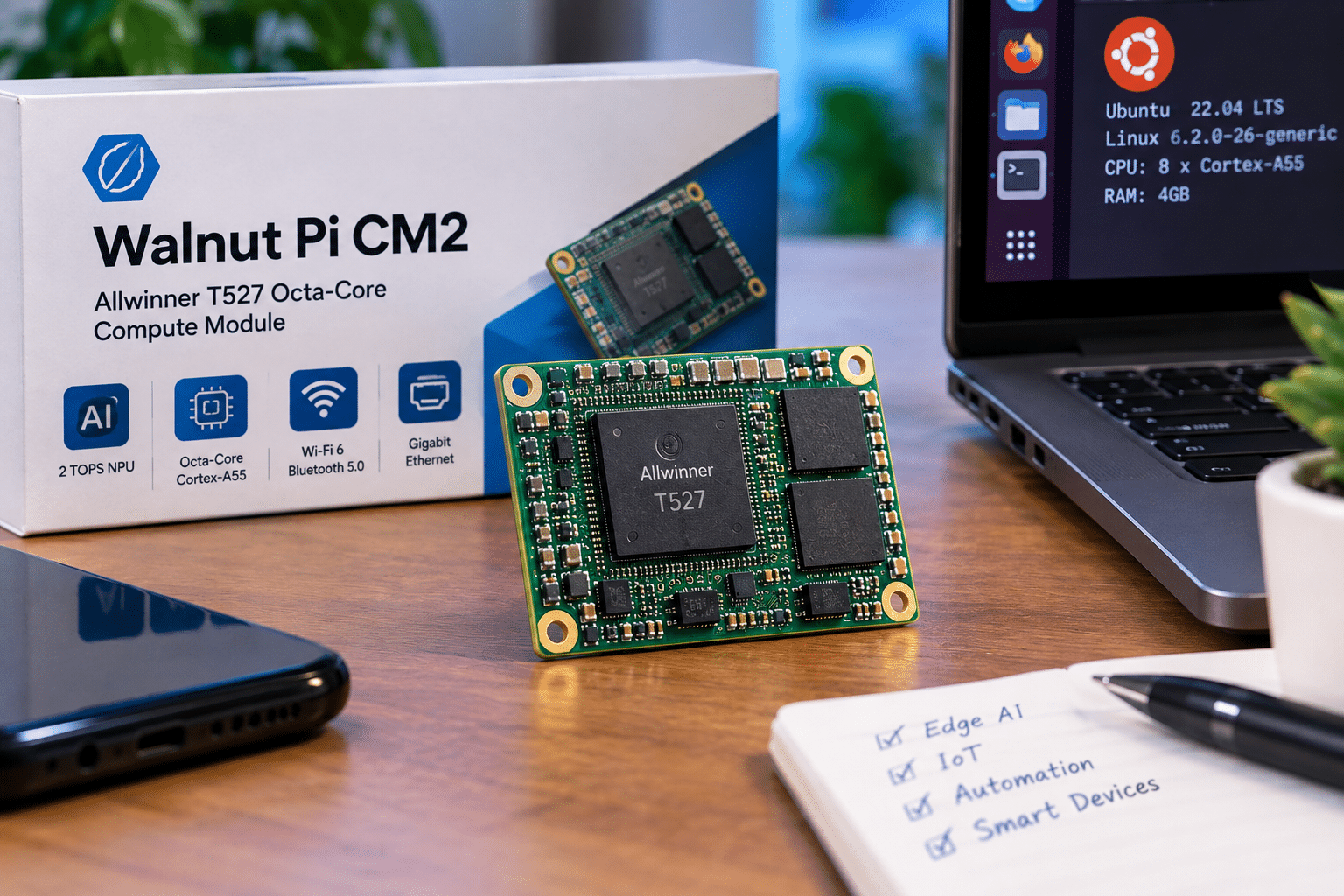
The Walnut Pi CM2 is a compact system-on-module designed around the Allwinner T527 processor. Instead of functioning like a traditional single-board computer with all connectors permanently attached, the CM2 exposes its interfaces through two 100-pin board-to-board connectors.
That approach gives product designers greater freedom. A manufacturer can create a custom carrier board containing only the interfaces needed for a particular device.
For example, a smart-camera manufacturer could design a carrier board with camera connectors, Ethernet, USB, storage, and power management. A digital-signage company could create another carrier board optimized for HDMI, audio, networking, and display control. The same compute module can therefore become the processing core of multiple products.
Walnut Pi CM2 key specifications
| Feature | Walnut Pi CM2 |
|---|---|
| SoC | Allwinner T527 |
| CPU | 8× Arm Cortex-A55 |
| CPU frequency | 4× 1.80 GHz + 4× 1.42 GHz |
| MCU | RISC-V E906 up to 200 MHz |
| GPU | Arm Mali-G57 MC1 |
| AI accelerator | 2 TOPS NPU |
| RAM | 1GB / 2GB / 4GB LPDDR4 |
| eMMC | Optional 16GB; higher configurations reported |
| Ethernet | Gigabit |
| Wi-Fi | Wi-Fi 6 |
| Bluetooth | Bluetooth 5.0 |
| HDMI | Up to 4K60 |
| MIPI DSI | 4-lane, up to 1080p60 |
| Camera | 4-lane MIPI CSI |
| USB | 1× USB 3.0 + 3× USB 2.0 |
| PCIe | PCIe Gen2 x1, multiplexed with USB 3.0 |
| Power | 5V/2A |
| Size | 55 × 40 mm |
| Weight | 9.6g |
The specifications reported by CNX Software align with the broader capabilities documented by Allwinner for the T527 platform.
The Allwinner T527 Is the Heart of the Platform
The most important component inside the Walnut Pi CM2 is the Allwinner T527. Allwinner describes the T527 as an industrial-grade AI SoC integrating an eight-core Cortex-A55 CPU, NPU, GPU, DSP, and MCU.
The processor supports up to 1.8 GHz CPU frequency and includes a 2 TOPS INT8 NPU for AI acceleration.
Allwinner also lists support for 4K60 video decoding and a range of display, camera, networking, and peripheral interfaces. That combination gives the Walnut Pi CM2 considerably more flexibility than a basic microcontroller.
Eight Cortex-A55 Cores for Embedded Linux
The T527 includes eight Arm Cortex-A55 CPU cores. According to the Walnut Pi CM2 specifications, four cores operate at up to 1.80 GHz while the other four reach up to 1.42 GHz.
For embedded developers, multiple CPU cores can be useful when several services need to operate simultaneously. A single device could potentially handle:
- Sensor processing
- Network communication
- Local web interfaces
- Database operations
- Device management
- Video processing
- Automation scripts
- Background services
This doesn’t mean the CM2 should be treated as a desktop replacement. The Cortex-A55 focuses on efficient embedded computing rather than high-end desktop performance.
The advantage is that the processor can provide substantial general-purpose computing capability while remaining appropriate for compact, power-conscious systems.
2 TOPS NPU Brings AI to the Edge
The most interesting feature for many developers may be the integrated 2 TOPS NPU. NPU stands for Neural Processing Unit. Unlike a general-purpose CPU, an NPU is designed specifically to accelerate certain machine-learning operations.
Allwinner specifies a 2 TOPS INT8 NPU for the T527. This can make the platform relevant to applications such as:
- Object detection
- Image classification
- Smart cameras
- Local computer vision
- Industrial inspection
- AI-assisted automation
- Sensor analytics
- Edge inference
However, developers should not interpret “2 TOPS” as a guaranteed application-level performance figure. Real-world AI performance depends on factors including:
- Neural-network architecture
- Model size
- Quantization
- Supported operators
- Runtime software
- Memory bandwidth
- Driver support
- Thermal conditions
- Optimization
A well-optimized lightweight model may benefit substantially from the NPU, while a model that requires unsupported operations may still depend heavily on the CPU or GPU.
Why Edge AI Matters
Traditional cloud architecture often sends data from a device to a remote server for processing.
That approach works well for many applications, but it isn’t always ideal. Imagine a security camera that continuously uploads raw video to a remote server. The system must deal with:
- Network bandwidth
- Transmission latency
- Cloud processing costs
- Connectivity interruptions
- Data privacy considerations
With edge AI, the device can process some information locally. Instead of continuously uploading every video frame, it could potentially identify relevant events locally and transmit only selected information.
The architecture becomes:
Camera → Walnut Pi CM2 → Local AI inference → Relevant event → Cloud/VPS
This is one of the strongest potential use cases for an affordable AI-capable Compute Module.
4K Video Support Expands the Use Cases
The T527 also includes hardware video capabilities. Allwinner lists support for:
- H.265/HEVC decoding up to 4K60
- VP9 decoding up to 4K60
- H.264 decoding up to 4K30
- H.264 encoding up to 4K25
The platform also supports HDMI output up to 4K60. That makes the Walnut Pi CM2 interesting for multimedia applications. Potential projects include:
Digital signage
Businesses can build compact signage players capable of driving high-resolution displays.
Smart kiosks
The module can combine display output, networking, USB, and application processing.
Industrial dashboards
Factories can display production information and sensor data on connected screens.
Smart-home displays
Developers can create centralized interfaces for home automation systems.
Edge video systems
The combination of camera input, video processing, networking, and AI acceleration creates opportunities for smart-camera projects.
Wi-Fi 6 and Gigabit Ethernet Make It an IoT-Friendly Platform
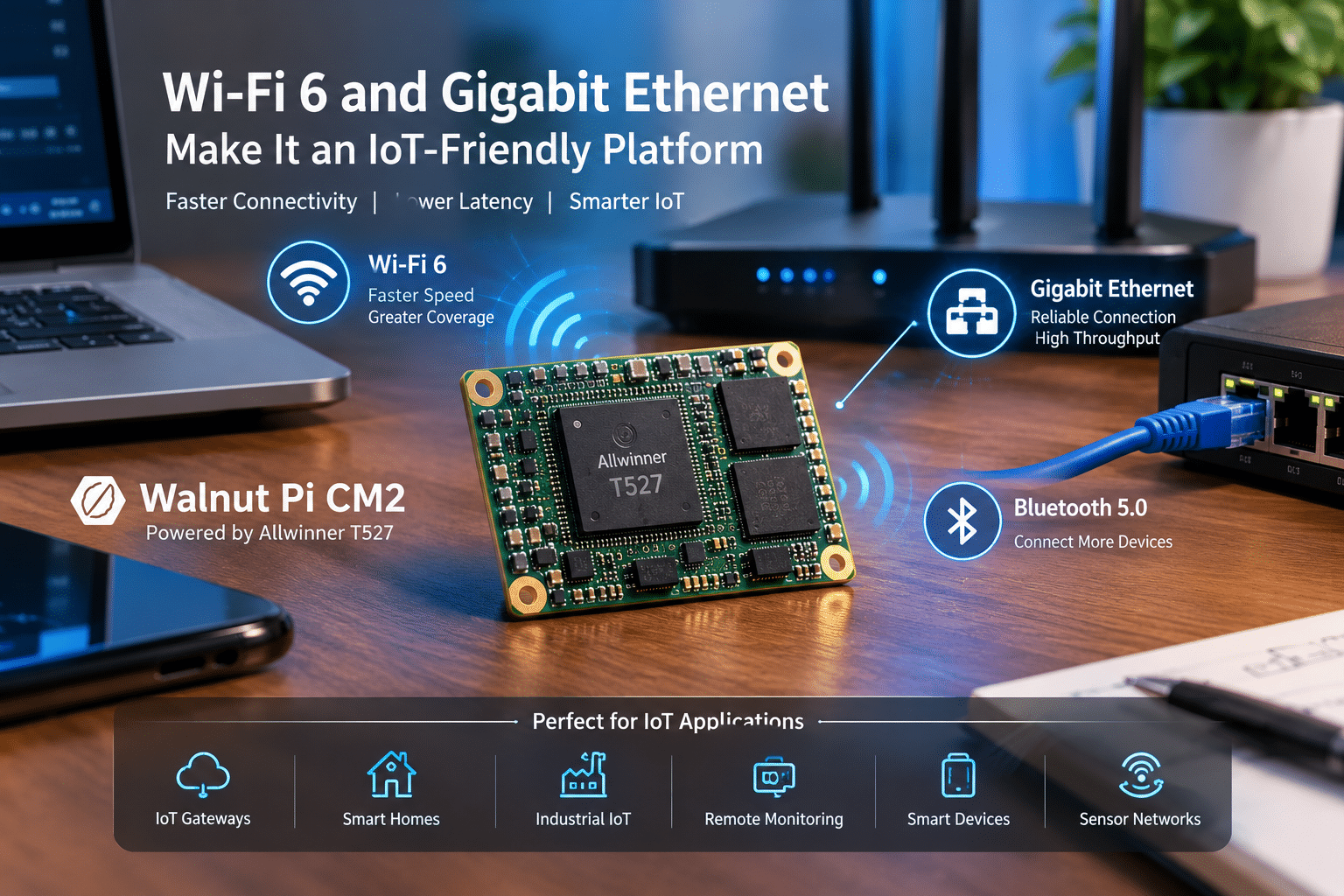
An IoT device isn’t useful if it can’t communicate effectively. The Walnut Pi CM2 addresses that requirement with both Gigabit Ethernet and Wi-Fi 6.
It also includes Bluetooth 5.0.
This creates several networking possibilities. A device could connect to a local network through Ethernet when reliability matters. Alternatively, Wi-Fi 6 can provide wireless connectivity for devices where cables aren’t practical.
Bluetooth can handle short-range connections to compatible peripherals and sensors. This makes the CM2 suitable for applications such as:
- IoT gateways
- Smart-home hubs
- Industrial gateways
- Wireless controllers
- Networked displays
- Sensor aggregation
- Remote monitoring systems
The Compute Module Design Is Important
The CM2’s 55 × 40 mm footprint is one of its biggest advantages. A small compute module can fit into products where a conventional development board would consume too much space.
Manufacturers can design a custom carrier board around the module. This allows them to create product-specific hardware without redesigning the main processor platform.
For example:
Walnut Pi CM2
↓
Custom carrier board
↓
Sensors + camera + display + Ethernet + USB
↓
Complete embedded product
That architecture can simplify product development and create multiple products around the same compute module.
Storage Options Add Flexibility
The Walnut Pi CM2 supports optional eMMC storage. CNX Software reports a 16GB eMMC option, with additional capacities reportedly configurable through the board’s design.
The module also includes 8MB SPI flash. Embedded devices benefit from onboard storage because it can provide a more integrated boot and application environment.
A typical system might use eMMC for:
- Operating system
- Application software
- Configuration
- Logs
- Local databases
Meanwhile, removable or external storage can be used when additional capacity is necessary.
Linux Support Makes the CM2 More Interesting
Hardware alone doesn’t create a useful embedded platform. Developers also need an operating system and software ecosystem. The Walnut Pi CM2 supports several software environments, including:
- Walnut Pi OS based on Debian 12
- Ubuntu
- Android
- Home Assistant
CNX Software notes that the CM2 does not run Raspberry Pi OS, which is an important distinction for developers considering it as a Raspberry Pi alternative.
For Linux developers, however, Ubuntu and Debian support can provide a familiar environment.
That opens the door to common technologies such as:
- Python
- C/C++
- Docker
- Node.js
- Nginx
- SQLite
- PostgreSQL
- REST APIs
- MQTT
- Git
- Shell scripting
Actual compatibility will depend on the specific software, kernel, drivers, and hardware interfaces involved.
Home Assistant Support Could Make It Attractive for Smart Homes
Home automation is another area where the CM2 could be useful. A smart-home controller needs to communicate with multiple devices while providing enough computing power for automation logic and local services.
With Ethernet, Wi-Fi 6, Bluetooth, GPIO, USB, and Linux support, the CM2 has the ingredients required for an interesting home-automation platform.
Developers could experiment with:
- Home Assistant
- Local automation
- Sensor monitoring
- Smart displays
- Camera integrations
- Energy monitoring
- Environmental sensors
Running automation locally can also reduce dependence on external cloud services for tasks that don’t require them.
How Much Does the Walnut Pi CM2 Cost?
Price is one of the biggest reasons the Walnut Pi CM2 has attracted attention. CNX Software reports pricing of approximately $28 to $49, depending on configuration.
The reported 2GB/16GB/wireless version costs around $49. CNX Software compares the $49 configuration with a cited Raspberry Pi CM5 configuration priced at approximately $97.50.
On that particular comparison, the Walnut Pi CM2 costs roughly half as much.
But developers should avoid treating this as a complete project-cost comparison.
The final cost of an embedded product also includes:
- Carrier board
- Power supply
- Cooling
- Storage
- Enclosure
- Cables
- Display
- Camera
- Development time
- Software
- Testing
- Manufacturing
The cheaper compute module becomes particularly valuable when a project requires many units. For example, a developer experimenting with 10 or 20 devices could see the hardware-cost difference become significant.
Walnut Pi CM2 vs Raspberry Pi CM5: Compatibility Matters
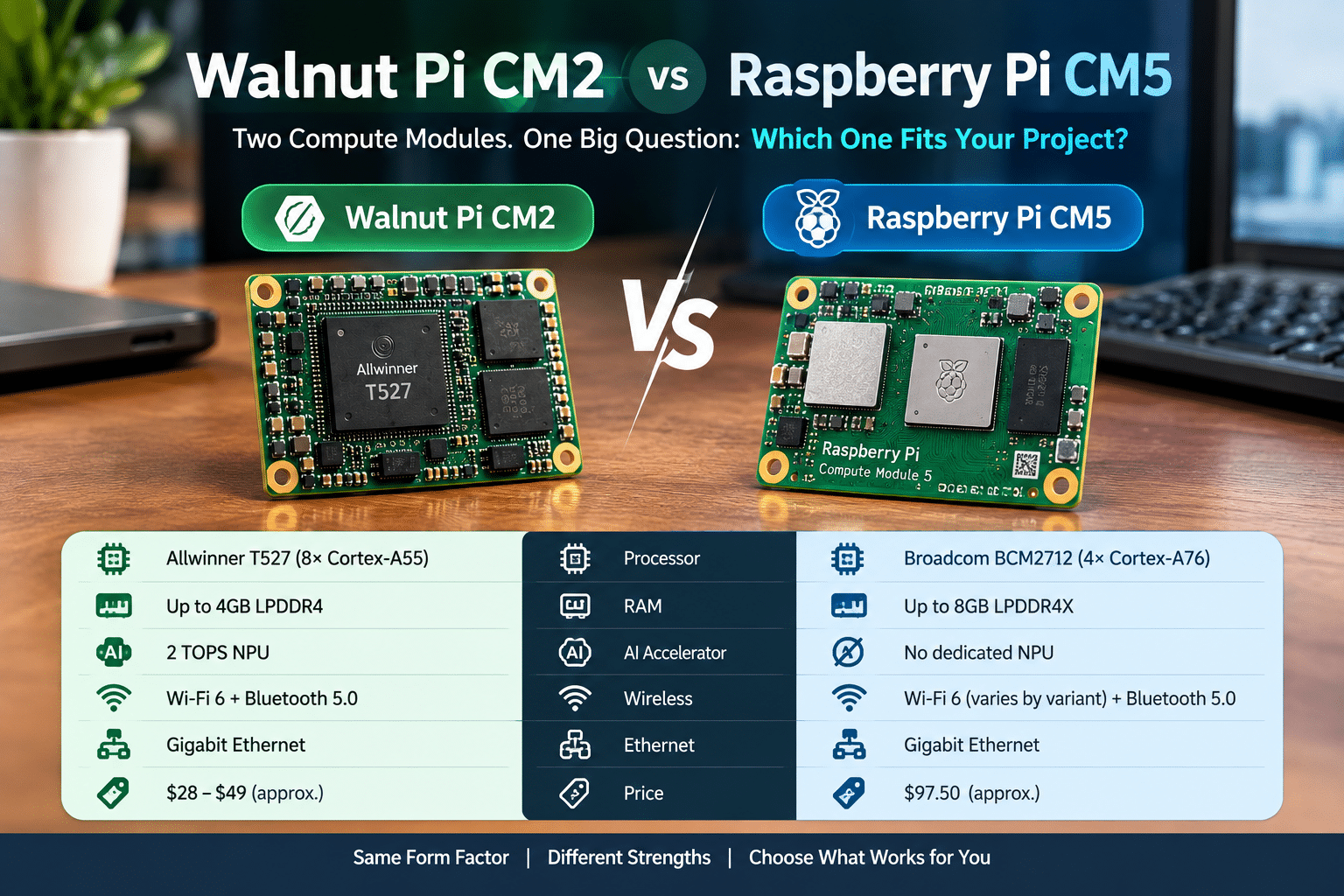
The Walnut Pi CM2’s Compute Module form factor makes comparisons with the Raspberry Pi CM5 natural.
However, developers should be careful with the word “compatible.”
The Walnut Pi CM2 is not a universal drop-in replacement for Raspberry Pi CM5 hardware. CNX Software highlights several compatibility limitations, including differences in HDMI support, MIPI interfaces, and PCIe/USB resource allocation.
Raspberry Pi cameras and displays should not automatically be assumed to work. Before designing a carrier board, engineers should verify:
- Connector pinout
- Power requirements
- GPIO mapping
- Camera compatibility
- Display compatibility
- PCIe requirements
- USB requirements
- Boot configuration
- Kernel support
- Driver availability
This step can prevent expensive hardware redesigns.
The PCIe and USB Relationship Deserves Attention
One particularly important detail is that the CM2’s PCIe Gen2 x1 interface is multiplexed with USB 3.0.
That means developers should carefully evaluate designs that require both interfaces simultaneously.
For a simple IoT gateway, this may not matter.
For a storage-heavy application using NVMe and high-speed USB peripherals, it could become an important design consideration.
The module’s carrier-board architecture therefore needs to be planned around the actual workload rather than simply the number of interfaces listed on the specification sheet.
Where 99RDP Fits Into an Edge-AI Project
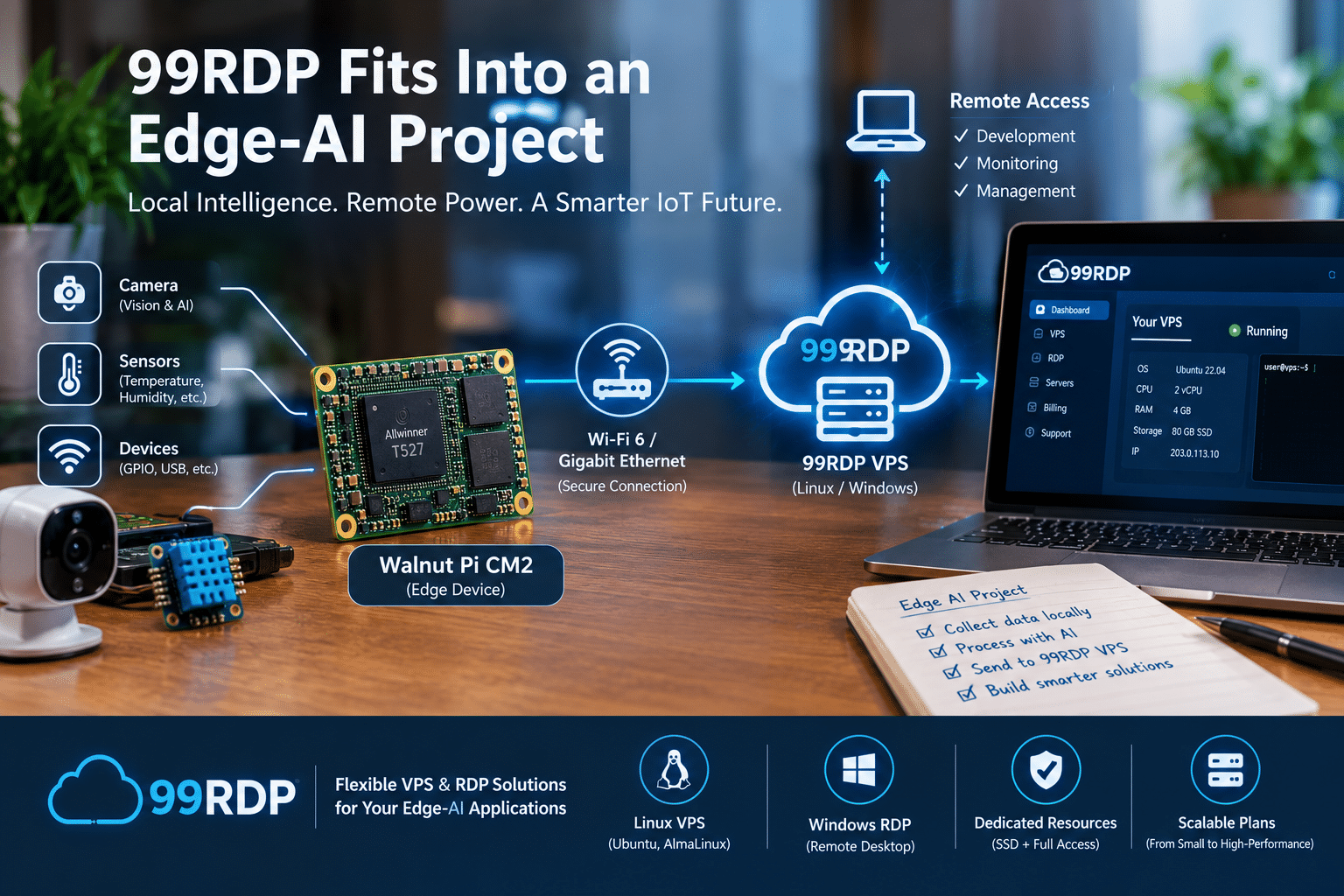
An edge device and a remote server don’t necessarily compete with each other.
They can work together.
The Walnut Pi CM2 can provide local computing, while a VPS can provide remote infrastructure.
This creates a useful architecture:
Walnut Pi CM2 → Local processing → Network → VPS → Centralized application
For developers building IoT systems, that separation can be valuable. The Walnut Pi can handle the physical environment.
A remote VPS can handle services that benefit from persistent availability and centralized management.
This is where 99RDP’s Linux VPS and Windows RDP/VPS services can complement Walnut Pi-based projects. 99RDP currently offers Linux VPS environments with root access, SSD storage, dedicated IP addresses, and multiple operating-system choices. Its public Linux VPS page lists Ubuntu and AlmaLinux among the available options.
Example: Building an IoT Gateway With Walnut Pi CM2 and 99RDP
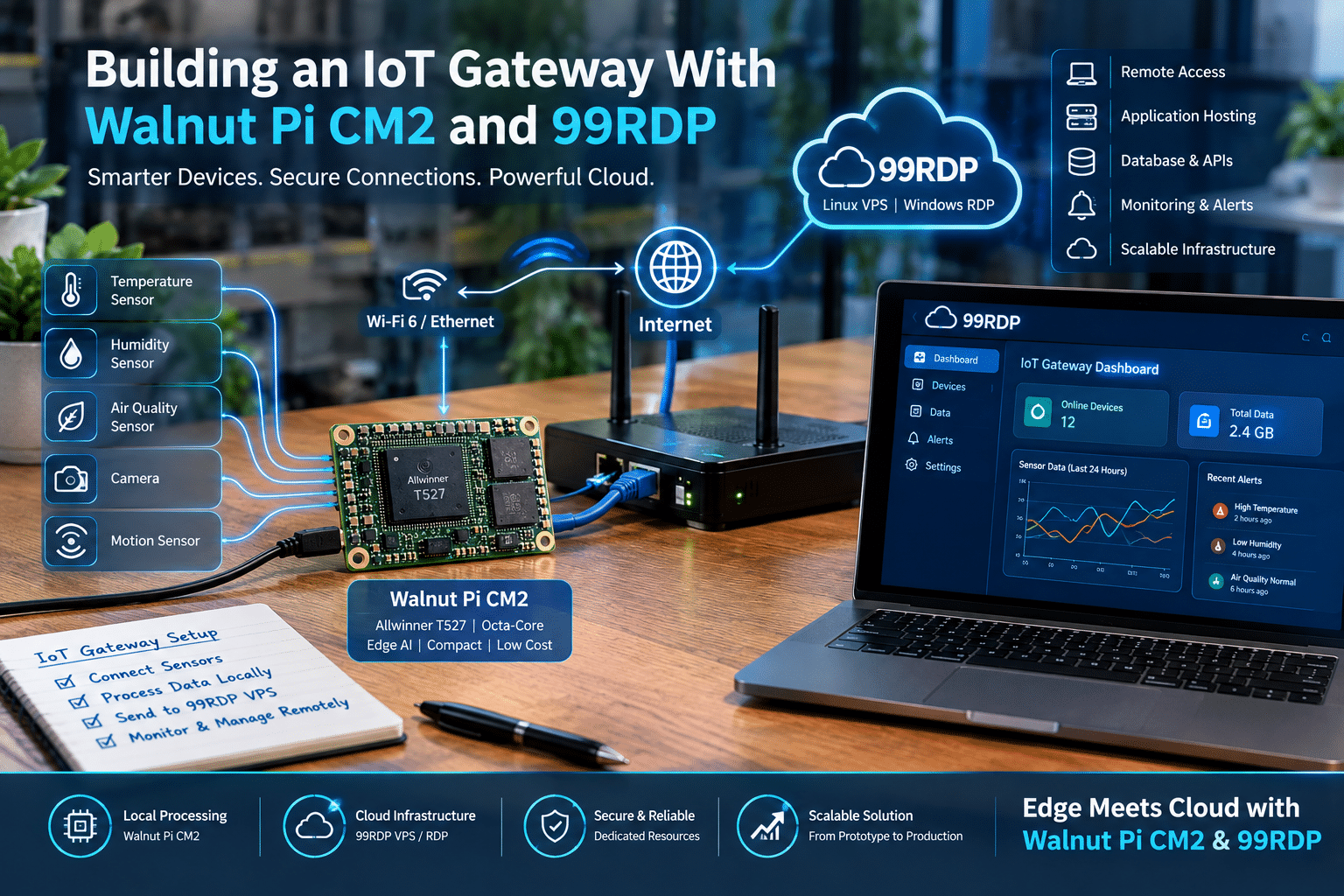
Imagine a company developing an environmental monitoring system. Each Walnut Pi CM2 could connect to:
- Temperature sensors
- Humidity sensors
- Air-quality sensors
- Cameras
- Local displays
The CM2 processes sensor information locally. It then sends selected information to a remote application hosted on a VPS. The VPS could provide:
- API endpoints
- Database services
- Web dashboards
- Device management
- Monitoring
- Alert processing
The architecture could look like this:
Sensors
↓
Walnut Pi CM2
↓
Local processing
↓
Wi-Fi 6 / Ethernet
↓
99RDP Linux VPS
↓
Database + API + Dashboard
↓
Users
This model avoids putting every service on the embedded device.
Why a VPS Can Be Useful for IoT Developers
An embedded device isn’t always the best place to host a central application. A VPS provides an environment that can remain online independently of the physical development board. For example, developers can use a Linux VPS for:
- MQTT brokers
- REST APIs
- Web dashboards
- Database servers
- Monitoring
- Automation
- Git services
- Testing
- Backend applications
99RDP’s Linux VPS offering includes full root access, which allows developers to install and configure software according to their project requirements.
That makes the VPS particularly relevant during development. The embedded device becomes one client in a larger system rather than being responsible for the entire application stack.
Windows RDP Can Support the Development Workflow
Some projects require Windows software. A developer might need Windows for:
- Hardware configuration utilities
- Proprietary engineering applications
- Testing tools
- Documentation software
- Browser-based workflows
- Remote administration
99RDP’s Windows RDP offerings currently list multiple configurations, including options with 1 to 4 vCPUs, 2GB to 8GB RAM, SSD storage, dedicated IP addresses, and 1Gbps networking.
That makes a remote Windows environment another possible component of an embedded development workflow.
For example:
Walnut Pi CM2 → Embedded hardware testing Linux VPS → Backend/API/testing infrastructure Windows RDP → Windows-specific development and administration Each environment performs a different job.
Edge + Cloud Is More Flexible Than Edge Alone
The biggest lesson from hardware such as the Walnut Pi CM2 is that developers don’t need to choose between edge computing and cloud computing. They can combine them.
Edge hardware handles:
- Sensors
- Cameras
- Local AI
- Real-time processing
- Device control
- Local networking
Cloud/VPS infrastructure handles:
- Databases
- APIs
- Central management
- Long-term storage
- Dashboards
- Remote monitoring
- Application services
This division can improve scalability. A company could deploy hundreds of edge devices while maintaining a smaller number of centralized servers.
Potential Walnut Pi CM2 Use Cases
The hardware’s feature set creates a broad range of possible applications.
1. Edge AI Cameras
Use the camera interface and NPU for suitable local inference workloads.
2. Smart Home Controllers
Combine Wi-Fi, Bluetooth, GPIO, and Linux software for automation.
3. IoT Gateways
Collect information from sensors and forward processed information to remote infrastructure.
4. Industrial Monitoring
Connect sensors and equipment while processing data locally.
5. Digital Signage
Use HDMI and multimedia acceleration to drive displays.
6. Smart Kiosks
Combine display, networking, storage, USB, and application software.
7. Remote Monitoring
Collect sensor or machine information and send alerts to centralized applications.
8. Educational Edge-AI Projects
The relatively low hardware price could make experimentation with multiple devices more accessible.
What Developers Should Check Before Buying
The specifications are attractive, but developers should evaluate the complete platform before selecting it for production.
Software compatibility
Does the required Linux distribution, framework, library, and application support the T527?
AI framework compatibility
Does the NPU support the models and inference runtime required by the project?
Camera support
Will the intended MIPI CSI camera work with the available drivers?
Display support
Does the display use an interface supported by the module and software stack?
Carrier board
Does the existing carrier board actually match the CM2 pinout?
Thermal design
Will the module remain stable during sustained CPU, GPU, video, or AI workloads?
Supply chain
Can the module be purchased consistently at the required quantity?
Total cost
Does the complete system remain cost-effective after adding the carrier board, power, storage, enclosure, and development costs? These questions are more important than the headline CPU specification.
Why the Walnut Pi CM2 Is Important for the IoT Market
The real significance of the Walnut Pi CM2 isn’t simply that it provides eight CPU cores. It demonstrates how much functionality manufacturers can now put into a small embedded module at a relatively low price.
The T527 combines:
- CPU
- GPU
- NPU
- DSP
- MCU
- Video engines
- Camera interfaces
- Display interfaces
- Networking interfaces
Allwinner itself positions the T527 toward applications including smart industrial systems, smart power systems, and automotive electronics.
For developers, that creates an interesting foundation for products that need both conventional computing and specialized processing.
Final Thoughts: A Small Module With a Larger Ambition
The Walnut Pi CM2 with Allwinner T527 arrives at an interesting moment for embedded computing.
Developers increasingly want affordable hardware that can run Linux, connect to modern networks, process multimedia, and accelerate AI workloads without requiring a large desktop-class computer.
The CM2 addresses many of those requirements. Its eight Cortex-A55 cores provide general-purpose processing.
The Mali-G57 GPU handles graphics workloads. The 2 TOPS NPU provides dedicated AI acceleration. Wi-Fi 6, Bluetooth 5.0, and Gigabit Ethernet provide modern connectivity. HDMI, MIPI CSI, MIPI DSI, USB, PCIe, GPIO, and other interfaces give developers considerable flexibility when designing custom hardware. And the reported $28–$49 price range makes the platform particularly interesting for cost-sensitive experimentation and embedded deployments.
However, developers should remember that the Walnut Pi CM2 is not a universal Raspberry Pi CM5 replacement. Its electrical compatibility is limited, Raspberry Pi OS is not supported, and peripheral compatibility needs to be verified carefully. Its strongest opportunity may instead be as an independent, affordable edge-computing platform. Pair it with sensors, cameras, displays, and automation hardware at the edge.
Then connect it to centralized services hosted on a VPS. For developers building that kind of architecture, 99RDP’s Linux VPS and Windows RDP infrastructure can complement the physical Walnut Pi hardware by providing remotely accessible environments for backend applications, testing, monitoring, automation, and development. The broader message is simple:
The future of IoT doesn’t have to be edge versus cloud. It can be edge plus cloud.
And affordable modules such as the Walnut Pi CM2 could make that architecture accessible to an even wider range of developers, startups, engineers, and embedded-product teams.
EXPLORE MORE ; Alpine Linux vs Tiny Core
READ OUR BLOGS


