
CPU Affinity in KDE Plasma 6.8: From Multitasking to Virtual Machines
Linux has earned its reputation as one of the world’s most efficient operating systems. It powers cloud infrastructure, supercomputers, enterprise servers, developer workstations, and millions of desktops worldwide. One reason for its success is the Linux kernel’s sophisticated process scheduler, which intelligently distributes workloads across available CPU cores.

Yet, even the smartest scheduler cannot always predict what users want. Sometimes a software developer needs build processes to stay on specific CPU cores. A system administrator wants a virtual machine to avoid competing with background services. A content creator prefers rendering software to receive dedicated processing power.
This is where CPU affinity becomes valuable.
With KDE Plasma 6.8, managing CPU affinity becomes significantly easier through the desktop environment, bringing an advanced Linux capability to a wider audience without requiring command-line expertise.
Whether you run Linux locally or access it through a high-performance remote desktop, CPU affinity offers another way to maximize hardware performance.
What Is CPU Affinity?
CPU affinity refers to assigning a running process to one or more specific processor cores.
Instead of allowing the operating system to move a process between all available cores, affinity limits where that process can execute.
For example:
- A video encoder can use cores 0–7.
- A virtual machine can use cores 8–15.
- Background services can remain on the remaining cores.
This separation reduces unnecessary CPU migrations and improves workload consistency.
Linux has supported CPU affinity for many years through tools such as taskset, but KDE Plasma 6.8 makes the feature easier to access for desktop users through a graphical interface.
Why CPU Scheduling Matters
Modern processors are dramatically different from CPUs released only a decade ago.
Today’s desktop and workstation processors commonly include:
- 8 to 24 physical cores
- Simultaneous multithreading (SMT)
- Hybrid Performance and Efficiency cores
- Large shared cache architectures
Enterprise servers often feature:
- 32–128 cores
- NUMA architectures
- Multiple CPU sockets
- Large memory pools
Although Linux distributes workloads efficiently, moving processes between CPU cores can reduce cache efficiency and introduce additional scheduling overhead.
CPU affinity helps minimize these effects.
Benefits of CPU Affinity
1. Better Performance Consistency
Applications remain on designated cores.
This reduces cache invalidation and keeps frequently accessed data closer to the processor.
The result is smoother and more predictable application performance.
2. Reduced Context Switching
When processes frequently migrate between cores, the CPU spends additional time restoring execution state.
CPU affinity reduces unnecessary migrations, helping maintain consistent execution.
3. Improved Multitasking
Heavy workloads often interfere with everyday applications.
For example:
- Large software builds
- Video rendering
- Machine learning inference
- Data analysis
By pinning demanding applications to dedicated CPU cores, users can continue browsing, editing documents, or attending meetings without noticeable slowdowns.
4. Better Resource Isolation
Organizations frequently separate workloads by importance.
Examples include:
- Database servers
- Web servers
- Analytics platforms
- Monitoring tools
CPU affinity helps ensure that lower-priority processes cannot consume resources intended for critical services.
CPU Affinity for Developers
Software compilation often stresses modern processors.
Large C++, Rust, Java, or Go projects can utilize every available core.
Without affinity, these workloads may reduce responsiveness across the desktop.
Developers can dedicate selected CPU cores for:
- Building software
- Automated testing
- Docker containers
- Local databases
Meanwhile, browsers, editors, communication tools, and documentation remain responsive.
Virtual Machines Benefit Even More
Virtual machines compete for processor resources with the host operating system.
Without proper resource allocation:
- Build times increase.
- User responsiveness decreases.
- CPU contention becomes common.
Assigning dedicated CPU cores to virtual machines provides:
- More predictable execution
- Better isolation
- Improved benchmarking consistency
- Reduced latency
Developers who test multiple Linux distributions or Windows environments particularly benefit from CPU pinning.
Containers and Kubernetes
Modern infrastructure increasingly relies on containers.
Docker and Kubernetes deployments often support CPU pinning because many production applications require predictable performance.
Typical examples include:
- API servers
- AI inference engines
- Financial applications
- Streaming platforms
CPU affinity ensures workloads remain isolated from neighboring services.
Data Science and AI Workloads
Machine learning frequently combines CPU and GPU resources.
Although GPUs accelerate training, CPUs continue handling:
- Data preprocessing
- Feature engineering
- Batch preparation
- Dataset loading
- Inference pipelines
Assigning dedicated CPU cores helps maintain consistent throughput while reducing interference from background tasks.
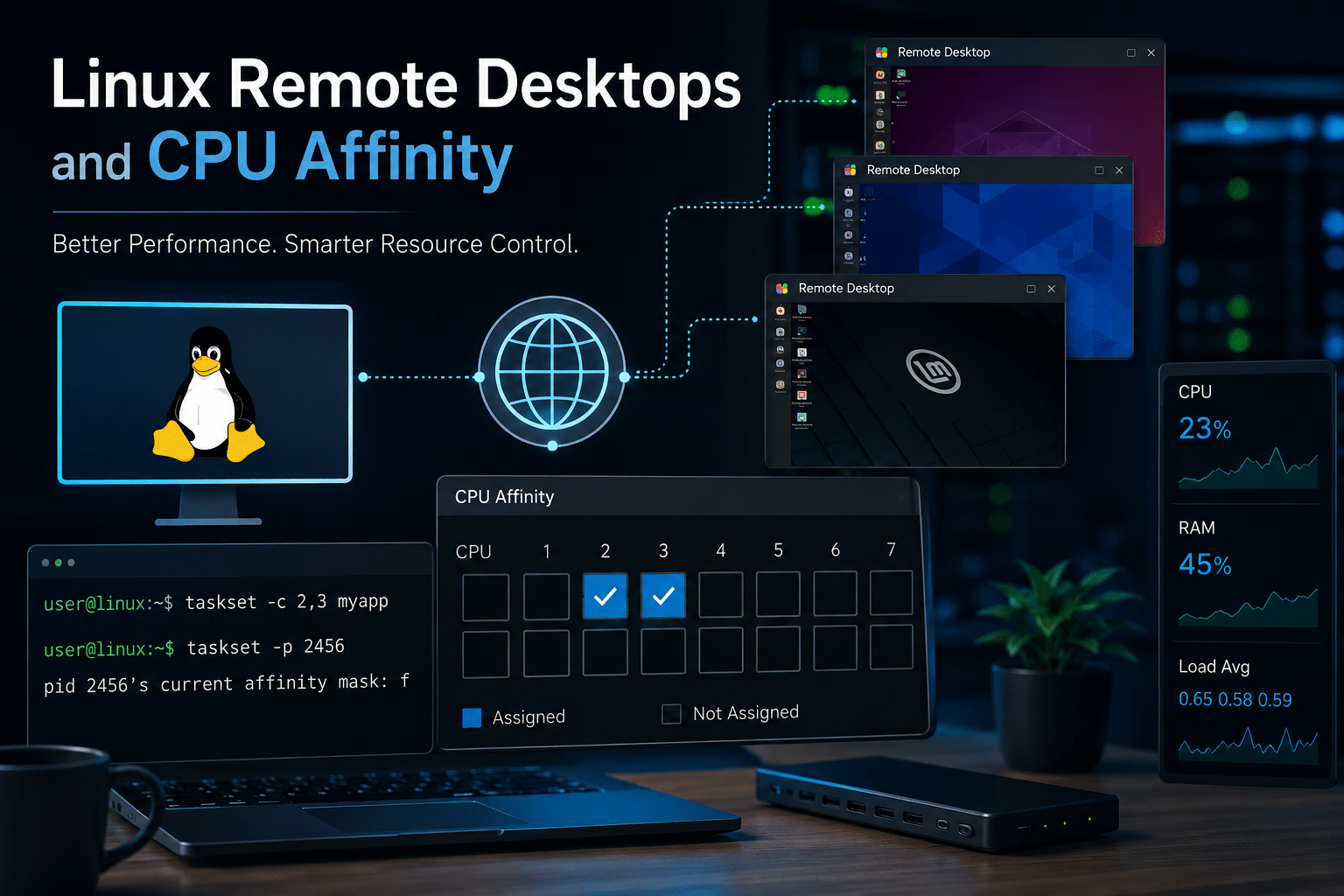
Linux Remote Desktops and CPU Affinity
Many organizations now operate Linux remotely rather than on local hardware.
Remote desktops support:
- Software development
- Engineering
- Cybersecurity labs
- AI experimentation
- Cloud administration
Multiple users may share the same physical server.
In these environments, CPU affinity becomes increasingly valuable because administrators can isolate demanding workloads and maintain a responsive desktop experience.
This is where infrastructure quality also matters.
Why 99RDP Complements KDE Plasma
A powerful desktop environment needs reliable underlying infrastructure.
99RDP provides Linux remote desktop and VPS solutions designed for developers, businesses, and enterprise teams that require dependable performance.
Benefits include:
- High-performance Linux RDP environments
- Scalable Linux VPS solutions
- Low-latency remote access
- Flexible resource configurations
- Reliable uptime for development and production workloads
When paired with KDE Plasma 6.8’s improved CPU management capabilities, a well-configured Linux environment from 99RDP allows teams to optimize resource allocation while maintaining excellent responsiveness for multitasking, development, virtualization, and cloud-based workflows.
Real-World Examples
Software Company
Developers compile large applications.
CPU affinity reserves eight cores for compilation while preserving four cores for everyday desktop tasks.
Result:
- Faster builds
- Better desktop responsiveness
Video Production Studio
Editors render 4K video.
Dedicated CPU cores prevent rendering from interrupting asset management, communication software, and cloud synchronization.
Cybersecurity Laboratory
Researchers run multiple virtual machines simultaneously.
Each VM receives dedicated processor resources, improving stability during penetration testing and malware analysis.
Cloud Development Team
Developers connect remotely through Linux RDP.
CPU affinity prevents one developer’s heavy workloads from degrading another user’s experience.
Best Practices
To maximize CPU affinity:
- Avoid assigning every application to fixed cores.
- Leave resources available for system processes.
- Monitor CPU utilization regularly.
- Test workloads before deploying configurations.
- Balance performance with flexibility.
Linux’s scheduler remains highly optimized, so affinity should complement—not replace—automatic scheduling.
Common Misconceptions
“CPU affinity always makes applications faster.”
Not necessarily.
Applications that rarely consume significant CPU resources may show little improvement.
“Every user needs CPU affinity.”
Most casual desktop users never require manual CPU allocation.
Power users, developers, virtualization professionals, and enterprises gain the greatest benefits.
“Affinity replaces good hardware.”
No.
CPU affinity improves resource utilization but cannot compensate for insufficient RAM, slow storage, or underpowered processors.
The Future of Linux Desktop Performance
Desktop Linux continues evolving rapidly.
Recent development has focused on:
- Improved Wayland support
- Better graphics performance
- Lower latency
- Enhanced power management
- Better multi-monitor support
- More intuitive system administration tools
CPU affinity management represents another step toward making advanced Linux features accessible through user-friendly interfaces.
As desktop hardware continues increasing core counts, intuitive workload management will become even more important.
Frequently Asked Questions

What is CPU affinity?
CPU affinity allows a process to run only on selected CPU cores instead of any available core.
Does CPU affinity improve gaming?
Some CPU-intensive games may experience more consistent frame times when background processes are isolated, though results vary depending on hardware and workload.
Is CPU affinity useful for virtual machines?
Yes. Assigning dedicated CPU cores to virtual machines can reduce contention with the host operating system and improve workload consistency.
Should beginners use CPU affinity?
Most beginners can rely on Linux’s default scheduler. CPU affinity is most beneficial for advanced users, developers, virtualization enthusiasts, and enterprise administrators.
Does KDE Plasma 6.8 replace command-line tools?
No. Command-line utilities remain available, but Plasma makes CPU affinity easier to manage through a graphical interface.
Final Thoughts

CPU affinity has long been one of Linux’s most powerful optimization techniques. By making this capability easier to access, KDE Plasma 6.8 lowers the barrier for users who want greater control over how applications use modern multi-core processors.
From software development and virtual machines to containerized workloads and enterprise remote desktops, CPU affinity helps improve workload isolation, consistency, and responsiveness when applied thoughtfully.
Organizations running Linux remotely can amplify these benefits by pairing KDE Plasma with dependable infrastructure. High-performance Linux RDP and VPS solutions from 99RDP provide the stable foundation needed to support demanding development, virtualization, and business workloads. Together, modern desktop features and reliable remote infrastructure create a more productive Linux experience for teams of every size.
As processors continue adding more cores and workloads become increasingly parallel, intelligent CPU management will play an even greater role in delivering efficient, responsive Linux systems. KDE Plasma 6.8 marks another step toward making these advanced capabilities accessible to everyone.
EXPLORE MORE ; GNOME 51 Alpha for Developers

READ OUR BLOGS


