
Kagi Orion for Linux 0.4.1 Beta: Features, Benefits and What to Expect

Linux users have no shortage of web browsers. Firefox remains a major open-source choice, Chromium powers a large part of the modern web, and browsers such as Brave, Vivaldi, and others continue to compete for users who want more privacy, customization, or productivity features.
Now, another browser is attracting attention on the Linux desktop.
Kagi Orion for Linux 0.4.1 beta brings a growing collection of privacy-focused and productivity-oriented features to Linux users. Developed by Kagi, Orion takes a different technical approach from the many Chromium-based browsers by using WebKit as its browser engine.
The 0.4.1 beta release is particularly interesting because it moves Orion beyond a basic Linux preview. It introduces or improves several features that users expect from a modern desktop browser, including private windows, link previews, a download manager, programmable buttons, website-specific settings, local data synchronization, bookmark importing, and a Low Power Mode.
The browser remains a beta, so users should expect unfinished features and occasional bugs. However, the latest release provides enough functionality to make Orion a serious browser worth testing.
For developers, Linux enthusiasts, privacy-conscious users, and professionals who spend much of their working day inside a browser, Orion’s progress deserves attention.
What Is Kagi Orion?
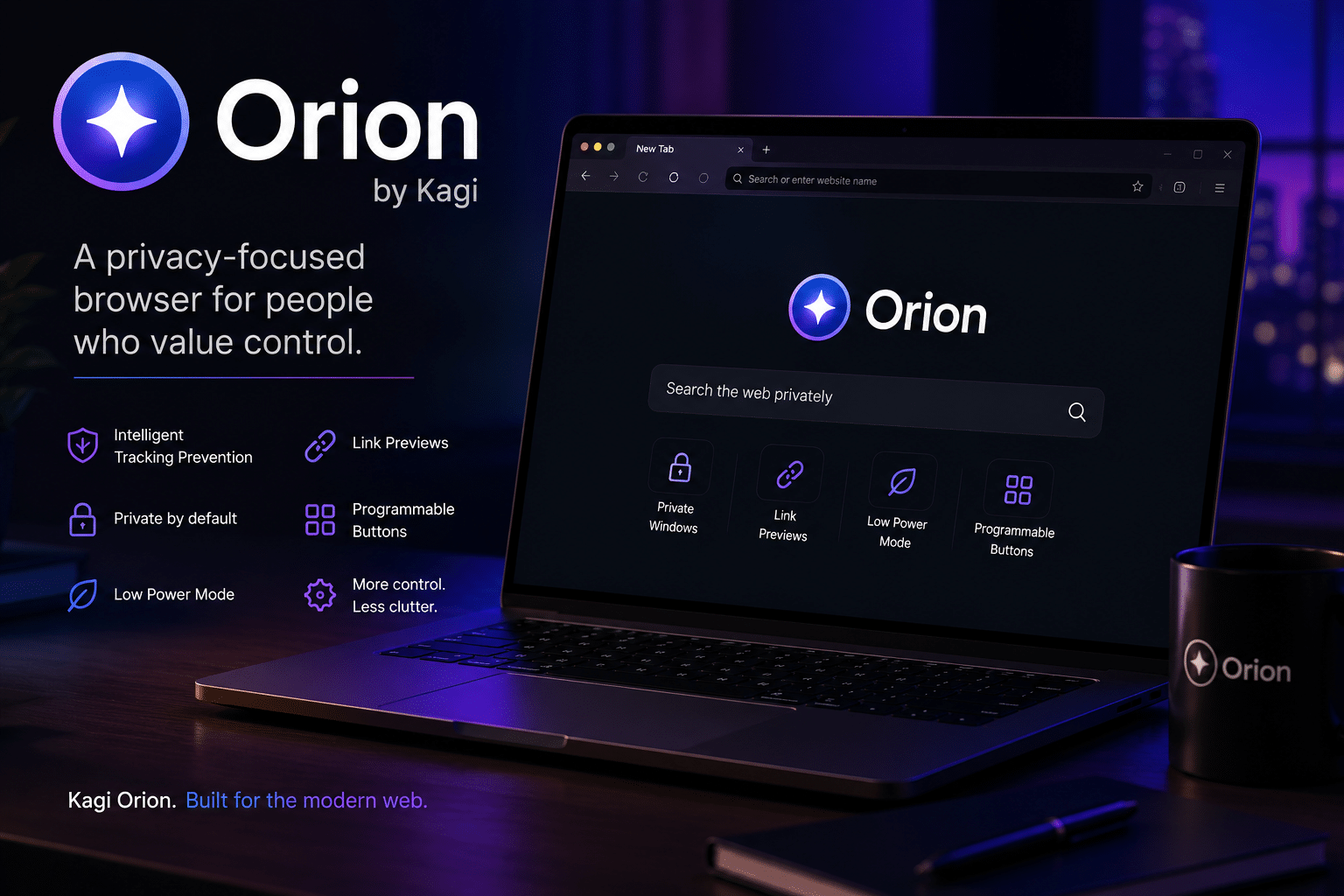
Orion is a web browser created by Kagi, the privacy-focused search company.
The browser follows a different philosophy from many mainstream browsers. Instead of building on Chromium, Orion uses WebKit, the browser engine associated with Apple’s Safari and several other technologies.
Kagi has positioned Orion around privacy, performance, user control, and a browsing experience that avoids unnecessary advertising and tracking.
The Linux version has been under active development, and version 0.4.1 beta represents another substantial step forward.
According to the release information reported by OMG! Ubuntu, the new version adds a broad range of functionality that brings the Linux edition closer to the capabilities users expect from a full desktop browser.
That breadth matters.
A browser can have excellent privacy technology, but users will not adopt it widely if everyday features remain missing. Orion’s latest release addresses several of those gaps.
What’s New in Orion for Linux 0.4.1 Beta?
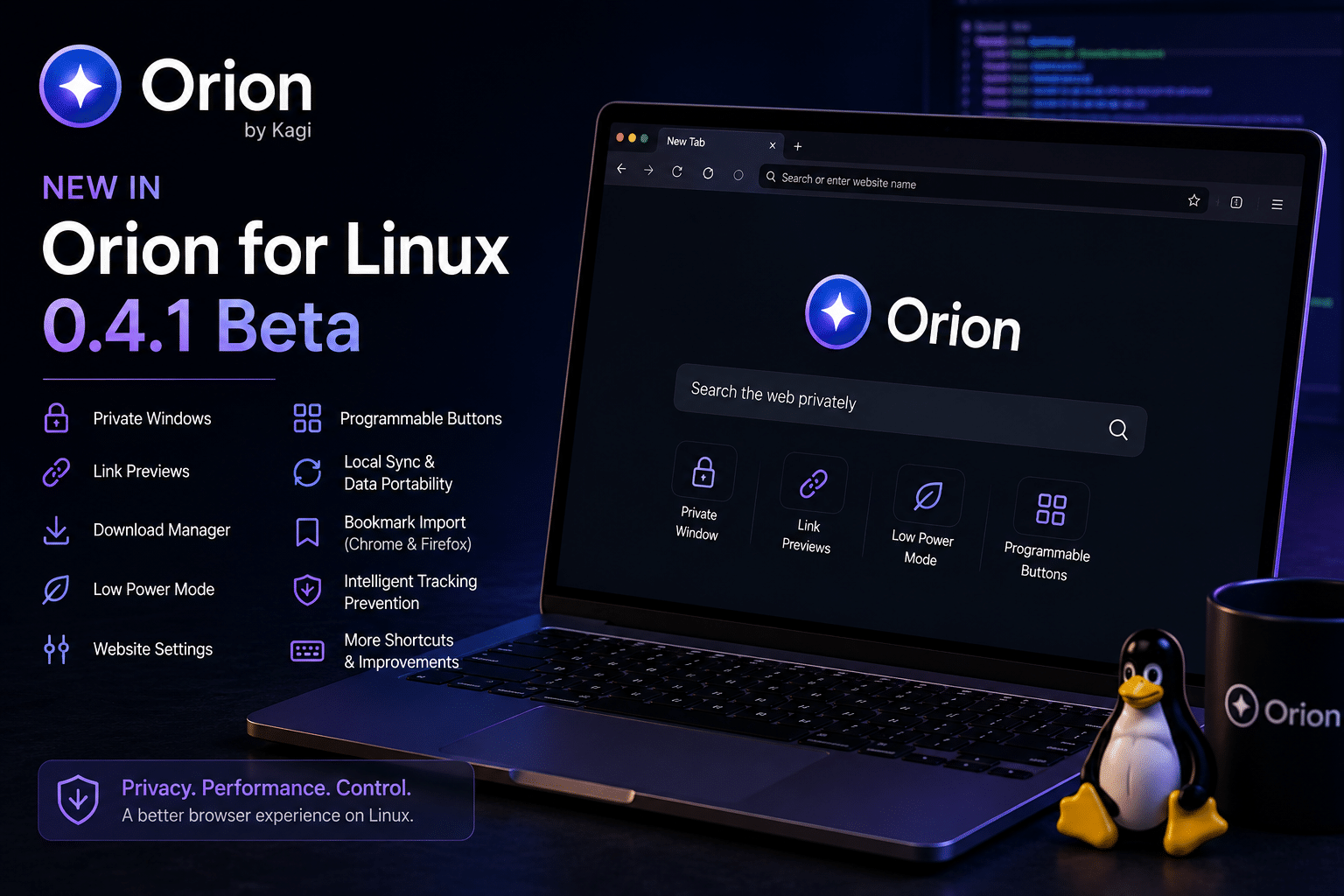
Orion 0.4.1 does not depend on one headline feature.
Instead, Kagi has improved the browser across several areas.
The most important additions include:
- Private windows
- Link previews
- A download manager
- Programmable Buttons
- Local synchronization and data portability
- Website-specific controls
- Low Power Mode
- Additional keyboard shortcuts
- Chrome and Firefox bookmark importing
- Broader Intelligent Tracking Prevention
- Interface improvements
- Stability and performance improvements
Together, these changes make Orion considerably more practical for everyday Linux use.
Let’s look at the most important features individually.
1. Private Windows Improve Browsing Privacy
One of the most important additions in Orion 0.4.1 is support for private windows.
Private browsing has become a standard browser feature, but its importance remains easy to underestimate.
Users frequently need temporary browsing sessions for activities such as:
- Testing websites
- Checking different login accounts
- Researching sensitive topics
- Testing cookies
- Verifying authentication behavior
- Separating personal and work sessions
Private browsing does not make users anonymous. Websites, network providers, employers, and other parties may still have ways to identify or monitor activity.
However, private windows provide a useful separation from the normal browsing session.
For developers, the feature can also simplify testing. A developer can open a private window to check how a website behaves without existing cookies, cached sessions, or authentication information interfering with the test.
That makes the feature practical beyond privacy-conscious browsing.
2. Link Previews Can Reduce Tab Clutter
Modern research often creates a browser-tab problem.
You open an article.
That article contains five useful links.
You open all five.
Each page contains additional references.
Soon, your browser contains dozens of tabs.
Orion 0.4.1 introduces link previews, allowing users to inspect linked content before committing to a full browser tab.
The feature provides a faster way to determine whether a link contains useful information.
For developers and researchers, this can become particularly useful when reading:
- Documentation
- GitHub issues
- Technical blogs
- Research papers
- News articles
- Project discussions
- API references
Instead of constantly opening and closing tabs, users can preview links and decide which ones deserve a dedicated tab.
This small productivity feature can have a meaningful impact on long research sessions.
3. Orion Gets a Download Manager
The 0.4.1 beta also introduces a functional download manager.
Downloading files is one of the most basic tasks performed by a desktop browser.
Linux users regularly download:
- ISO images
- Source code archives
- Documentation
- Packages
- Configuration files
- Firmware
- Development builds
- Reports
- Images
- Test files
A browser without a convenient download workflow can quickly feel incomplete.
Orion’s download manager therefore represents an important step toward everyday usability.
The implementation remains relatively simple compared with mature browsers, but it gives Linux users a much more conventional way to monitor and manage downloads.
4. Programmable Buttons Could Be Orion’s Most Interesting Feature
Among Orion’s new capabilities, Programmable Buttons stand out.
The feature allows users to create customized browser actions instead of relying entirely on the default toolbar.
Depending on the supported action, users can configure buttons to perform tasks such as opening URLs, triggering browser actions, or executing custom scripts.
This opens the door to browser automation.
A developer could potentially create buttons for frequently used workflows, such as:
- Opening a project dashboard
- Launching a specific documentation page
- Running a browser action
- Opening a monitoring interface
- Starting a predefined search
- Automating repetitive tasks
This approach fits particularly well with Linux users.
Linux has always encouraged users to customize their environments. Shell aliases, scripts, keyboard shortcuts, window-manager configurations, and automation tools are common parts of the Linux ecosystem.
Orion extends that philosophy into the browser.
Instead of treating the browser as a fixed application, programmable controls allow users to make it fit their workflow.
5. Local Sync Gives Users More Control Over Browser Data
Synchronization has become a standard feature across modern browsers.
Users expect their bookmarks, settings, tabs, and other information to follow them between devices.
Orion’s Linux implementation takes an interesting approach by supporting local data export and import.
This gives users a way to move browser data between environments without requiring everything to be synchronized automatically through a cloud account.
For privacy-conscious users, that approach can be attractive.
It provides greater visibility into where browser data goes and how it moves between machines.
Kagi has indicated that cloud synchronization is part of Orion’s longer-term development direction, but the current local approach already provides useful portability for Linux users.
6. Website-Specific Settings Add Granular Control
Another useful addition is improved website settings.
Rather than applying exactly the same behavior to every website, users can configure certain controls on a per-site basis.
These settings can include controls related to resources such as:
- Cookies
- Web fonts
- Website content
This approach provides greater flexibility.
For example, a user may want a highly restrictive configuration on an advertising-heavy website while allowing more resources on a web application that requires them for normal functionality.
The ability to make these decisions on a site-by-site basis can help users balance privacy with compatibility.
That balance matters.
Aggressive blocking can improve privacy, but excessive restrictions can also break websites.
Granular controls give users another way to find the right compromise.
7. Low Power Mode Targets Background Resource Usage
Browser resource consumption has become a significant issue.
Modern websites increasingly behave like applications. They use JavaScript, background processes, media, animations, analytics, and real-time connections.
A user who leaves dozens of tabs open can therefore consume considerable memory and CPU resources.
Orion 0.4.1 introduces Low Power Mode, which can suspend inactive tabs after a period of inactivity.
The feature can benefit:
- Laptop users
- Older computers
- Battery-powered systems
- Developers with large browser sessions
- Users running virtual machines
- Remote desktop environments
Tab suspension can reduce unnecessary activity from pages that users are not currently viewing.
However, users should test the feature with their own workloads. Some web applications depend on continuous background activity, and suspending those pages may affect their behavior.
8. Bookmark Import Makes Switching Easier
Switching browsers can be frustrating when users have spent years building a collection of bookmarks.
Orion 0.4.1 addresses that problem by supporting bookmark imports from Chrome and Firefox through HTML bookmark files.
This makes experimentation easier.
A user can try Orion without abandoning an existing browser environment.
That matters for adoption.
People are more likely to test an alternative browser when they know they can easily return to their existing workflow.
Bookmark portability therefore looks like a small feature, but it removes one of the practical barriers to browser migration.
9. Intelligent Tracking Prevention Strengthens Orion’s Privacy Direction
Privacy remains one of Orion’s defining characteristics.
The latest Linux beta expands the browser’s Intelligent Tracking Prevention coverage across WebKit network sessions.
Tracking protection matters because modern websites often depend on third-party resources, advertising systems, analytics platforms, and tracking technologies.
Reducing unnecessary tracking can improve privacy and sometimes reduce page overhead as well.
However, users should understand the limits.
No browser can guarantee complete online anonymity.
Privacy also depends on:
- Network configuration
- DNS
- VPN usage
- Website accounts
- Operating-system settings
- Browser configuration
- Extensions
- User behavior
Orion’s tracking protection should therefore be viewed as one layer of a broader privacy strategy.
10. Orion’s WebKit Foundation Makes It Different
The browser market is dominated by Chromium-based technologies.
Chrome, Edge, Brave, Vivaldi, and many other browsers rely on Chromium or related technologies.
Firefox provides another major engine through Gecko.
Orion introduces another important option: WebKit.
On Linux, Orion uses WebKitGTK as part of its technology stack.
This matters because browser-engine diversity benefits the web ecosystem.
When developers test websites against multiple engines, they are more likely to identify standards and compatibility problems.
For Linux users, Orion therefore represents more than another application.
It provides another browser-engine option.
For developers, that makes Orion especially useful as a compatibility-testing tool.
Why Orion Matters to Linux Developers
Developers increasingly perform their work inside a browser.
A typical development workflow can involve:
- GitHub
- GitLab
- Cloud dashboards
- Documentation
- CI/CD systems
- Project-management platforms
- Monitoring tools
- Database interfaces
- AI development tools
- Web-based terminals
- Deployment platforms
The browser has effectively become part of the development environment.
That makes features such as programmable buttons, link previews, privacy controls, tab management, and low-power operation more than cosmetic additions.
They directly affect productivity.
Orion’s Linux development is therefore particularly relevant to developers who want a browser that aligns with Linux’s customizable and privacy-conscious culture.
Orion and Remote Linux Infrastructure
Modern development does not always happen entirely on the local machine.
Developers increasingly combine local workstations with remote Linux infrastructure.
A typical workflow might look like this:
Local Linux PC → Orion Browser → Remote Linux VPS → Application/Testing Environment
The browser provides the interface.
The remote server provides persistent computing resources.
This is where a Linux VPS can complement the Orion experience.
99RDP for Remote Linux Workloads
For developers and businesses that need a persistent Linux environment, 99RDP’s Linux VPS service provides remote Linux servers with root access and configurable resources.
A VPS can support workloads such as:
- Web development
- Application testing
- Staging environments
- Automation
- Remote development
- Monitoring
- Hosting
- Database services
- Linux administration
A browser such as Orion can then provide convenient access to the web-based dashboards and management tools associated with those environments.
You can learn more about the 99RDP Linux VPS service if your workflow requires a remote Linux environment.
The important connection is practical rather than promotional: Orion improves the client-side Linux browsing experience, while a VPS can provide the persistent remote infrastructure behind a developer’s workflow.
That combination makes sense for users who work across local and remote Linux environments.
Orion Is Still a Beta: What Users Should Expect
Despite the progress, users should remember that Orion for Linux 0.4.1 remains a beta release.
That means the browser is not yet equivalent to a mature mainstream browser in every area.
Users may encounter:
- Website compatibility problems
- Browser crashes
- Missing features
- Interface bugs
- Incomplete integrations
- Performance inconsistencies
Chrome extension support remains an important missing piece for many users.
Some Orion features available on other platforms also have not yet reached Linux.
Therefore, Orion should not necessarily replace a user’s existing browser immediately.
Instead, users can install it alongside their primary browser and test it against their normal workflow.
Who Should Try Orion for Linux 0.4.1?
Orion makes the most sense for several categories of Linux users.
Privacy-conscious users
If you want stronger tracking protection and more control over browser behavior, Orion deserves a test.
Developers
WebKit support, programmable actions, and website-specific controls make Orion particularly interesting for technical users.
Linux enthusiasts
Users who enjoy testing emerging Linux software can help shape the browser’s development.
Researchers
Link previews, private windows, bookmark importing, and tab-management improvements can make long research sessions more efficient.
Early adopters
If you enjoy experimenting with new software before it reaches a stable release, Orion provides an interesting project to follow.
Who Should Wait?
Some users should probably continue using their existing browser as their primary environment.
You may want to wait if you:
- Depend heavily on Chrome extensions
- Require maximum website compatibility
- Use mission-critical web applications
- Cannot tolerate beta instability
- Need mature enterprise management features
- Depend on browser features that have not yet reached Orion Linux
The good news is that you do not have to choose immediately.
Running multiple browsers is easy on Linux.
You can use Orion for experimentation and privacy-focused browsing while keeping Firefox or another browser for workflows that require maximum compatibility.
How Orion Could Evolve
The 0.4.1 beta provides a useful look at Kagi’s direction.
Future development will likely focus on closing the feature gap between Orion on Linux and Orion on other platforms.
Several areas will be particularly important.
Extension support
Users will expect broader compatibility with the existing browser-extension ecosystem.
Cloud synchronization
A mature synchronization system could make Orion much more practical across multiple devices.
Stability
As the browser moves toward a stable release, reducing crashes and compatibility issues will become increasingly important.
Performance
Kagi will need to continue optimizing the Linux implementation across different hardware and desktop environments.
Web compatibility
Orion must continue testing against the modern web’s increasingly complex applications.
If Kagi can address these areas while maintaining Orion’s privacy philosophy, the Linux version could become a much more significant browser alternative.
The Bigger Picture for Linux Browsing
Orion’s progress reflects a broader change in how people use Linux.
Linux is no longer limited to traditional desktop applications.
Users increasingly rely on Linux for:
- Development
- Cloud computing
- Remote work
- AI workloads
- Web development
- DevOps
- Server administration
- Privacy-focused computing
- Software testing
The browser sits at the center of many of these activities.
That makes browser choice important.
A browser determines how users interact with websites, cloud services, development platforms, documentation, and remote infrastructure.
Orion’s arrival gives Linux users another option built around privacy and user control.
Why Browser and Infrastructure Choices Go Together
The modern computing stack has become increasingly interconnected.
A developer might use:
Linux desktop
for the local workstation.
Orion
for browsing, research, documentation, and web applications.
Git
for source control.
A Linux VPS
for remote development, testing, hosting, or automation.
Cloud services
for scalable infrastructure.
Each component serves a different role.
The important point is control.
Linux gives users control over the operating system.
Orion aims to give users greater control over browsing.
A Linux VPS can give developers greater control over their remote computing environment.
For users who value flexibility, this combination creates a powerful technology stack.
Final Verdict: Is Orion 0.4.1 Worth Trying?
Yes—especially if you are a Linux enthusiast, developer, or privacy-conscious user.
Kagi Orion for Linux 0.4.1 beta represents meaningful progress.
The browser now offers a much more complete set of desktop browsing capabilities, including:
- Private windows
- Link previews
- Download management
- Programmable Buttons
- Website-specific settings
- Local data portability
- Low Power Mode
- Bookmark importing
- Tracking protection
- Improved shortcuts
- Interface refinements
These features address real problems rather than simply adding novelty.
The browser still has limitations, and its beta status means users should expect rough edges.
But that does not diminish its importance.
The most interesting part of Orion’s Linux story is its combination of privacy, WebKit, customization, and Linux-native development.
The browser does not need to defeat Chrome or Firefox overnight.
It simply needs to offer Linux users a compelling alternative.
Version 0.4.1 moves it closer to doing exactly that.
For developers, Orion also fits naturally into modern remote workflows. A Linux workstation can handle local development and browsing while a service such as 99RDP Linux VPS can provide a persistent remote environment for testing, hosting, automation, and infrastructure management.
As Linux continues to grow as a platform for developers and technical professionals, having more capable browser and infrastructure choices can only strengthen the ecosystem.
Orion 0.4.1 is still a beta, but it is no longer an experiment that Linux users can easily ignore. It is becoming a browser worth watching—and worth trying.
EXPLORE MORE ; Ubuntu 26.04 on CIX P1

READ OUR BLOGS


