
Why Ubuntu Is Moving hwctl from DEB to Snap—and What It Means for You

Ubuntu has steadily transformed the way it delivers software over the past several years. From migrating popular desktop applications like Firefox and Chromium to the Snap ecosystem to introducing containerized system utilities, Canonical has consistently signaled that the future of Ubuntu lies in modern, secure, and independently updateable software packages. The latest example is the transition of hwctl from a traditional DEB package to a Snap package.
At first glance, this might seem like just another packaging change. However, it reflects a much broader strategy that affects desktop users, developers, IT administrators, enterprises, and cloud providers alike. It also highlights how Linux distributions are evolving to meet modern expectations around security, reliability, automation, and continuous software delivery.
In this article, we’ll explore why Canonical is making this transition, how Snap differs from DEB, the advantages and trade-offs of the move, what it means for different categories of Ubuntu users, and how businesses can simplify Ubuntu deployments with reliable cloud infrastructure from 99RDP.
Ubuntu’s Packaging Evolution
For decades, DEB packages have been the backbone of Debian-based Linux distributions, including Ubuntu. They have served millions of users reliably and remain an integral part of the operating system.
However, modern software development has changed dramatically.
Today’s applications require:
- Faster release cycles
- Independent updates
- Improved security
- Cross-version compatibility
- Simplified maintenance
- Better rollback mechanisms
Traditional package repositories work exceptionally well for operating system components, but updating applications independently from the OS has become increasingly important.
This is where Snap enters the picture.
Snap allows developers to package applications together with their required dependencies, ensuring consistent behavior across supported Ubuntu releases while enabling faster updates.
The migration of hwctl continues this long-term evolution.
Understanding hwctl
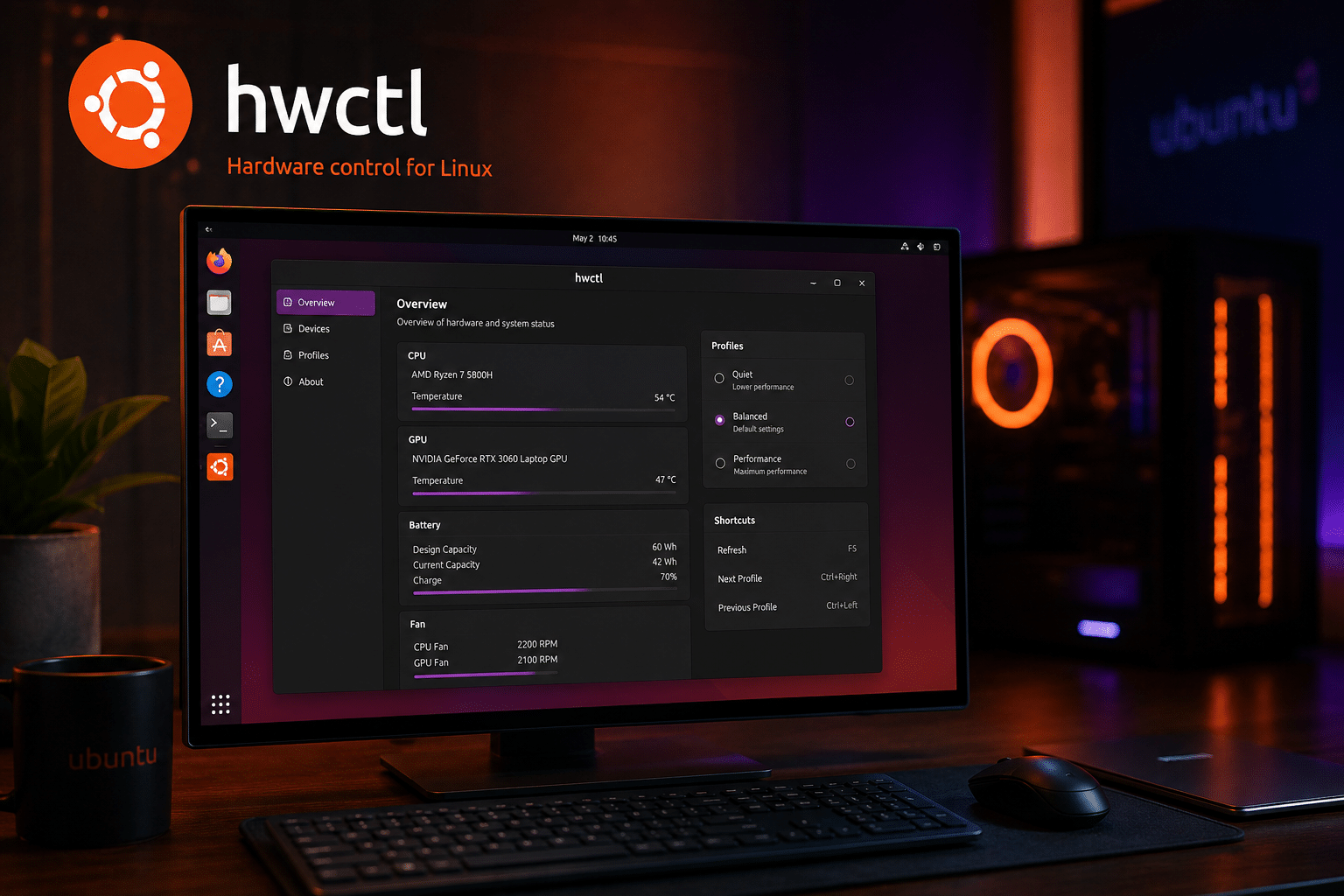
Although hwctl may not be as recognizable as Firefox or Chromium, it plays an important role in hardware-related functionality within Ubuntu.
Utilities such as hwctl interact closely with system hardware, firmware, and platform capabilities. Maintaining these tools independently from the operating system gives Canonical greater flexibility to deliver improvements, fix bugs, and respond to hardware compatibility issues without waiting for major Ubuntu releases.
As hardware ecosystems evolve rapidly—with new processors, storage devices, peripherals, and firmware updates arriving regularly—independent software delivery becomes increasingly valuable.
Why Canonical Is Moving hwctl to Snap

The decision isn’t random.
It aligns with several strategic objectives.
1. Faster Software Updates
One of Snap’s biggest advantages is independent release management.
Instead of waiting for operating system repositories to update, Canonical can publish improvements whenever they are ready.
Benefits include:
- Faster bug fixes
- Rapid hardware support
- Immediate feature availability
- Quicker response to reported issues
Users receive improvements much sooner than traditional release schedules often allow.
2. Improved Security
Cybersecurity continues to be one of the largest concerns in modern computing.
Snap packages operate within a sandboxed environment that restricts unnecessary access to system resources.
Advantages include:
- Better permission management
- Reduced attack surface
- Improved application isolation
- Easier security auditing
While no packaging system guarantees perfect security, containerized applications generally provide stronger protection than unrestricted packages.
3. Simplified Maintenance
Supporting multiple Ubuntu releases simultaneously requires significant engineering effort.
Using Snap allows Canonical to maintain fewer package variants while delivering consistent functionality across supported Ubuntu versions.
This reduces:
- Testing complexity
- Packaging overhead
- Maintenance costs
- Version fragmentation
4. Easier Rollbacks
Software updates occasionally introduce unexpected issues.
Snap includes transactional updates and rollback capabilities that simplify recovery if problems occur.
For enterprise environments, this can reduce downtime and operational risk.
5. Consistent User Experience
One Snap package behaves consistently regardless of the Ubuntu release.
Whether users run Ubuntu 24.04 LTS or a newer release, Canonical can provide a more predictable software experience.
DEB vs Snap
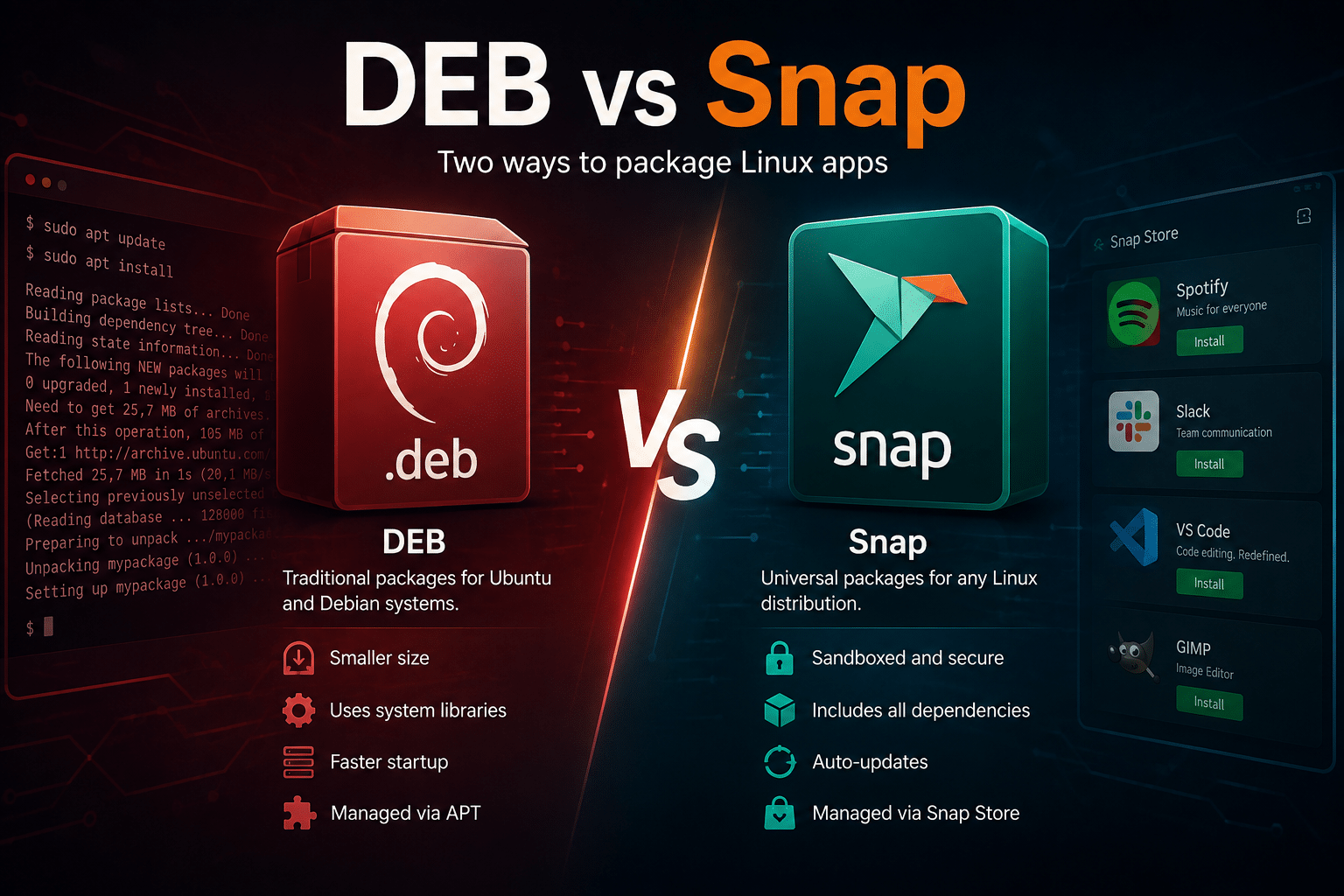
Understanding the differences helps explain Canonical’s decision.
DEB Packages
Advantages include:
- Native integration
- Smaller package size
- Mature ecosystem
- Extensive community support
- Faster startup for many applications
Challenges include:
- Dependency conflicts
- Slower update cycles
- Distribution-specific packaging
- Greater maintenance effort
Snap Packages
Advantages include:
- Independent updates
- Sandboxed security
- Cross-version compatibility
- Automatic updates
- Rollback support
Potential drawbacks include:
- Larger package sizes
- Slightly slower cold starts for some applications
- Greater disk usage
- Different management workflow
Neither format is universally better. Each serves different goals.
Why This Matters Beyond hwctl
The hwctl migration isn’t just about one utility.
It reflects Ubuntu’s broader software delivery philosophy.
Over the past several years Canonical has transitioned multiple high-profile applications to Snap.
Examples include:
- Firefox
- Chromium
- Thunderbird
- Ubuntu Software
- Various supporting utilities
Each migration strengthens Canonical’s unified package management strategy.
What Desktop Users Should Expect
For most desktop users, the transition will require little or no manual intervention.
Benefits include:
- Automatic updates
- Better security
- Easier recovery from failed updates
- Consistent functionality
Some users who strongly prefer traditional DEB packages may continue to voice concerns, but the overall experience should remain familiar.
Developer Benefits
Developers increasingly work across multiple Ubuntu releases.
Snap simplifies development by providing consistent software behavior regardless of the underlying operating system version.
Advantages include:
- Predictable environments
- Reduced dependency conflicts
- Easier testing
- Simplified deployment
- Better CI/CD consistency
For organizations building Linux applications, this consistency saves valuable engineering time.
Enterprise Advantages
Large organizations often manage:
- Hundreds of Ubuntu servers
- Remote workstations
- Virtual machines
- Kubernetes clusters
- Cloud infrastructure
Maintaining software consistency across these environments can be challenging.
Snap helps organizations standardize deployments while reducing compatibility issues.
Enterprise IT teams particularly value:
- Automated updates
- Centralized management
- Security improvements
- Reliable rollback capabilities
Cloud Infrastructure Benefits
Cloud computing depends heavily on automation.
Infrastructure should be:
- Predictable
- Repeatable
- Secure
- Easy to update
Snap aligns well with Infrastructure-as-Code workflows because software behaves consistently across deployments.
Whether workloads run on private virtualization or public cloud platforms, independent package management simplifies operations.
The Growing Importance of Ubuntu
Ubuntu has become one of the world’s most widely adopted Linux distributions.
Its popularity spans:
- Web hosting
- Software development
- Artificial intelligence
- Machine learning
- Container platforms
- Cloud-native applications
- DevOps environments
- Enterprise servers
Its extensive ecosystem makes packaging decisions like the hwctl transition particularly significant.
Millions of systems may eventually benefit from faster updates and improved maintainability.
Community Reactions
Ubuntu’s Snap strategy has generated discussion for years.
Supporters appreciate:
- Better security
- Continuous updates
- Simplified maintenance
- Cross-version consistency
Critics often mention:
- Larger package sizes
- Startup performance
- Centralized distribution
- Preference for native package management
Healthy debate is common within open-source communities.
Ultimately, users retain considerable flexibility within Linux ecosystems.
Performance Considerations
Performance discussions surrounding Snap deserve balanced analysis.
Startup Time
Some graphical applications experience slightly slower initial launch times because the package mounts its compressed filesystem.
Subsequent launches generally improve.
Runtime Performance
Once running, most applications perform similarly regardless of packaging format.
Packaging primarily affects installation and startup rather than execution.
Hardware Utilities
Utilities such as hwctl spend much of their time interacting directly with hardware.
For these workloads, packaging differences are generally less noticeable than with desktop applications.
Security in Modern Linux Systems
Cyber threats continue evolving.
Organizations increasingly prioritize:
- Least-privilege access
- Sandboxing
- Secure update channels
- Automated patch management
Snap contributes to these objectives by restricting unnecessary permissions while simplifying software maintenance.
Although administrators should still follow standard security best practices, packaging improvements provide another valuable layer of defense.
Why Infrastructure Matters More Than Packaging
While package management receives significant attention, infrastructure quality often has a much greater impact on real-world performance.
Successful Ubuntu deployments require:
- Reliable servers
- Fast storage
- Stable networking
- Secure remote access
- Automated backups
- Monitoring
- Disaster recovery
- Technical support
These factors influence operational success far more than package formats alone.

How 99RDP Supports Ubuntu Users
As Ubuntu continues evolving, organizations increasingly seek reliable infrastructure partners instead of managing every server manually.
99RDP provides enterprise-ready solutions designed for Linux professionals, developers, startups, and growing businesses.
Key services include:
High-Performance Ubuntu VPS
Deploy Ubuntu environments optimized for speed, reliability, and scalability.
Suitable for:
- Development
- Hosting
- Testing
- Production applications
Dedicated Linux Servers
Organizations requiring maximum performance can leverage dedicated hardware for demanding workloads.
Ideal for:
- Enterprise applications
- Databases
- Large websites
- AI workloads
- Resource-intensive services
Remote Desktop Solutions
Distributed teams increasingly require secure remote access.
99RDP enables businesses to provide dependable remote desktop environments while maintaining strong security and centralized administration.
Managed Linux Services
System administration requires continuous attention.
99RDP helps organizations with:
- Server setup
- Security hardening
- Performance optimization
- Migration assistance
- Software deployment
- Ongoing maintenance
This allows internal teams to focus on innovation rather than infrastructure management.
Cloud Deployment Assistance
Whether deploying Docker containers, Kubernetes clusters, or traditional web applications, professional infrastructure support reduces deployment complexity and accelerates project delivery.
Real-World Use Cases
Organizations benefit from Ubuntu infrastructure in numerous scenarios.
Examples include:
Software Development
Reliable development environments improve productivity while reducing configuration inconsistencies.
CI/CD Pipelines
Automated build servers require predictable software behavior and dependable uptime.
AI and Machine Learning
Ubuntu remains a preferred platform for many AI frameworks.
Dedicated infrastructure ensures consistent performance for computational workloads.
Web Hosting
Stable Ubuntu servers power websites ranging from small business portals to enterprise-scale applications.
Container Platforms
Docker and Kubernetes environments benefit from secure, well-maintained Linux infrastructure.
Best Practices After the hwctl Migration
Users and administrators should consider the following recommendations:
- Keep systems updated regularly.
- Monitor automatic Snap updates.
- Test production changes in staging environments.
- Maintain reliable backup strategies.
- Document rollback procedures.
- Automate infrastructure provisioning.
- Review application permissions periodically.
- Follow Ubuntu security advisories.
These practices improve reliability regardless of packaging format.
Looking Ahead
Canonical’s long-term roadmap suggests continued investment in Snap technology.
Future Ubuntu releases will likely expand containerized software delivery while maintaining compatibility with traditional package management where appropriate.
Organizations should prepare by embracing automation, standardized deployments, and infrastructure best practices.
The hwctl transition may seem modest today, but it represents another step toward Ubuntu’s modern software ecosystem.
Final Thoughts
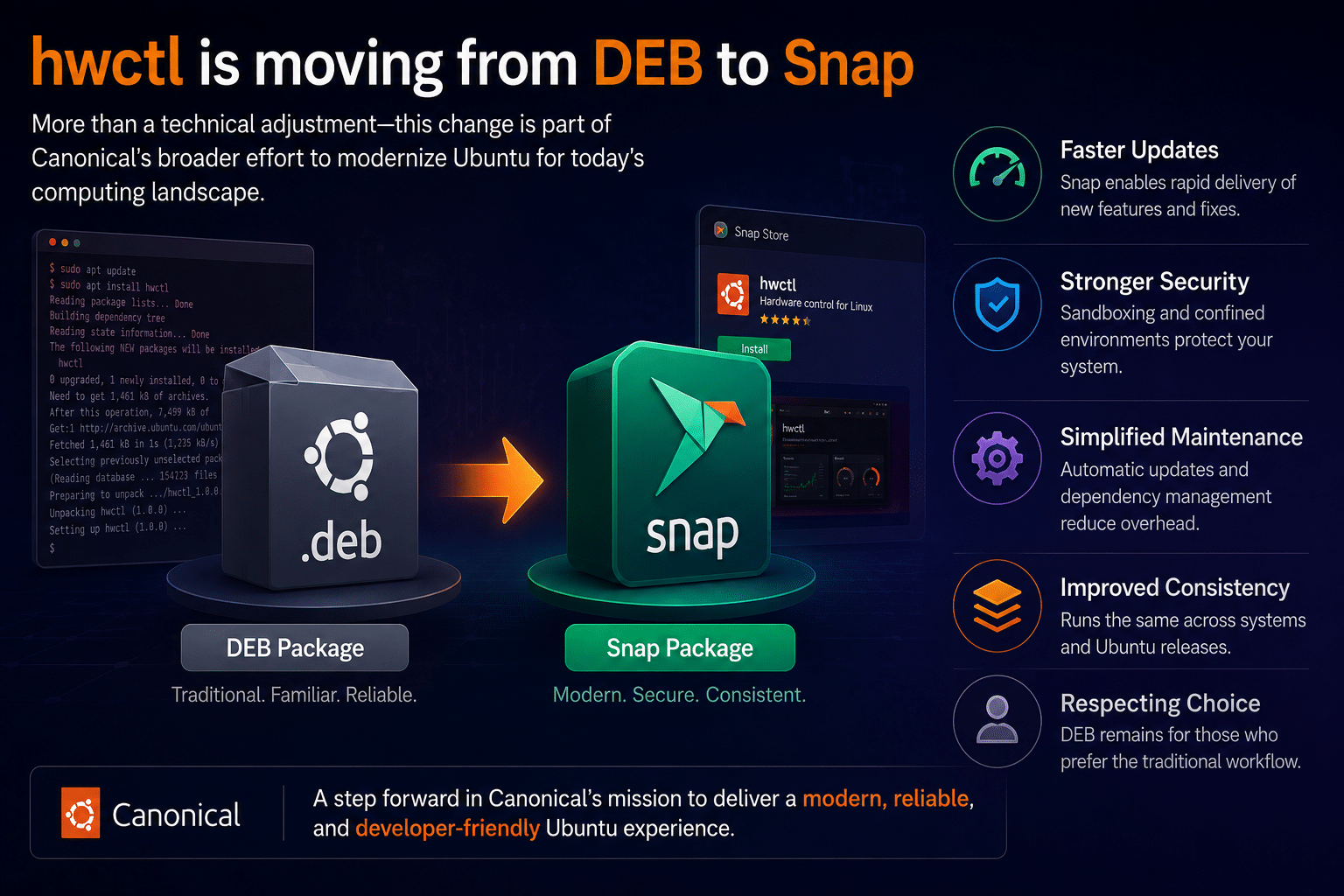
The migration of hwctl from a DEB package to a Snap package is more than a technical adjustment—it is part of Canonical’s broader effort to modernize Ubuntu for today’s computing landscape. Faster updates, stronger security, simplified maintenance, and improved consistency are compelling reasons behind the change, even if some users continue to prefer the traditional DEB workflow.
For everyday Ubuntu users, the impact will likely be minimal, with automatic updates and a familiar experience. For developers and enterprise IT teams, the benefits of consistent deployments and streamlined maintenance can translate into lower operational costs and improved productivity. As Ubuntu continues to evolve, adapting to these changes will help organizations stay secure, agile, and future-ready.
Equally important is the infrastructure that powers Ubuntu deployments. Whether you’re hosting business applications, managing cloud-native workloads, running CI/CD pipelines, or building AI solutions, dependable infrastructure is essential. 99RDP complements Ubuntu’s modern software ecosystem with high-performance Ubuntu VPS hosting, dedicated Linux servers, managed cloud services, remote desktop solutions, and expert technical support. By combining Ubuntu’s evolving platform with 99RDP’s reliable infrastructure, businesses can focus on innovation while leaving the complexities of server management, optimization, and maintenance to experienced professionals.
As Canonical continues refining Ubuntu’s software delivery model, organizations that invest in secure, scalable infrastructure and embrace modern Linux practices will be well-positioned to benefit from the next generation of open-source computing.
EXPLORE MORE ; Linux Lite 8.0 vs Ubuntu 26.04 LTS

READ OUR BLOGS


