If you want to host websites for clients, or start your own hosting business, the two most common starting points are reseller hosting and a dedicated server. Reseller hosting lets you sell space on someone else's server under your own brand; a dedicated server gives you an entire physical machine to run however you like. This guide explains how each works, compares cost, control, performance, management and scalability, and covers the middle ground of reselling on a VPS or dedicated server.
Quick answerChoose reseller hosting if you are starting out, host a modest number of client sites, and want the provider to manage the server. Choose a dedicated server when you need guaranteed performance, full root access, custom software, or room to host many clients, and you (or a managed service) can run the server. Many businesses start with reseller hosting and move to a VPS or dedicated server as they grow.
What is reseller hosting?
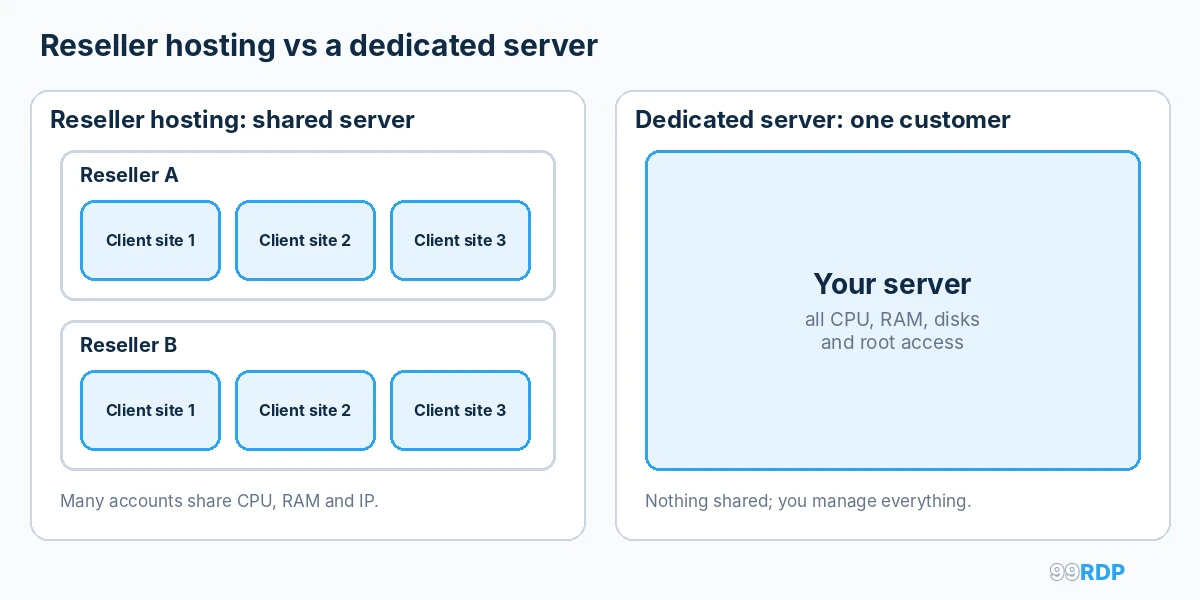
A reseller plan is a share of a hosting company's server that you can divide into separate hosting accounts for your clients. You usually get:
- A reseller control panel (for example WHM with cPanel, Plesk or DirectAdmin) to create and manage client accounts and hosting packages.
- White-label branding, so clients see your company, not the provider's.
- Server management, security updates and hardware handled by the provider.
- Fixed limits on disk space, bandwidth and number of accounts.
You set your own prices and keep the difference, while the provider runs the infrastructure.
What is a dedicated server?
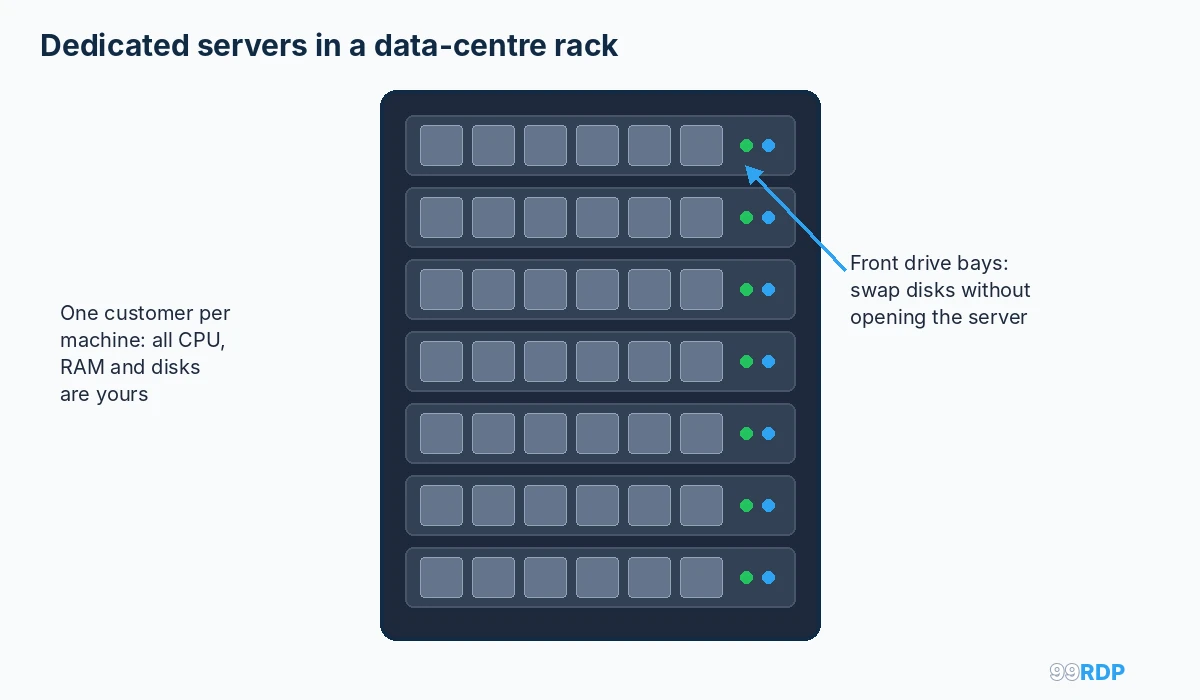
A dedicated server is a physical machine in a data centre rented entirely to you. All of its CPU cores, RAM, storage and bandwidth are yours, and you have full root (Linux) or administrator (Windows) access. You choose the operating system, control panel and software stack, and you can run anything: hosting for hundreds of sites, virtual machines with Proxmox, game servers, databases or custom applications.
Unless you buy a managed plan, you are responsible for setup, security, updates, backups and monitoring.
Reseller hosting vs dedicated server compared
| Reseller hosting | Dedicated server | |
|---|---|---|
| Hardware | Shared with other resellers and customers | An entire machine for you |
| Root/admin access | No | Yes |
| Performance | Can be affected by other users | Consistent, all resources yours |
| Customisation | Limited to what the provider allows | Any OS, software and configuration |
| Server management | Done by the provider | Your responsibility (unless managed) |
| Technical skill needed | Low | Medium to high |
| Starting cost | Low | Higher |
| Control panel licence | Usually included | Usually extra |
| Scalability | Upgrade to a bigger reseller plan, within limits | Upgrade hardware or add servers |
| Best for | Freelancers, agencies, new hosting brands | Growing hosts, high-traffic sites, custom workloads |
Advantages and disadvantages of reseller hosting
Advantages: low cost to start, no server administration, white-label branding, the provider handles hardware failures and security patches, and you can focus on clients and sales.
Disadvantages: you depend on the provider's uptime, support and policies; performance can suffer from other users on the same server; you cannot install custom software; and resource limits cap how far you can grow.
Advantages and disadvantages of a dedicated server
Advantages: full control, guaranteed resources, better performance and isolation, the freedom to choose your stack (cPanel, Plesk, DirectAdmin or a free panel), the ability to host many clients at a lower cost per account at scale, and your own IP addresses.
Disadvantages: higher monthly cost, control panel licences on top, and you need server skills or a managed service for security, backups and updates. A hardware problem affects all your clients until it is fixed, so choose a provider with fast hardware replacement.
The middle ground: reselling on your own VPS or dedicated server
Instead of a reseller plan, you can rent a VPS or dedicated server, install a control panel with reseller features such as WHM, Plesk or DirectAdmin, and create your own reseller and client accounts. A VPS is a cheaper first step than a full dedicated server and still gives root access. As you grow, you can move to a dedicated server or several servers.
How to decide
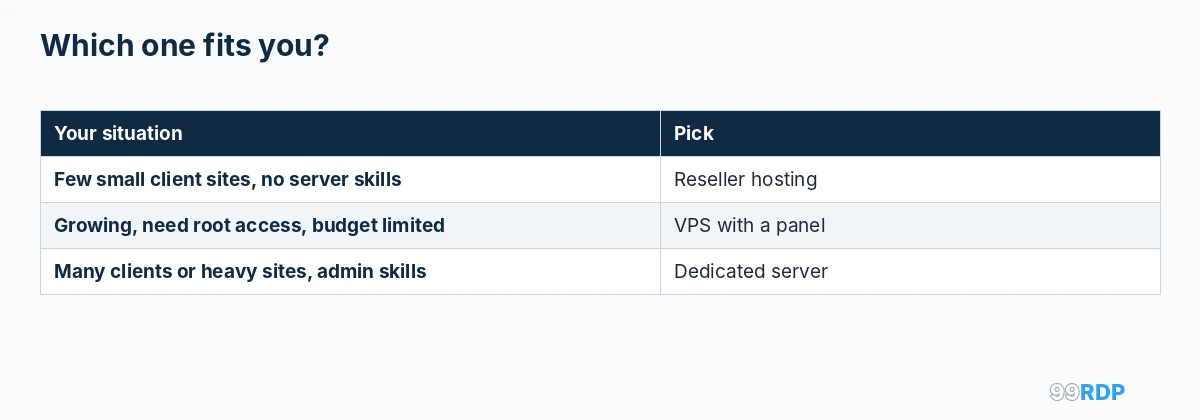
- Fewer than a few dozen small client sites, limited technical skills: reseller hosting.
- Clients need custom software, specific PHP or database versions, or dedicated IPs: VPS or dedicated server.
- Traffic is high, or performance complaints are increasing: dedicated server.
- You want to sell hosting as a main business and control the experience: start on a VPS, then move to dedicated servers.
Frequently asked questions
Is reseller hosting profitable?
It can be, especially when bundled with web design, maintenance or support services. Margins depend on your pricing, client count and how much support you provide.
Can I resell a dedicated server?
Yes. Install a control panel with reseller features and create accounts for clients or sub-resellers, as long as your provider's terms allow it.
Do I need technical skills for a dedicated server?
Yes, unless you choose a managed dedicated server. You will handle the operating system, security updates, backups and the control panel.
When should I upgrade from reseller hosting?
When you hit your plan's resource limits, need software the provider will not install, or performance and support affect your clients.