If a DHCP server's database is lost, clients stop getting IP addresses as their leases expire, so a working backup is essential. Windows Server already backs up the DHCP database automatically every hour, but that copy sits on the same server. This guide shows how to make your own backups with PowerShell or the DHCP console, how to restore them, and how to export DHCP settings to move them to a new server.
Quick answer(PowerShell as Administrator):
Backup-DhcpServer -ComputerName "DHCP01" -Path "D:\DHCPBackup"
# restore later:
Restore-DhcpServer -ComputerName "DHCP01" -Path "D:\DHCPBackup"
Restart-Service DHCPServer
How Windows backs up DHCP automatically
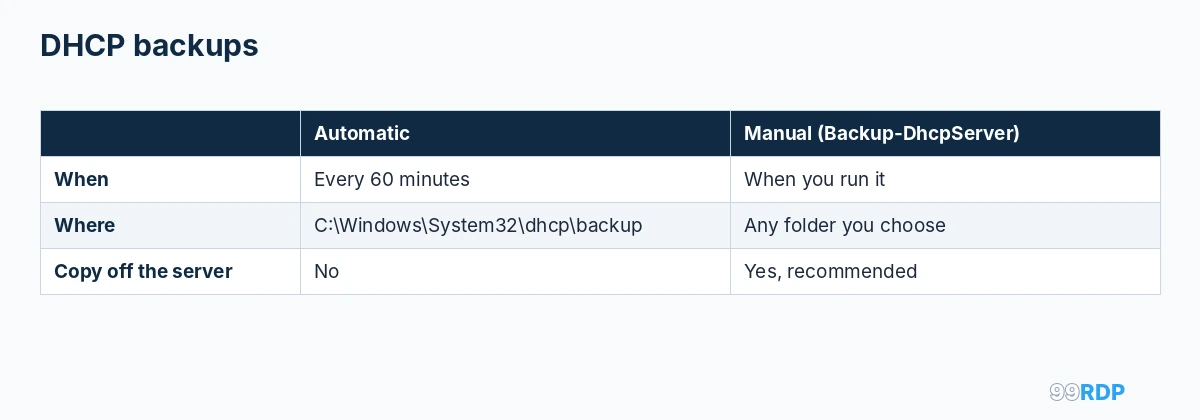
The DHCP Server service copies its database to %SystemRoot%\System32\dhcp\backup every 60 minutes. That protects against database corruption, but not against losing the server. Copy your backups somewhere else, such as another server, a NAS or cloud storage.
Back up DHCP with PowerShell
New-Item -ItemType Directory -Path D:\DHCPBackup -Force
Backup-DhcpServer -ComputerName "DHCP01" -Path "D:\DHCPBackup"
The backup includes scopes, reservations, options, leases and server settings. Schedule it with Task Scheduler and copy the folder off the server, for example:
$stamp = Get-Date -Format yyyyMMdd-HHmm
Backup-DhcpServer -Path "D:\DHCPBackup\$stamp"
robocopy "D:\DHCPBackup\$stamp" "\\backup01\dhcp\$stamp" /E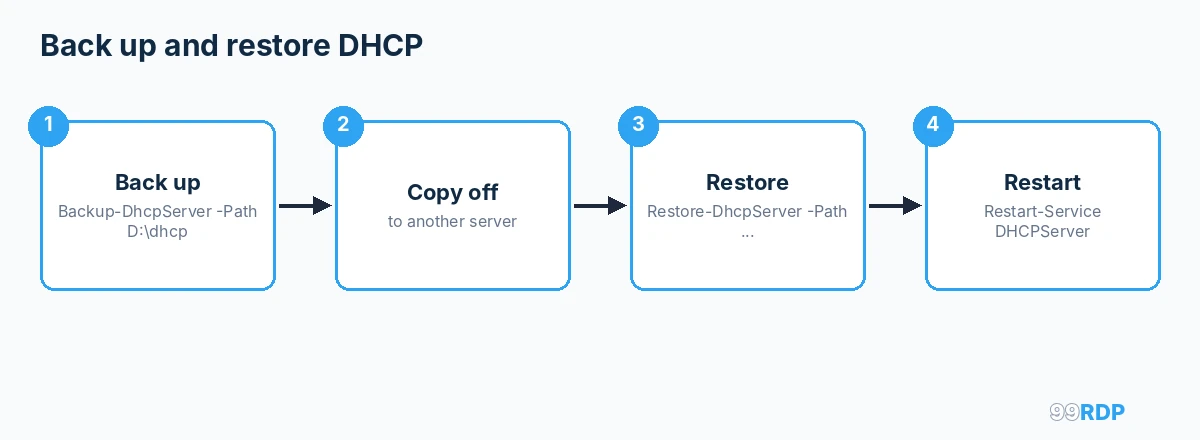
Back up DHCP with the DHCP console
- Open DHCP (
dhcpmgmt.msc). - Right-click the server name and choose Backup…
- Choose a folder (by default
C:\Windows\System32\dhcp\backup) and click OK.
Restore a DHCP backup
PowerShell
Restore-DhcpServer -ComputerName "DHCP01" -Path "D:\DHCPBackup"
Restart-Service DHCPServer
DHCP console
Right-click the server → Restore…, select the backup folder, and confirm that the service will be stopped and restarted.
After restoring, check that scopes are active and leases look right. Leases handed out after the backup was taken aren't in it; clients simply renew them, and conflict detection (Set-DhcpServerSetting -ConflictDetectionAttempts 2) helps avoid duplicate addresses in the meantime.
Move DHCP to a new server (export and import)
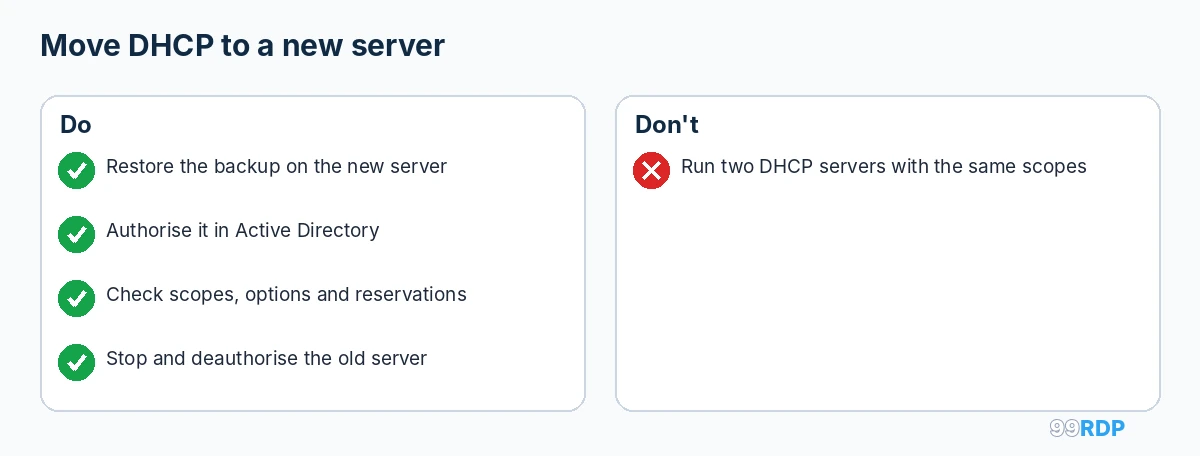
For migrations, export the configuration to a file instead of using a database backup:
# on the old server
Export-DhcpServer -ComputerName "OLD-DHCP" -File "C:\dhcpexport.xml" -Leases
# on the new server (DHCP role installed and authorized)
Import-DhcpServer -ComputerName "NEW-DHCP" -File "C:\dhcpexport.xml" -BackupPath "C:\dhcpbackup" -Leases
Add-DhcpServerInDC -DnsName "NEW-DHCP.contoso.local"
Then stop and deauthorize the old server so two servers don't hand out the same addresses: Remove-DhcpServerInDC -DnsName OLD-DHCP.contoso.local.
Best practices
- Back up after every significant change (new scopes, reservations, options).
- Keep at least one copy off the DHCP server.
- Test a restore on a lab VM occasionally.
- For high availability, set up DHCP failover between two servers so one keeps working if the other fails.
Frequently asked questions
How do I back up a DHCP server with PowerShell?
Run Backup-DhcpServer -Path D:\DHCPBackup as Administrator, then copy the folder off the server.
Where is the DHCP backup stored by default?
In %SystemRoot%\System32\dhcp\backup, updated automatically every 60 minutes.
What's the difference between Backup-DhcpServer and Export-DhcpServer?
Backup-DhcpServer copies the DHCP database for restoring the same server. Export-DhcpServer writes the configuration (and optionally leases) to an XML file, ideal for moving DHCP to another server.
Does restoring DHCP bring back current leases?
It restores the leases that existed when the backup was taken. Newer leases are renewed by clients.