Can't log in to a MikroTik router, or just set one up and want to secure it? This guide covers the MikroTik default username and password (which depends on the model), how to change the password in Winbox, WebFig and the terminal, and what to do if you've lost it.
Quick answer
- Default IP:
192.168.88.1 - Default username:
admin - Default password: on older models, empty: type
adminand press Enter at the password prompt. Newer models ship with a unique password printed on the sticker on the device, on its box and on the Quick Guide. - Change it: in Winbox or WebFig go to System → Password, or in the terminal run
/password.
MikroTik default password explained
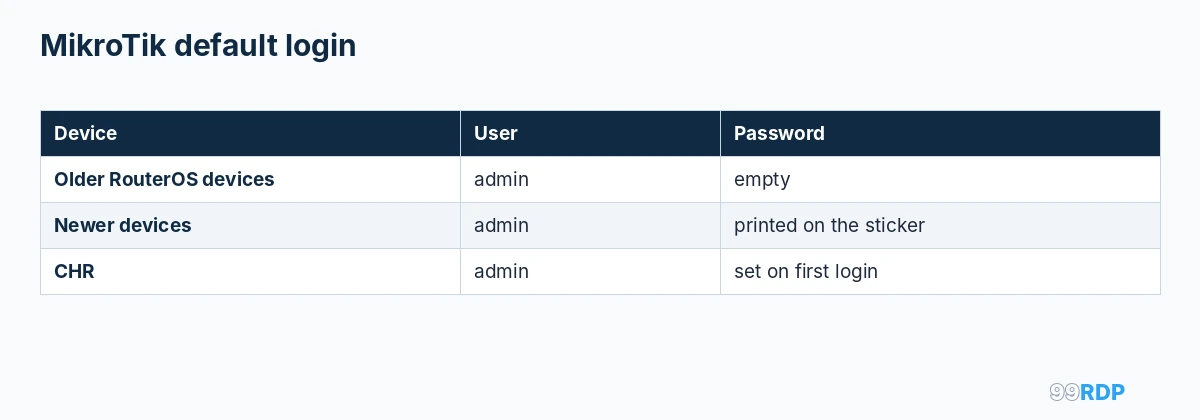
For years every MikroTik device came with user admin and no password. Newer models are now manufactured with a unique default password for each device. Look for it:
- on the serial-number sticker on the device itself
- on the same sticker on the product box
- on the printed Quick Guide inside the box
Some indoor wireless models, such as the hAP ac³ and hAP ax³, keep this sticker in a small compartment under the device. Open it if you can't find a label. Custom-branded or OEM units may use a different default password.
MikroTik CHR (Cloud Hosted Router) on a VPS: a fresh CHR image normally starts with user admin and no password. Because the VPS is reachable from the internet, set a password immediately after the first login.
How to change the MikroTik password
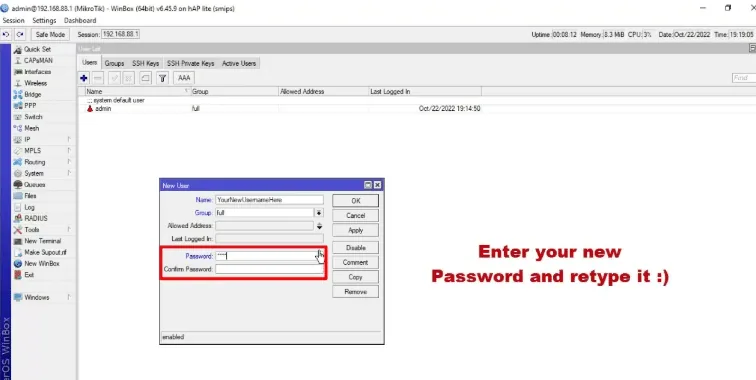
Option 1: Winbox
- Open Winbox and connect to the router (by MAC or
192.168.88.1). - Go to System → Password.
- Enter the old password, then the new password twice, and click Change.
To change another user's password, go to System → Users, double-click the user, and click Password.
Option 2: WebFig (browser)
- Open
http://192.168.88.1in a browser and log in. - Go to System → Password (or System → Users).
- Set the new password and click Change Now / OK.
Option 3: Terminal / SSH (CLI)
# change the password of the user you're logged in as (prompts for old and new)
/password

# set the password of a specific user
/user set admin password="YourStrongPassword"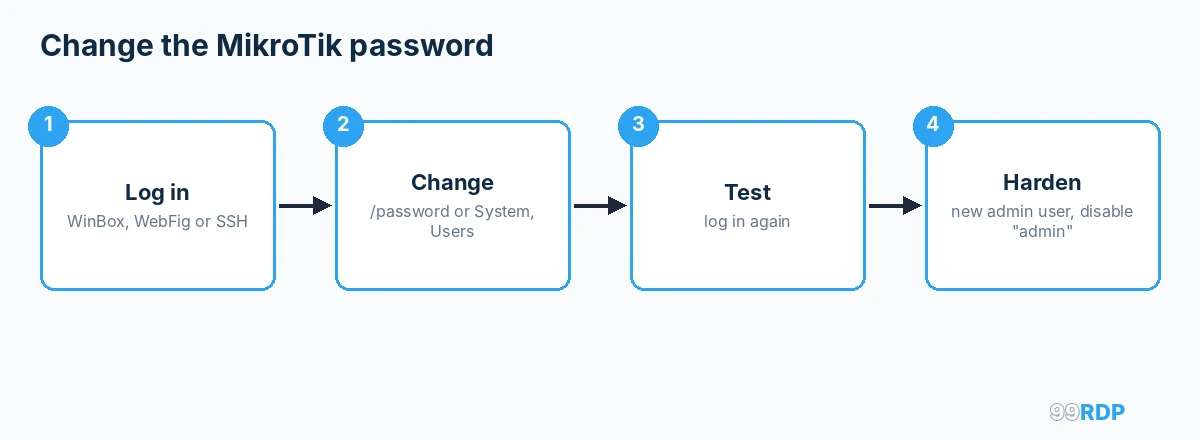
Better: create your own admin and disable "admin"
Attackers try the username admin first. Create a new full-rights user, log in with it, then disable the default account:
/user add name=netadmin group=full password="YourStrongPassword"
# log out, log back in as netadmin, then:
/user disable admin
Forgot your MikroTik password?
There's no way to recover a lost password. You have to reset the router:
- Reset button: unplug the power, hold the reset button, plug the power back in, and keep holding until the user LED starts flashing (about 5 seconds), then release. The configuration returns to factory defaults. On newer models the login is then the sticker password again.
- Netinstall: if the reset button is disabled, or for branded units, reinstall RouterOS with MikroTik's Netinstall tool.
A reset erases your configuration. Restore it from a backup (/system backup or /export) afterwards.
Security checklist after changing the password
- Restrict Winbox, SSH and WebFig to your own IPs:
/ip service set winbox address=YOUR.IP/32. - Disable unused services:
/ip service disable telnet,ftp,www,api,api-ssl. - Keep RouterOS updated:
/system package update check-for-updates. - Store passwords in a password manager, not on the device sticker.
Frequently asked questions
What is the default password for a MikroTik router?
Username admin. Older models have no password (leave it empty). Newer models have a unique password printed on the sticker on the device and its box.
What is the default MikroTik login IP?
192.168.88.1. You can also connect by MAC address in Winbox, without an IP.
Why doesn't admin with a blank password work?
Your device is a newer model with a factory password. Check the sticker on the device, inside the compartment on models such as the hAP ax³, or on the box.
How do I reset a MikroTik password without losing the configuration?
You can't. Resetting the password requires a configuration reset or Netinstall. Keep regular backups so you can restore afterwards.