VMware Workstation Pro and Oracle VirtualBox are the two most popular desktop hypervisors for running virtual machines on a Windows or Linux PC. The choice used to come down to price, but since November 2024 VMware Workstation Pro is free for personal, educational and commercial use. This comparison looks at licensing, performance, features, guest support, ease of use and automation in 2026, and recommends which to choose for different needs.
Quick answerChoose VMware Workstation Pro (now free, current version 25H2) for the best performance, 3D graphics, polished snapshots and networking on Windows and Linux hosts. Choose VirtualBox if you want open source, macOS host support with the same tool, Vagrant-friendly automation, or a lightweight option for classes and labs. Both are excellent for testing operating systems and software.
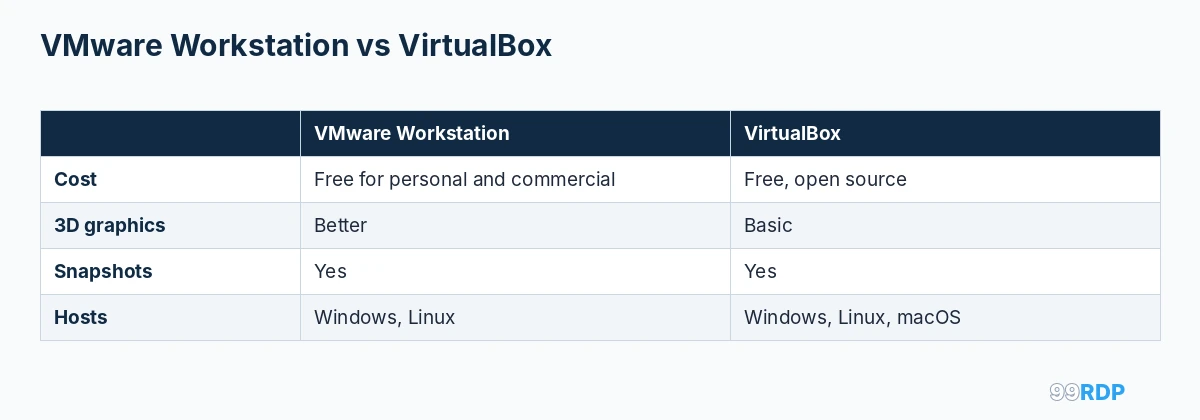
Overview
- VMware Workstation Pro (Broadcom) runs on Windows and Linux hosts; its Mac counterpart is VMware Fusion Pro. In 2025 it moved to calendar versions, starting with 25H2, which added USB 3.2 support, virtual hardware version 22 and a command-line tool for editing VM settings. It is proprietary but free to download (a Broadcom account is required).
- Oracle VirtualBox is open source (GPLv3) and runs on Windows, Linux, macOS (Intel and Apple Silicon hosts) and Solaris. The 7.x series added full VM encryption, a revamped interface and Apple Silicon support. The optional Extension Pack, which adds extras such as the VirtualBox Remote Desktop (VRDP) server and host webcam pass-through, is under a separate licence that is free for personal and educational use but requires a commercial licence for business use.
Performance
Both use hardware virtualization (Intel VT-x or AMD-V), so CPU-bound tasks run at near-native speed in either. Differences appear in:
- Disk and graphics: VMware generally delivers better disk I/O and much better 3D acceleration (DirectX and Vulkan in guests), so Windows guests feel smoother.
- Coexistence with Hyper-V: on Windows hosts with Hyper-V, WSL2 or Virtualization-Based Security enabled, both run on top of the Windows Hypervisor Platform. VMware handles this mode well; VirtualBox works but can be noticeably slower in this mode.
- Many VMs at once: VMware's memory management tends to cope better when running several VMs together.
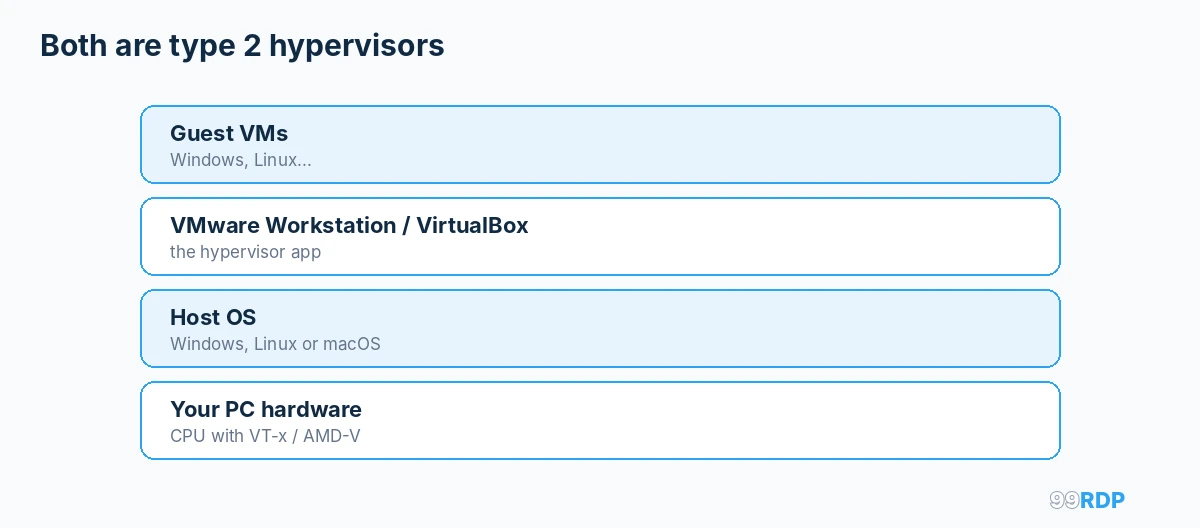
Features
| Feature | VMware Workstation Pro | VirtualBox |
|---|---|---|
| Price | Free for all uses | Free and open source (Extension Pack: free for personal use) |
| Host OS | Windows, Linux (Fusion for Mac) | Windows, Linux, macOS, Solaris |
| Snapshots | Yes, with snapshot manager tree | Yes, with snapshot tree |
| Clones | Full and linked clones | Full and linked clones |
| 3D acceleration | Strong | Basic |
| Virtual networking | NAT, bridged, host-only, custom networks with a virtual network editor | NAT, NAT network, bridged, host-only, internal |
| vTPM and Secure Boot (for Windows 11) | Yes | Yes |
| Encryption | VM encryption | Full VM encryption (7.x) |
| Command line | vmrun, new configuration CLI | VBoxManage (very complete) |
| Vagrant support | Yes (VMware provider) | Yes (default provider) |
| Connect to vSphere/ESXi | Yes | No |
Ease of use
Both have a straightforward new-VM wizard with "easy install" for common operating systems. VMware's interface is a little more polished, and VMware Tools installs smoothly in most guests. VirtualBox's Guest Additions provide the same conveniences (shared clipboard, drag and drop, automatic resolution). VirtualBox's settings are more numerous and sometimes more technical, which experienced users appreciate.
Guest operating systems
Both run Windows 10 and 11, Windows Server, most Linux distributions, and BSDs. VMware 25H2 added official support for guests such as RHEL 10, Fedora 42 and Debian 13. Note that recent Linux desktops with Wayland-only GNOME (such as Ubuntu 26.04) may need the latest Guest Additions or VMware Tools (open-vm-tools) for best display integration.
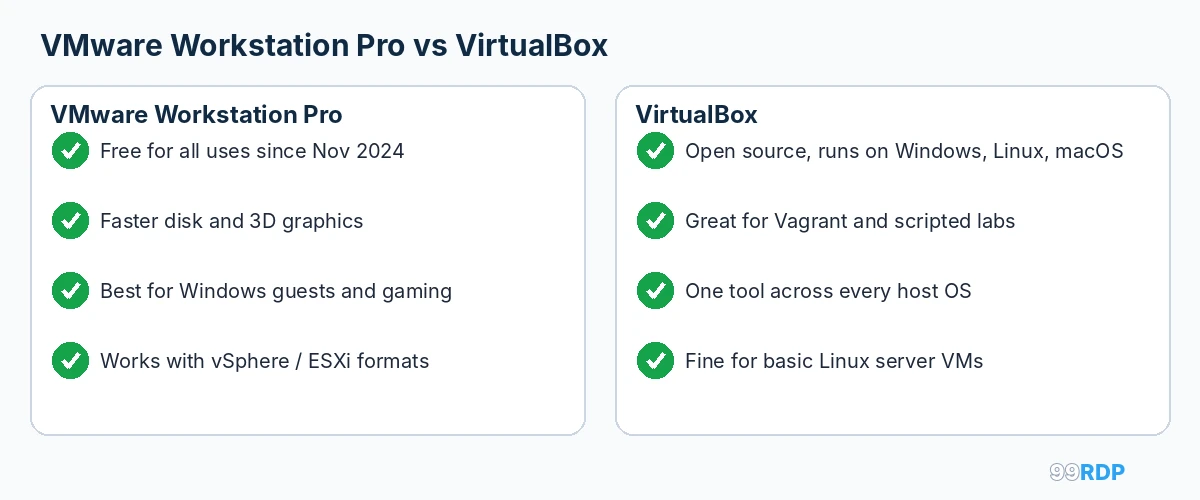
Which should you choose?
- Windows guests, gaming or graphics-heavy testing: VMware Workstation Pro.
- Working with vSphere or ESXi at work: VMware, for compatible VM formats and remote connections.
- Mac host, or one tool across Windows, Linux and macOS: VirtualBox (or VMware Fusion on Mac).
- Open source requirement, teaching labs, scripted environments with Vagrant: VirtualBox.
- Running VMs 24/7 or for others: neither; use a server hypervisor such as Proxmox VE or Hyper-V on a dedicated server, or rent a VPS.
Frequently asked questions
Is VMware Workstation Pro free?
Yes. Since November 2024 it is free for personal, educational and commercial use, with no licence key. You download it from Broadcom's support portal after creating an account.
Is VMware faster than VirtualBox?
Usually, especially for disk-heavy workloads and 3D graphics. For basic Linux server VMs, the difference is small.
Can I run VMware and VirtualBox on the same PC?
Yes, but run VMs in only one of them at a time to avoid conflicts with hardware virtualization.
Can I move a VM from VirtualBox to VMware?
Yes. Export it from VirtualBox as an OVA/OVF file and import it into VMware Workstation, then install VMware Tools in the guest.