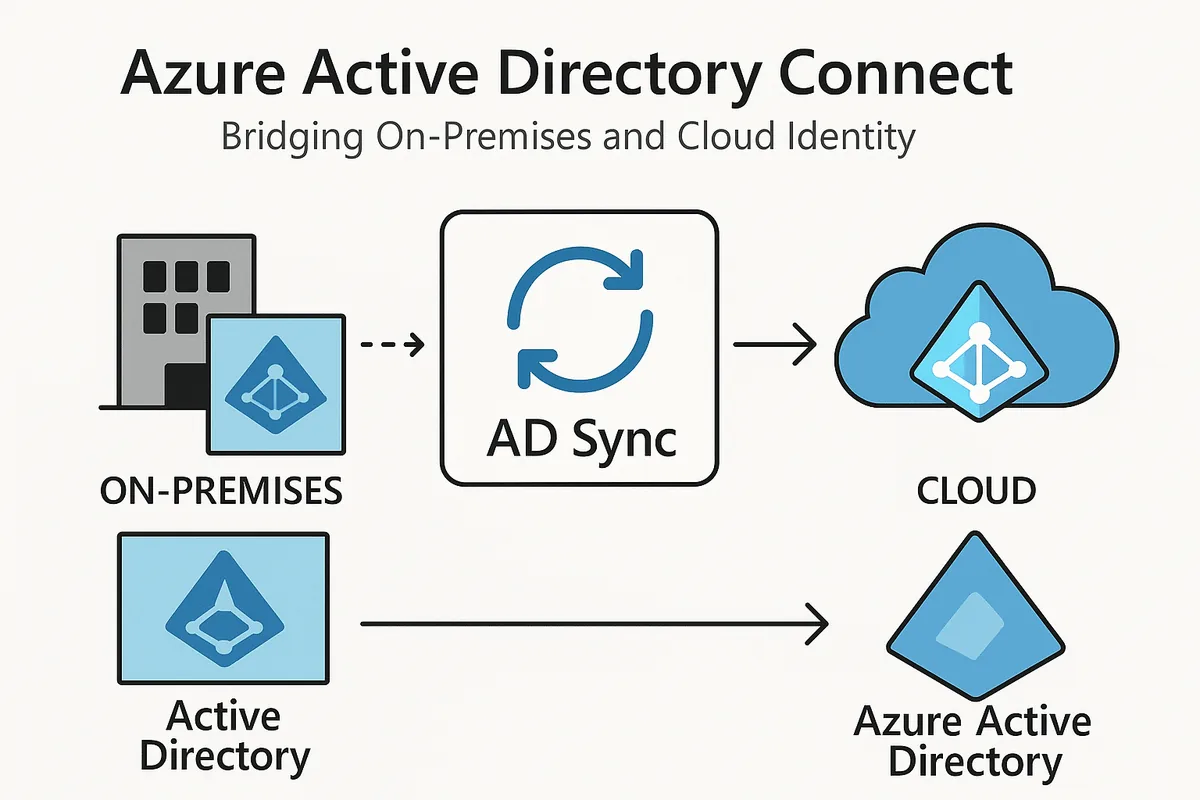
Azure AD Connect is the Microsoft tool that synchronizes users, groups and passwords from an on-premises Active Directory to the cloud, so people can sign in to Microsoft 365 and other cloud apps with the same account they use on the office network. Azure Active Directory has since been renamed Microsoft Entra ID, and the tool is now called Microsoft Entra Connect Sync. This guide explains what directory synchronization does, the sign-in options, the requirements, how to install and run a sync, the version deadlines you need to know about in 2026, and when to use the lighter Entra Cloud Sync instead.
Quick answerEntra Connect Sync (formerly Azure AD Connect) runs on a Windows Server joined to your domain and copies AD objects to Entra ID every 30 minutes by default. Install the latest version, choose password hash sync for the simplest setup, and force an immediate sync with Start-ADSyncSyncCycle -PolicyType Delta. Versions older than 2.5.79.0 stopped synchronizing on 30 September 2026, and each 2.x version retires 12 months after a newer one is released, so keep it updated.
What does AD sync do?
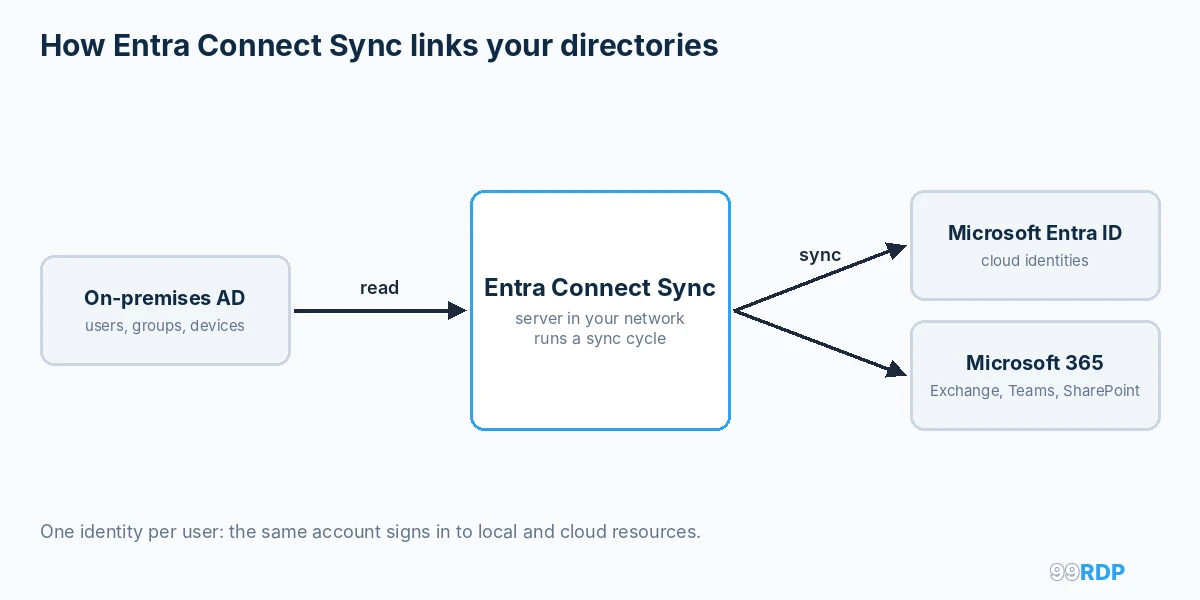
Directory synchronization creates a hybrid identity: one account per person that works both on-premises and in the cloud. Entra Connect Sync:
- Copies users, groups and contacts (and optionally devices) from Active Directory to Entra ID.
- Keeps them updated: a new hire, a name change or a disabled account in AD is reflected in the cloud automatically.
- Synchronizes password hashes (if you choose that method), so users have the same password everywhere.
- Can write certain changes back to AD, such as passwords reset in the cloud (password writeback) or Microsoft 365 groups (group writeback).
Active Directory stays the "source of authority": you manage accounts on-premises and the cloud follows.
Sign-in methods
- Password hash synchronization (PHS): a hash of each user's password hash is synced to Entra ID, and the cloud checks sign-ins itself. Simplest and most resilient: users can still sign in if the on-premises network is down. Microsoft recommends it, and it also enables leaked-credential detection.
- Pass-through authentication (PTA): passwords stay on-premises; lightweight agents check each sign-in against AD in real time. Useful if policy forbids password hashes in the cloud.
- Federation (AD FS): sign-ins are redirected to your own federation servers. Powerful but complex; most organizations are moving away from it.
Add Seamless SSO so domain-joined PCs on the corporate network sign in to cloud apps without typing a password.
Requirements
- A Microsoft Entra tenant (any Microsoft 365 subscription includes one) and a Global Administrator or Hybrid Identity Administrator account.
- Your domain (for example
example.com) added and verified in Entra ID, and matching UPN suffixes on AD users. - A domain-joined Windows Server 2016 or later (2019 or 2022 recommended), preferably not a domain controller, with TLS 1.2 enabled and outbound HTTPS access to Microsoft.
- An Enterprise Admin account for the initial setup (Express settings).
- SQL Server Express LocalDB is installed automatically and handles up to about 100,000 objects; larger directories need a full SQL Server.
Run the free IdFix tool first to find duplicate or invalid attributes in AD that would cause sync errors.
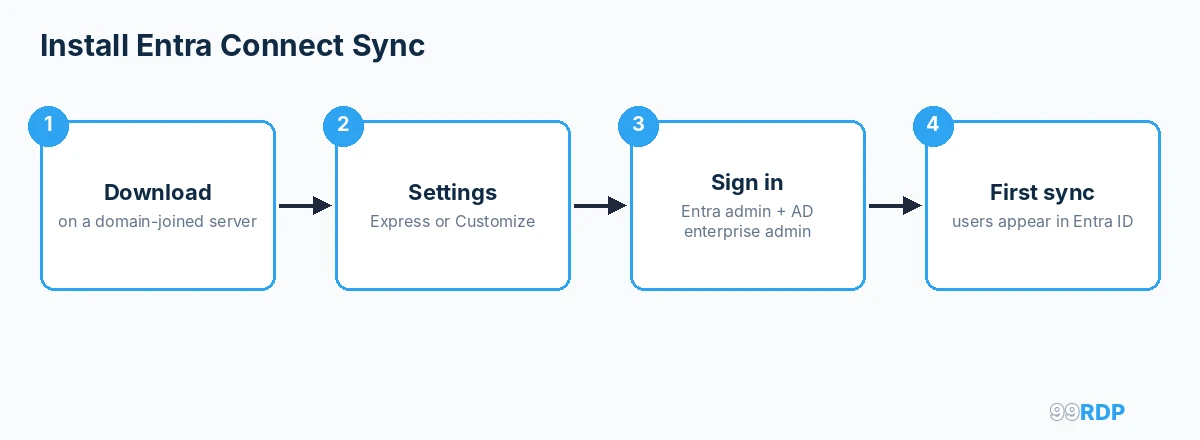
How to install Entra Connect Sync
- Download the latest version of Microsoft Entra Connect from the Entra admin center (Identity → Hybrid management → Microsoft Entra Connect).
- Run the installer on the sync server and accept the licence.
- Choose Use express settings for a single forest with password hash sync, or Customize to pick a different sign-in method, filter organizational units, or enable writeback features.
- Sign in with your Entra administrator account, then provide the AD Enterprise Admin credentials.
- Review the settings, leave Start the synchronization process ticked, and click Install.
After the first sync, users appear in the Entra admin center with Directory synced: Yes. Assign Microsoft 365 licences to them there or through group-based licensing.
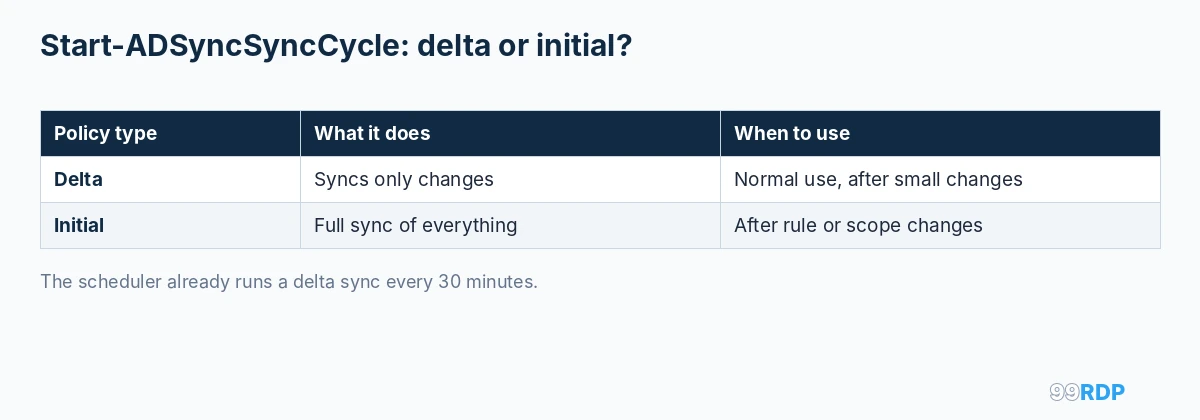
Running and checking a sync
Synchronization runs automatically every 30 minutes. To check or force it, open PowerShell as administrator on the sync server:
Import-Module ADSync
Get-ADSyncScheduler
Start-ADSyncSyncCycle -PolicyType Delta     # sync recent changes now
Start-ADSyncSyncCycle -PolicyType Initial   # full sync after config changes
The Synchronization Service Manager app shows each run and any errors. Microsoft Entra Connect Health in the admin center alerts you if sync stops.
Version deadlines in 2026
Microsoft enforces a lifecycle on Entra Connect Sync 2.x: each version is retired 12 months after a newer version is released, and older versions can stop working when back-end security changes require newer clients. Most importantly, versions earlier than 2.5.79.0 stopped synchronizing on 30 September 2026, and 2.5.79.0 itself reached its retirement date in October 2026. Version 1.x and the old DirSync and Azure AD Sync tools have long been retired; they cannot be upgraded in place and need a "swing migration" to a new server.
Enable automatic upgrade where it is supported, and check the installed version under Programs and Features or in the Entra admin center.
Entra Connect Sync vs Entra Cloud Sync
Microsoft Entra Cloud Sync is the newer option. Instead of a full sync engine on your server, you install lightweight provisioning agents and manage the configuration in the cloud. It supports multiple disconnected forests and high availability with several agents. Microsoft recommends Cloud Sync for new deployments where it covers the features you need, and plans to move customers to it over time. Connect Sync is still required for some scenarios, such as device writeback or very large, customised setups.
Frequently asked questions
Is Azure AD Connect the same as Entra Connect?
Yes. Azure AD Connect was renamed Microsoft Entra Connect when Azure Active Directory became Microsoft Entra ID. The sync component is called Entra Connect Sync.
How often does Azure AD Connect sync?
Every 30 minutes by default. Run Start-ADSyncSyncCycle -PolicyType Delta to sync immediately.
Does AD sync copy passwords to the cloud?
With password hash sync, a further-hashed version of the password hash is synced, never the plain password. With pass-through authentication or federation, password data stays on-premises.
Should I use Cloud Sync or Connect Sync?
For new or simple environments, check whether Cloud Sync supports your needs first. Use Connect Sync if you need features only it provides, and keep it on the latest version.