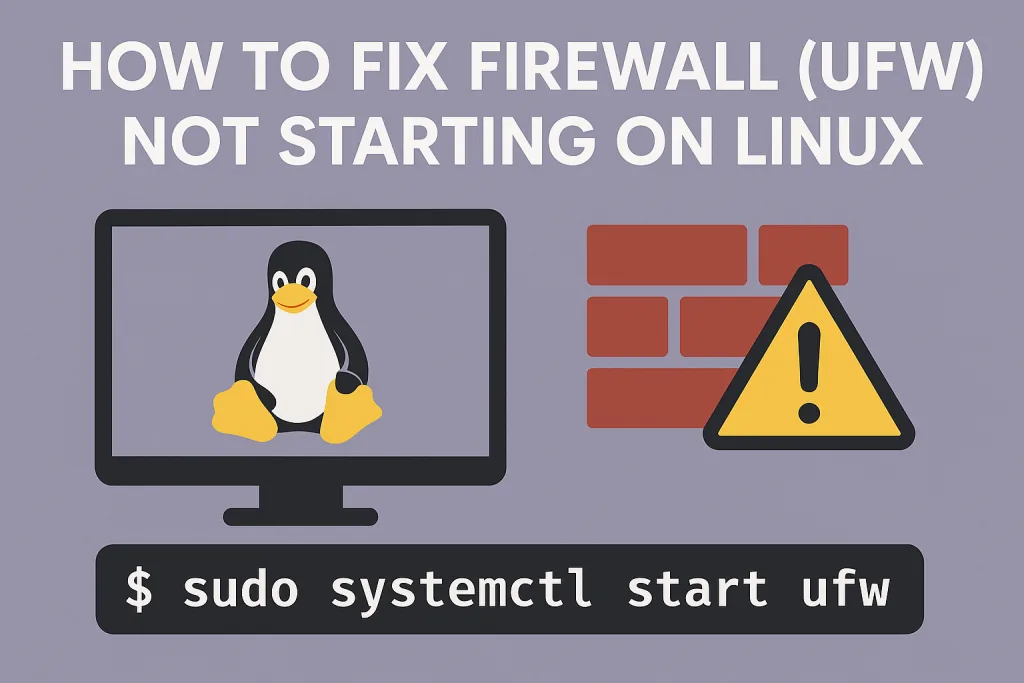
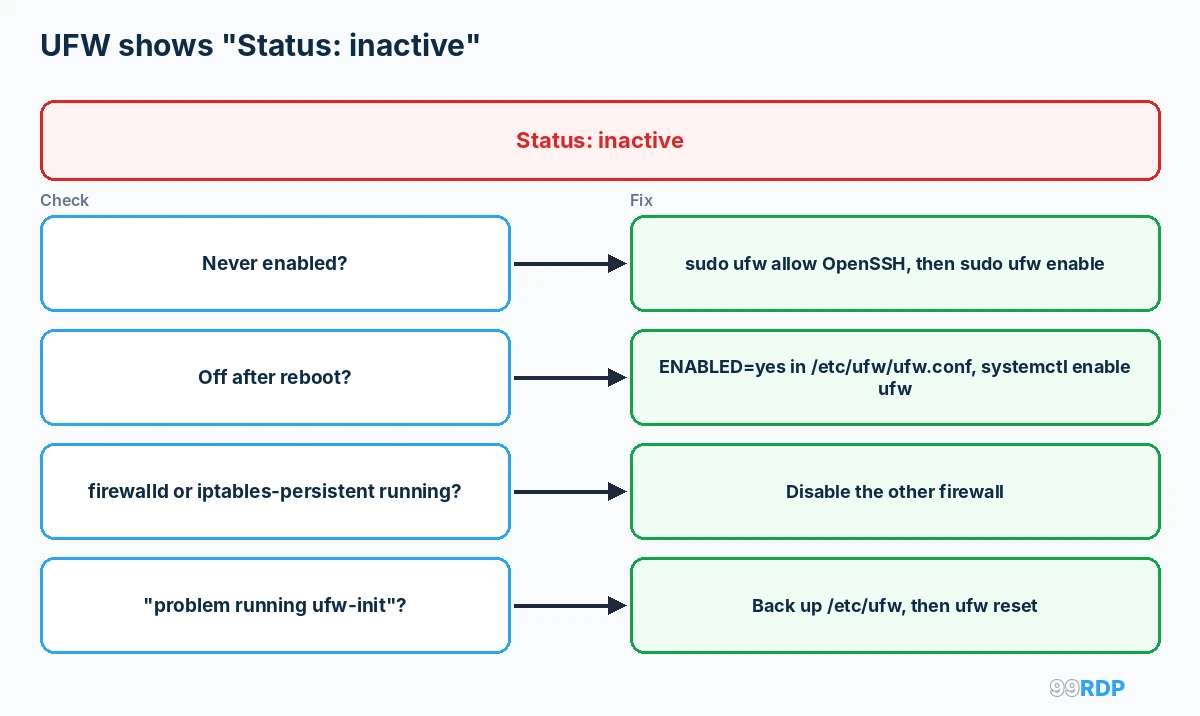
UFW (Uncomplicated Firewall) is the standard firewall front end on Ubuntu and Debian. When it shows Status: inactive after a reboot, won't enable, or fails with an ERROR: problem running ufw-init, your server may be running without the firewall you think it has. This guide walks through the checks in order, from the simple (it was never enabled) to the less obvious (broken rules, conflicting firewalls, iptables backends and container limits).
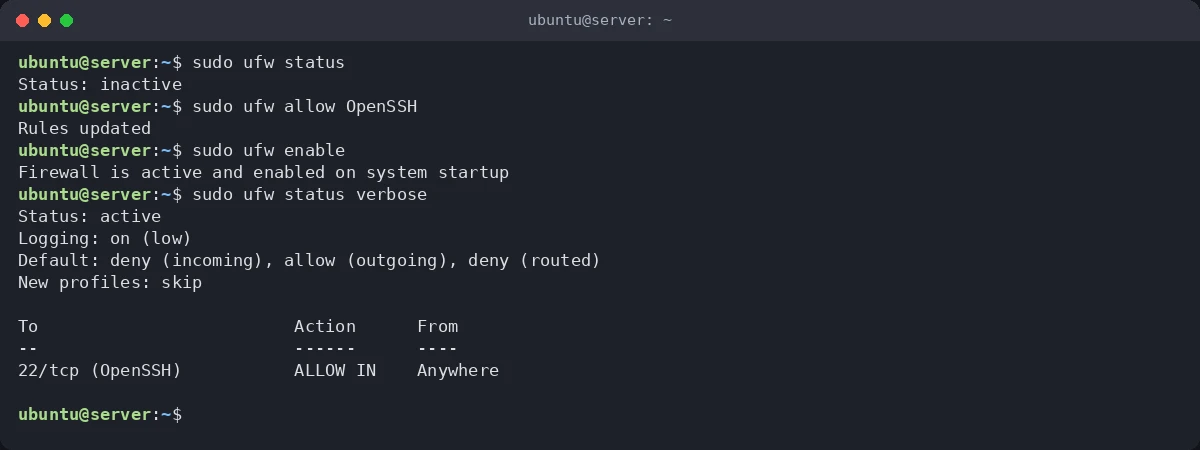
Quick answerAllow SSH first, then enable UFW and make sure it starts at boot:
sudo ufw allow OpenSSH
sudo ufw enable
sudo systemctl enable ufw
sudo ufw status verbose
Step 1: Check the real status
sudo ufw status verbose
sudo systemctl status ufw
Status: inactivein the first command means the firewall rules aren't loaded.- For the service,
active (exited)is normal. UFW is a one-shot service that loads the rules into the kernel and exits. Onlyfailedmeans a problem.
Note that ufw status needs sudo; without it you get "You need to be root to run this script".
Step 2: Enable UFW (and don't lock yourself out)
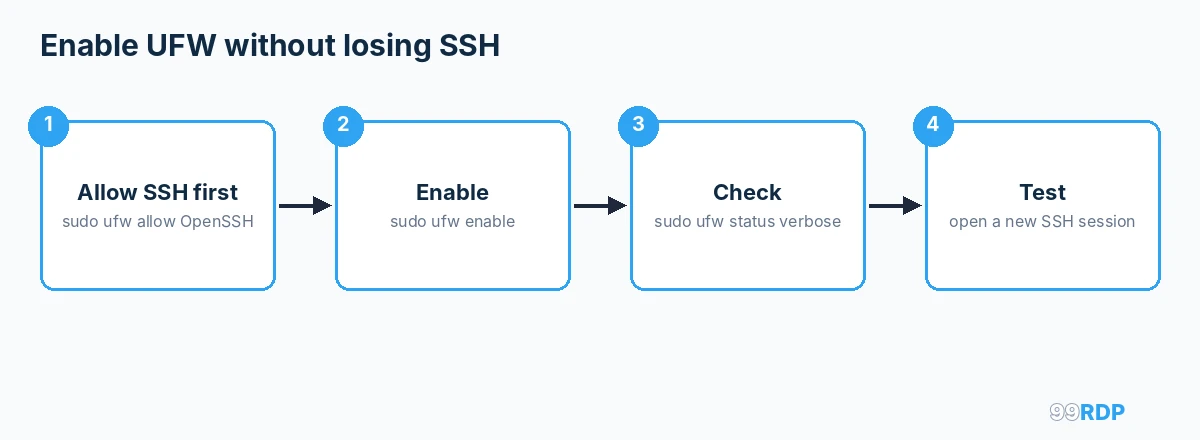
On a fresh install UFW is installed but disabled. Before enabling it on a remote server, allow your SSH port, or you'll cut your own connection:
sudo ufw allow OpenSSH        # or: sudo ufw allow 22/tcp (or your custom port)
sudo ufw enable
Answer y to the warning. UFW now starts on every boot. Using a Windows-style RDP setup on Linux (xrdp)? Also sudo ufw allow 3389/tcp.
Step 3: Make sure it starts at boot
Two settings control this:
grep ENABLED /etc/ufw/ufw.conf      # should be ENABLED=yes
sudo systemctl is-enabled ufw       # should be enabled
Fix them with sudo ufw enable (which sets ENABLED=yes) and sudo systemctl enable ufw.
Step 4: Restart or reload UFW correctly
sudo ufw reload               # reload rules after editing files
sudo systemctl restart ufw    # restart the service
sudo ufw disable && sudo ufw enable   # full off/on
After adding rules with ufw allow, you don't need to reload; UFW applies them immediately.
Step 5: Remove conflicting firewalls
Two firewall managers fighting over the same rules cause UFW to be "inactive" after boot, or rules to disappear:
systemctl is-active firewalld netfilter-persistent nftables 2>/dev/nullIf firewalld, iptables-persistent/netfilter-persistent or a custom nftables service is active, pick one firewall. To keep UFW:
sudo systemctl disable --now firewalld
sudo apt remove iptables-persistent
Step 6: Fix broken rules ("problem running ufw-init")
A syntax error in UFW's rule files stops it from loading. Run it in the foreground to see the failing line:
sudo ufw disable
sudo ufw --dry-run enable 2>&1 | tail -20
sudo /lib/ufw/ufw-init force-reload
Check files you or a script edited: /etc/ufw/before.rules, after.rules, before6.rules and /etc/default/ufw. Each *filter or *nat section must end with COMMIT. If you can't find the problem, back up and reset to defaults:
sudo cp -a /etc/ufw /root/ufw-backup
sudo ufw reset
sudo ufw allow OpenSSH
sudo ufw enable
Step 7: Check the iptables backend and kernel support
- "iptables: can't initialize iptables table 'filter'" or "Couldn't load target": the kernel modules aren't available. This happens in some LXC or OpenVZ containers, where the host controls the firewall. Use your provider's firewall instead, or a KVM VPS.
- Mixed nft and legacy backends: on Debian and Ubuntu, iptables can use the nftables or legacy backend. Rules from both at once cause odd behaviour. Check with
sudo iptables -V(showsnf_tablesorlegacy) and keep one, viasudo update-alternatives --config iptables. - IPv6 errors: if IPv6 is disabled in the kernel, set
IPV6=noin/etc/default/ufwand reload.
Step 8: Read the logs
sudo journalctl -u ufw -b --no-pager
sudo tail -n 50 /var/log/ufw.log
sudo ufw logging on
journalctl shows why the service failed at boot; /var/log/ufw.log shows blocked packets once logging is on.
Step 9: Reinstall UFW (last resort)
sudo apt purge ufw
sudo apt install ufw
sudo ufw allow OpenSSH
sudo ufw enable
A note on Docker
If UFW is active but Docker containers are still reachable from the internet, UFW isn't broken. Docker writes its own iptables rules that bypass UFW for published ports. Publish ports only on 127.0.0.1 when they shouldn't be public, or use a tool such as ufw-docker.
Frequently asked questions
Why does ufw status say inactive?
UFW hasn't been enabled, or it failed to load its rules at boot. Run sudo ufw enable and check journalctl -u ufw if it doesn't stay active.
How do I restart UFW?
Run sudo ufw reload to reload rules, or sudo systemctl restart ufw to restart the service.
Why does systemctl show UFW as "active (exited)"?
That's normal. The service loads the rules and exits; the firewall itself runs in the kernel.
Will enabling UFW disconnect my SSH session?
Only if SSH isn't allowed. Run sudo ufw allow OpenSSH (or your SSH port) before sudo ufw enable.