Ubuntu uses UFW (Uncomplicated Firewall) to manage which ports are open. Opening a port takes one command, but a service also has to be listening on it, and cloud servers often have a second firewall in the provider's panel. This guide covers opening and closing ports with UFW, opening ports without UFW, checking what's open, and the commands for common services. It works on Ubuntu 20.04, 22.04, 24.04 and 26.04.
Quick answer
sudo ufw allow OpenSSH          # never lock yourself out first
sudo ufw allow 8080/tcp         # open a port
sudo ufw enable
sudo ufw status numbered        # see the rules
sudo ss -tulpn | grep 8080      # is something listening on it?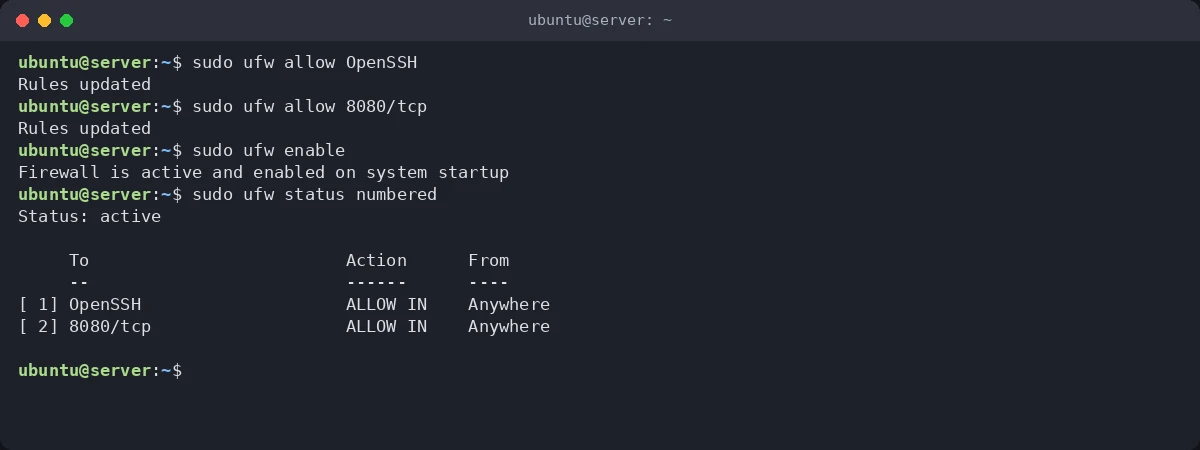
Step 1: Check UFW's status
sudo ufw status verboseStatus: inactive means the firewall is off and no ports are blocked by UFW. Before enabling it on a remote server, allow SSH first, or you'll cut your own connection:
sudo ufw allow OpenSSH        # or: sudo ufw allow 22/tcp (or your custom SSH port)
sudo ufw enable
Step 2: Open a port
sudo ufw allow 8080/tcp                 # one TCP port
sudo ufw allow 53/udp                   # one UDP port
sudo ufw allow 6000:6007/tcp            # a range
sudo ufw allow 'Nginx Full'             # an application profile (80 + 443)
sudo ufw allow from 198.51.100.7 to any port 3306 proto tcp   # only from one IP
List the application profiles your installed software provides with sudo ufw app list. Limiting a port to known IP addresses is much safer for databases, RDP and admin panels.
Step 3: Close or block a port
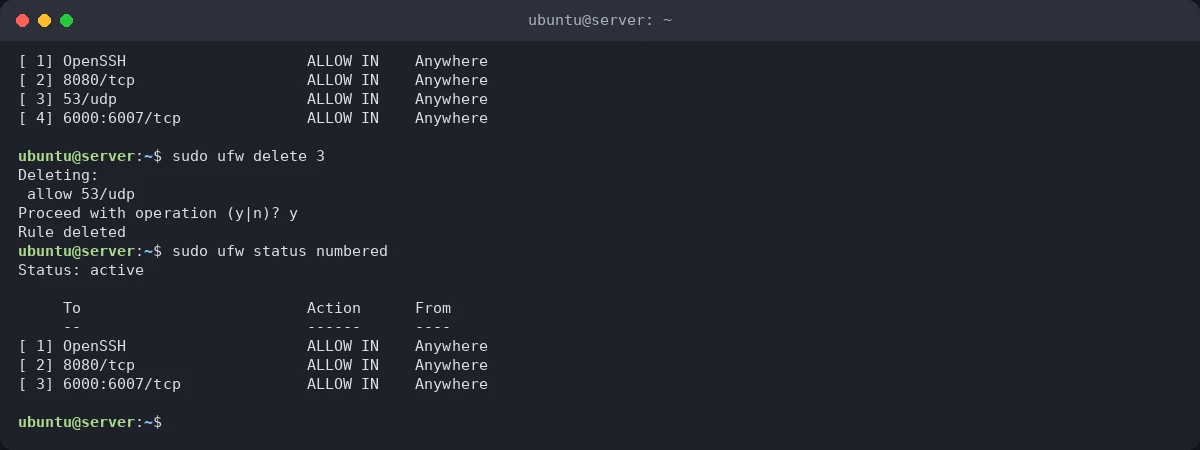
sudo ufw status numbered
sudo ufw delete 3                       # remove rule number 3
sudo ufw delete allow 8080/tcp          # or remove it by its definition
sudo ufw deny 23/tcp                    # explicitly block a port
sudo ufw deny from 203.0.113.50         # block an IP address
By default UFW denies incoming connections that no rule allows, so deleting the allow rule is usually enough to close a port.
Common ports
| Service | Command |
|---|---|
| Web server (HTTP/HTTPS) | sudo ufw allow 80,443/tcp |
| RDP (xrdp) | sudo ufw allow from YOUR_IP to any port 3389 proto tcp |
| MySQL / MariaDB | sudo ufw allow from APP_SERVER_IP to any port 3306 |
| WireGuard | sudo ufw allow 51820/udp |
Step 4: Check that the port is really open
A port is only reachable if the firewall allows it and a program is listening on it:
sudo ss -tulpn                # all listening TCP/UDP ports and their programs
sudo ss -tulpn | grep :8080
If your service listens on 127.0.0.1:8080, it only accepts local connections; change its configuration to listen on 0.0.0.0 or the server's IP. Then test from another computer:
nc -zv 203.0.113.10 8080
# Windows: Test-NetConnection 203.0.113.10 -Port 8080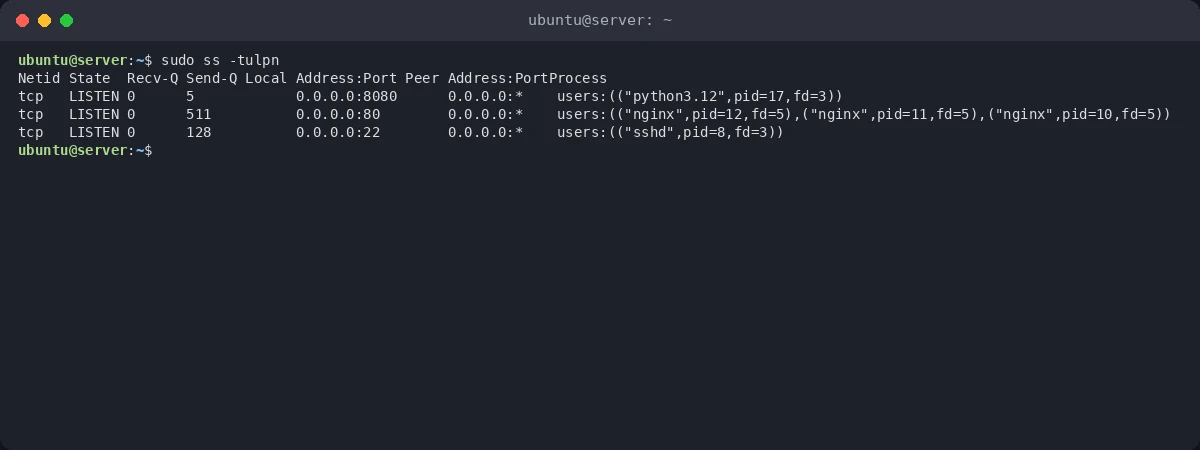
Open a port without UFW
If UFW isn't installed or you manage the firewall directly, use iptables (which writes nftables rules on modern Ubuntu):
sudo iptables -I INPUT -p tcp --dport 8080 -j ACCEPT
sudo apt install iptables-persistent      # to keep rules after reboot
sudo netfilter-persistent save
Don't mix UFW and hand-written iptables rules on the same server; pick one tool.
Turn the firewall off (temporarily)
sudo ufw disable      # stops filtering; rules are kept
sudo ufw enable       # turn it back on
Only disable it briefly for testing. To start over, sudo ufw reset deletes all rules.
Still blocked? Check the cloud firewall
Many VPS and cloud providers have a network firewall or security group in front of the server. If UFW allows the port and the service is listening but the port still looks closed from outside, open it in the provider's panel as well.
Frequently asked questions
How do I open a port in Ubuntu?
Run sudo ufw allow PORT/tcp (or /udp), make sure UFW is enabled, and check that a service is listening with sudo ss -tulpn.
How do I close a port in Ubuntu?
Delete its allow rule with sudo ufw delete allow PORT/tcp, or block it explicitly with sudo ufw deny PORT/tcp.
How do I see open ports in Ubuntu?
sudo ss -tulpn lists listening ports and programs; sudo ufw status lists firewall rules.
Can I open a port without UFW?
Yes, with iptables or nftables directly, saved with iptables-persistent. Don't combine them with UFW rules.