Overclocking on Linux used to mean editing X11 config files and hoping for the best. Today a single free tool, LACT, gives you clock, voltage, power-limit and fan controls for AMD, NVIDIA and (partly) Intel GPUs, and it works on X11, Wayland and even headless systems. This guide shows the LACT method first, then the command-line options for NVIDIA and AMD, and how to test and recover safely.
Quick answerInstall LACT, start its service with sudo systemctl enable --now lactd, open LACT and raise the GPU clock offset in small steps (about +25 to +50 MHz), testing each step with a benchmark. On AMD you first add the kernel parameter amdgpu.ppfeaturemask=0xffffffff to unlock overclocking. On NVIDIA you need the proprietary driver.
Before you start
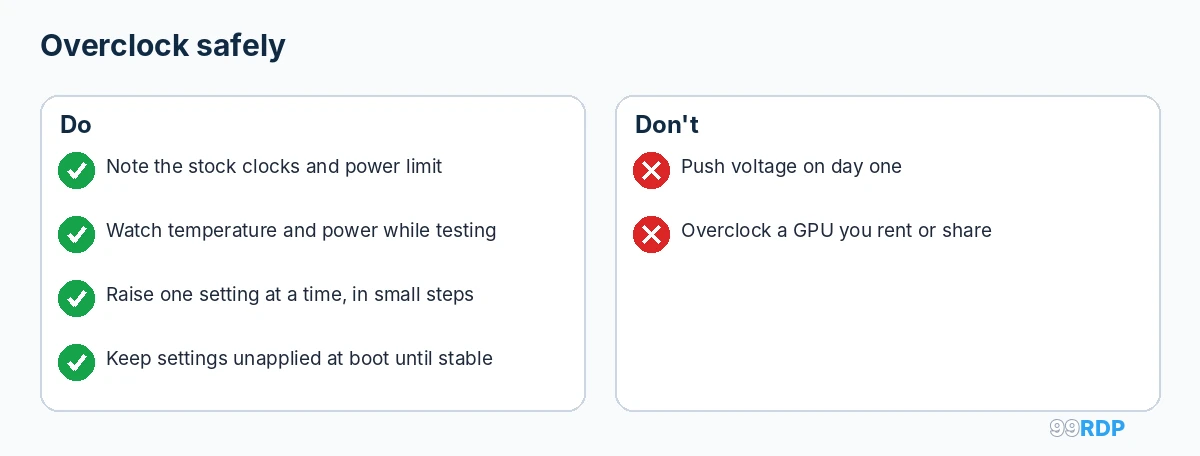
- Overclocking can make the system unstable and may affect your warranty. Raise clocks slowly and watch temperatures.
- Gains are usually modest: a few percent more frames. Raising the power limit or improving cooling often helps as much as raw clock offsets.
- Undervolting (same clocks, less voltage) is often the better goal: cooler, quieter and just as fast.
Method 1: LACT (AMD, NVIDIA and Intel)
- Install LACT. Download the
.debor.rpmfor your distribution from the LACT releases page on GitHub, or use your distribution's package (Arch users can installlact). - Start the background service:
sudo systemctl enable --now lactd - Open LACT from the app menu. The Information tab shows the GPU, driver and VRAM.
- On the OC tab, enable the overclocking controls, raise the GPU clock offset by 25–50 MHz and click Apply.
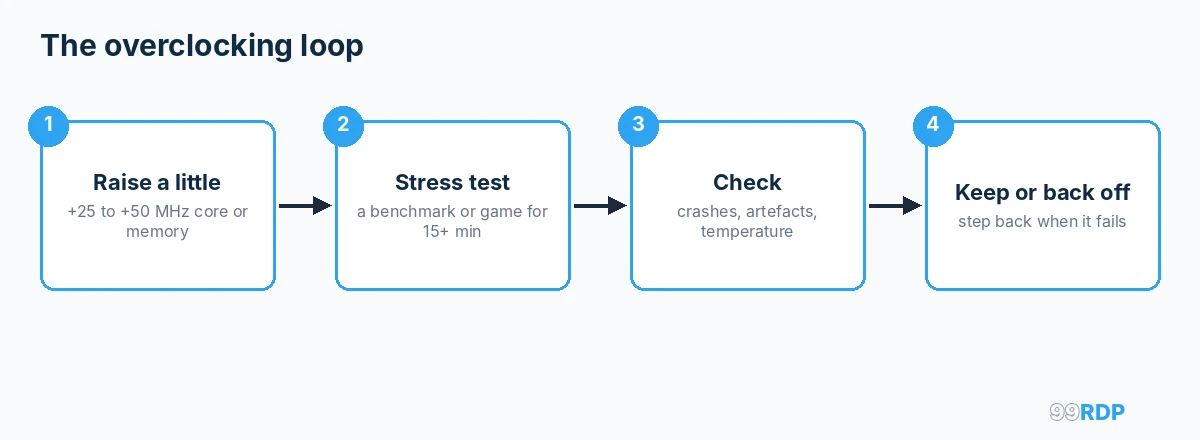
- Run a benchmark for 10–15 minutes. If it is stable, raise the offset again. When you see artefacts or a crash, step back to the last stable value.
- Repeat for the memory clock, then set a fan curve on the Thermals tab if the card runs hot.
Recent versions added more NVIDIA controls: a voltage-frequency curve editor in LACT 0.9 and PowerMizer and voltage-boost settings in 0.10 (August 2026). Intel support covers clocks and power, but Intel's driver does not allow fan control.
Method 2: NVIDIA from the command line
nvidia-smi cannot apply clock offsets, but it can set the power limit and lock clocks, which works on Wayland and headless servers:
nvidia-smi -q -d POWER,CLOCK        # current limits and clocks
sudo nvidia-smi -pl 220             # power limit in watts
sudo nvidia-smi -lgc 300,1900       # lock GPU clock range (MHz)
sudo nvidia-smi -rgc                # reset clock lock
On an X11 session you can also unlock the offset sliders in NVIDIA X Server Settings with sudo nvidia-xconfig --cool-bits=28 and a restart of the session. These sliders do not work on Wayland, which is why LACT is the better choice today.
Method 3: AMD with sysfs
The amdgpu driver hides overclocking until you unlock it. Add the parameter to GRUB:
sudo nano /etc/default/grub
# add to GRUB_CMDLINE_LINUX_DEFAULT:  amdgpu.ppfeaturemask=0xffffffff
sudo update-grub      # Fedora: sudo grub2-mkconfig -o /boot/grub2/grub.cfg
sudo reboot
After the reboot, LACT or CoreCtrl can change clocks and voltages. Advanced users can write to /sys/class/drm/card*/device/pp_od_clk_voltage directly, but the GUI tools apply the same settings more safely.
Test for stability
- Benchmarks: Unigine Superposition or Heaven, or a demanding game you know well.
- Monitoring:
nvtopin a terminal, or MangoHud as an in-game overlay, to watch clocks, temperature and power. - Signs of a bad overclock: flickering, coloured dots, driver resets or a game crash. Lower the last setting you changed.
Recover from a bad overclock
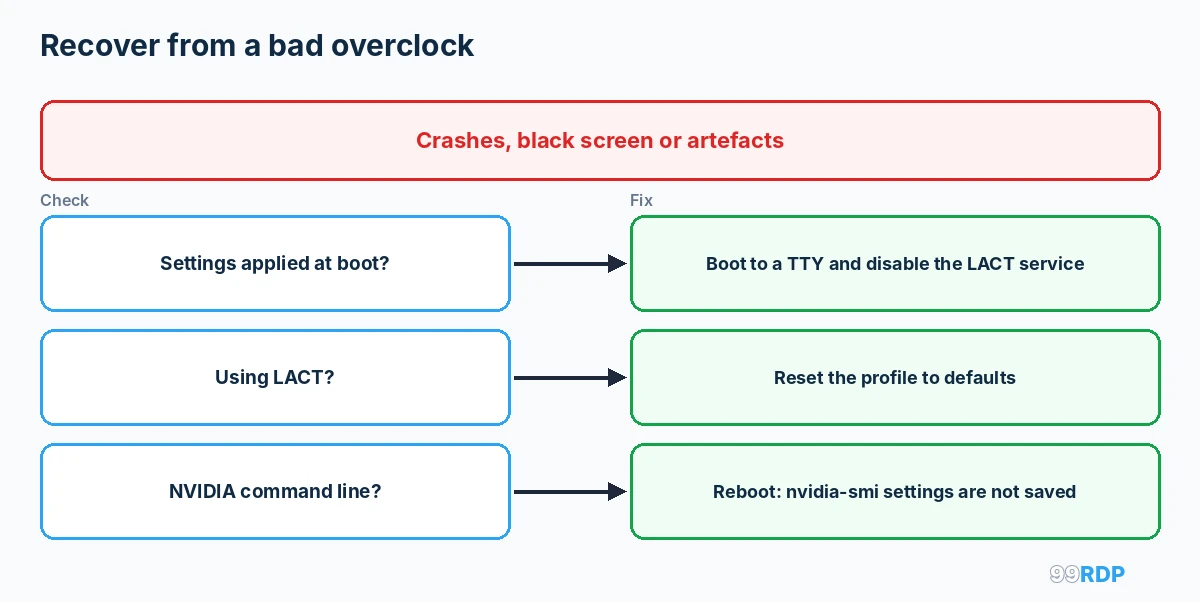
LACT applies its settings when the lactd service starts. If the desktop crashes at login, switch to a text console (Ctrl+Alt+F3), log in and run sudo systemctl stop lactd, then remove or edit /etc/lact/config.yaml before starting the service again. For an AMD kernel-parameter problem, edit the boot entry in GRUB (press e) and remove the parameter for that boot.
Frequently asked questions
Is there an MSI Afterburner for Linux?
Not from MSI, but LACT does the same job for AMD and NVIDIA: clocks, voltage, power limits and fan curves.
Can I overclock an NVIDIA GPU on Wayland?
Yes, with LACT. The old Coolbits sliders in NVIDIA X Server Settings only work on X11.
Is overclocking safe?
Modern GPUs protect themselves against overheating, so small offsets are low risk. Raise settings slowly, keep an eye on temperatures and avoid raising voltage limits unless you know your card's limits.
Does overclocking help rendering and AI work?
A little, but long jobs value stability over a few percent of speed. For heavy rendering or AI, more GPU memory and a stronger card make a far bigger difference.