- Open your server in the client area and click Cancel this server (on the right).
- Choose when:
- At the end of the paid period: the server stays online until then and is deleted afterwards. No more invoices.
- Now: the server and all its data are deleted within minutes. Time already paid is not refunded.
- Tell us why you are leaving (optional), type
CANCELand click Cancel server.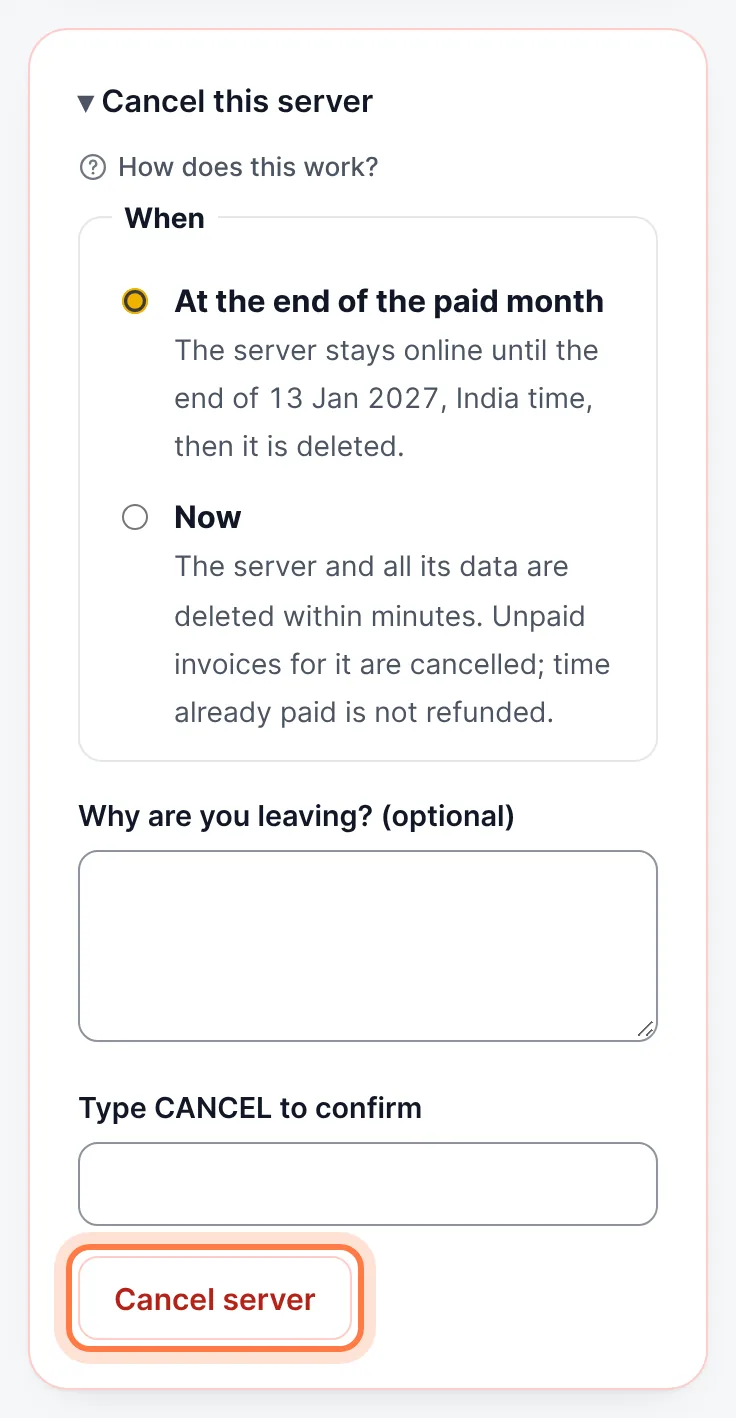
Cancel this server → choose when → type CANCEL → Cancel server
Copy your data first: after the server is deleted it cannot be recovered.
Still stuck? Our server team is online 24/7 on live chat, or open a ticket in the client area.