Python packages installed with pip pile up quickly on a server: old project dependencies, test tools, things installed once with sudo pip years ago. Removing them keeps the server clean and avoids version conflicts. This guide shows how to uninstall one package, several, or everything, how to clear leftovers and the pip cache, and how Ubuntu's "externally-managed-environment" rule changes things on Ubuntu 23.04 and later.
Quick answer
pip uninstall requests                 # one package (asks to confirm)
pip uninstall -y requests flask        # several, no prompt
pip freeze --exclude-editable | xargs pip uninstall -y   # everything in this environment
pip cache purge                        # clear the download cache
Run these inside the virtual environment the packages were installed into. If you don't know where they came from, read the next section first.
First: find out where the package is installed
On Ubuntu, Python packages can live in four places, and each is removed differently:
| Installed with | Location | Remove with |
|---|---|---|
apt install python3-xyz | /usr/lib/python3/dist-packages | sudo apt remove python3-xyz |
pip install inside a virtual environment | venv/lib/python3.x/site-packages | pip uninstall (venv active), or delete the venv folder |
pip install --user | ~/.local/lib/python3.x/site-packages | pip uninstall as that user |
sudo pip install (older Ubuntu) | /usr/local/lib/python3.x/dist-packages | sudo pip uninstall (see below) |
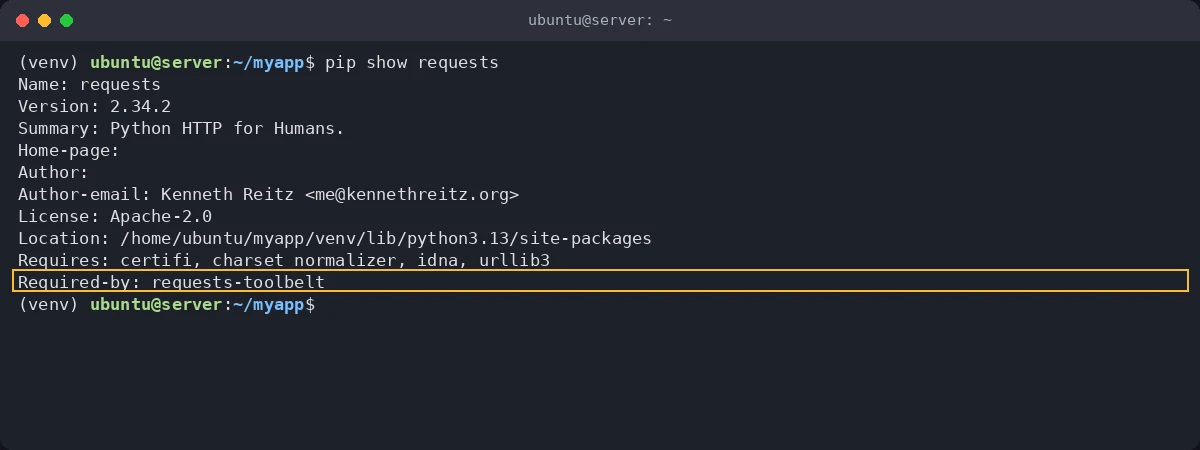
Check a package's location and what depends on it with:
pip show requestsThe Location line tells you where it is, and Required-by shows other packages that need it.
Step 1: List installed packages
pip list                 # everything in the current environment
pip list --user          # only packages in ~/.local
pip list --not-required  # top-level packages nothing else depends on
--not-required is useful for cleanup: those are the packages you (or a project) installed on purpose.
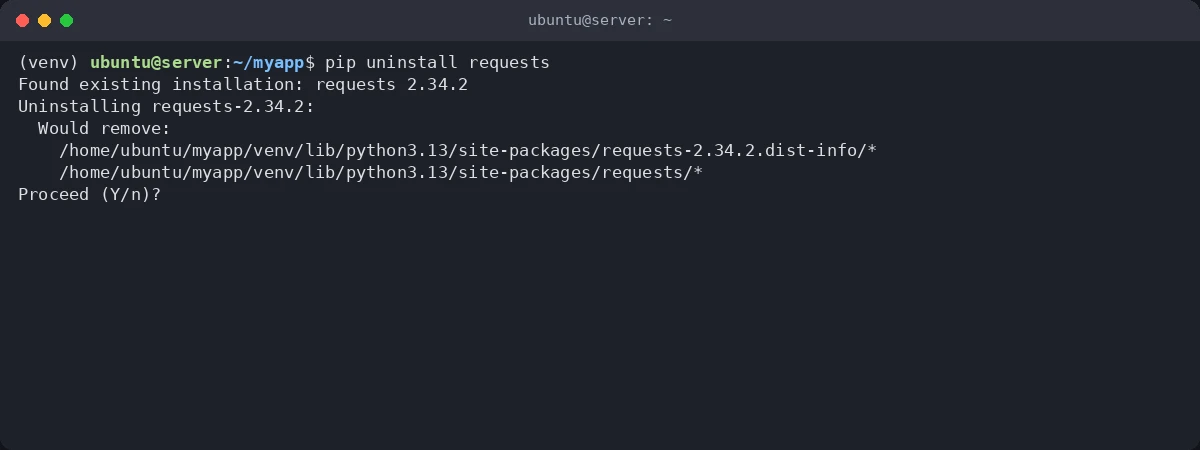
Step 2: Remove a single package
pip uninstall requestspip lists the files it will delete and asks Proceed (Y/n)?. Add -y to skip the question in scripts. If pip isn't found, use python3 -m pip uninstall requests.
Step 3: Remove several packages
pip uninstall -y requests flask numpy

# or everything listed in a requirements file
pip uninstall -y -r requirements.txt
Step 4: Remove all packages in an environment
pip freeze --exclude-editable | xargs pip uninstall -yThis removes everything that pip freeze lists in the active environment. For a virtual environment, it's often quicker and cleaner to delete it and create a fresh one:
deactivate
rm -rf ~/myproject/venv
python3 -m venv ~/myproject/venv
Never run the "uninstall all" command with sudo against the system Python. It can remove packages that Ubuntu tools depend on.
Step 5: Remove leftover dependencies
pip uninstall only removes the package you name, not the dependencies it pulled in. To find orphans, compare pip list --not-required with what you actually need, or use the pip-autoremove tool inside the environment:
pip install pip-autoremove
pip-autoremove flask -y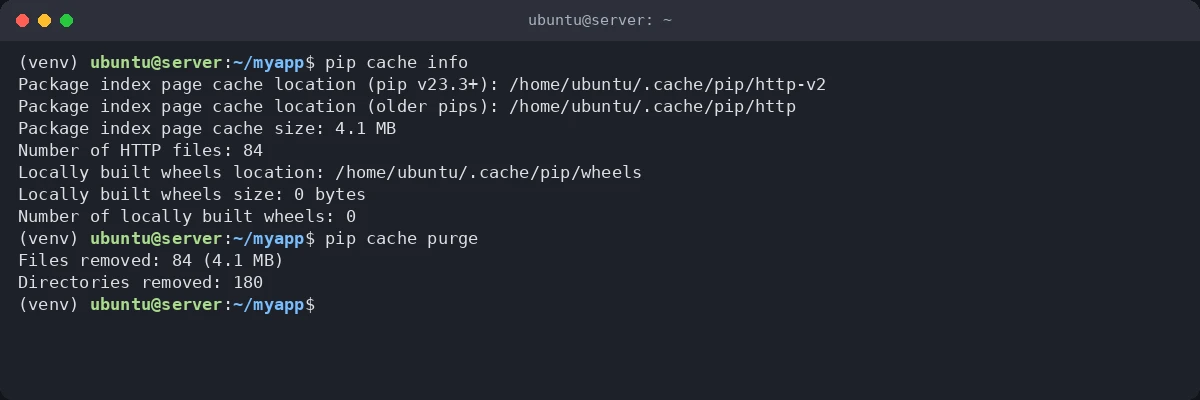
Step 6: Clear the pip cache
pip keeps downloaded wheels in a cache (usually ~/.cache/pip) that can grow to several gigabytes:
pip cache info      # size and location
pip cache purge     # delete it all
The cache is per user, so run the command as each user (and as root if you used sudo pip).
Step 7: Verify the removal
pip show requests
python3 -c "import requests"
pip should report Package(s) not found, and Python should raise ModuleNotFoundError. If the import still works, another copy is installed elsewhere (often an apt package or a --user install).
The "externally-managed-environment" error on Ubuntu 23.04+
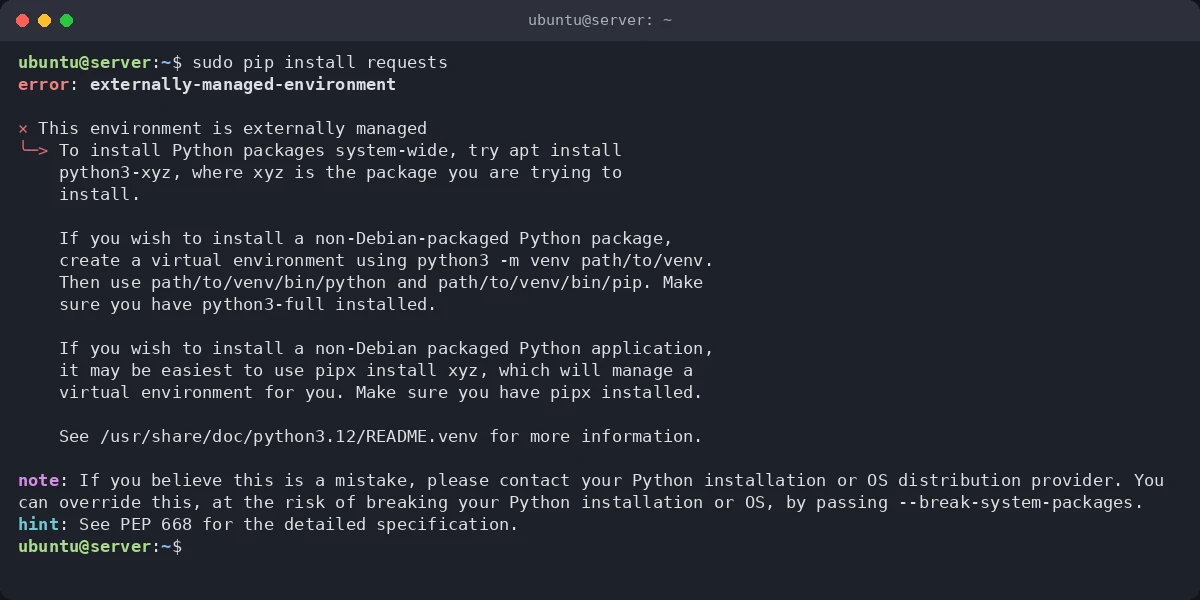
Since Ubuntu 23.04 (and in 24.04 and 26.04), the system Python is marked as managed by apt. Running pip install or sudo pip uninstall against it stops with an externally-managed-environment error. This protects the Python packages Ubuntu itself needs. The right way to work now:
- Use a virtual environment (
python3 -m venv) for every project, and manage packages there. - Install command-line tools with
pipx, and remove them withpipx uninstall name. - Use
aptfor system-wide Python libraries.
If an old server upgraded from an earlier release still has packages that were installed with sudo pip into /usr/local, you can remove those specific packages with sudo pip uninstall --break-system-packages name. Only use that flag for cleaning up /usr/local, never for apt-managed packages.
Uninstall pip itself
sudo apt remove python3-pip
sudo apt autoremove
This removes Ubuntu's pip package. Virtual environments keep their own copy of pip and aren't affected.
Frequently asked questions
How do I remove a package installed with pip?
Run pip uninstall package-name in the same environment where it was installed, and confirm with y, or add -y.
How do I uninstall all pip packages at once?
Run pip freeze --exclude-editable | xargs pip uninstall -y inside the environment, or delete the virtual environment and recreate it.
Does pip uninstall remove dependencies?
No. It only removes the named package. Use pip-autoremove or remove unneeded dependencies by hand.
How do I clear the pip cache on Ubuntu?
Run pip cache purge, or delete ~/.cache/pip.