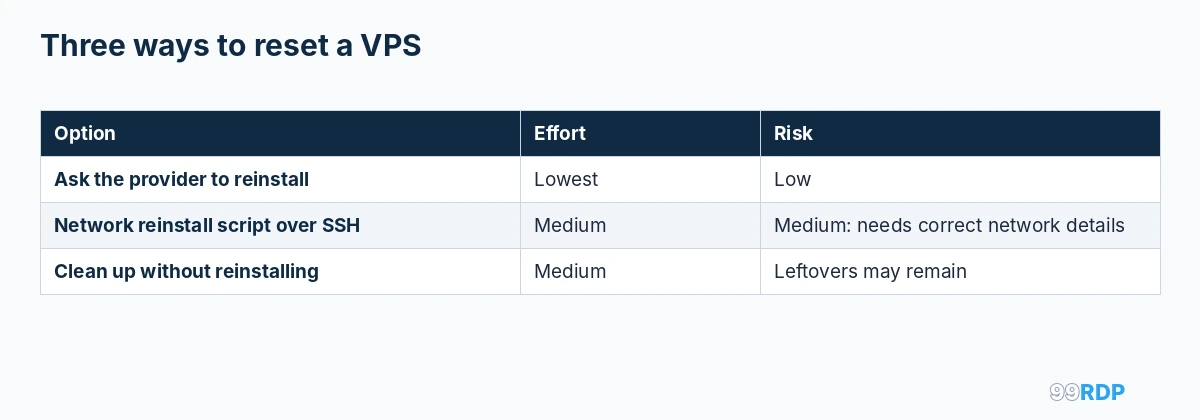
"Resetting" a VPS usually means wiping it and starting again with a clean operating system. Normally you'd click Reinstall in the provider's control panel. Without one, you have three realistic options: ask your provider, reinstall over SSH with a network-reinstall script, or clean up the existing system without reinstalling. This guide covers all three, with the safety steps that keep you from locking yourself out.
Quick answerBack up your data, then either open a ticket asking your provider to reinstall the OS, or run a network-reinstall script such as bin456789/reinstall over SSH:
curl -O https://raw.githubusercontent.com/bin456789/reinstall/main/reinstall.sh
bash reinstall.sh ubuntu 24.04      # wipes the disk and installs Ubuntu 24.04
reboot
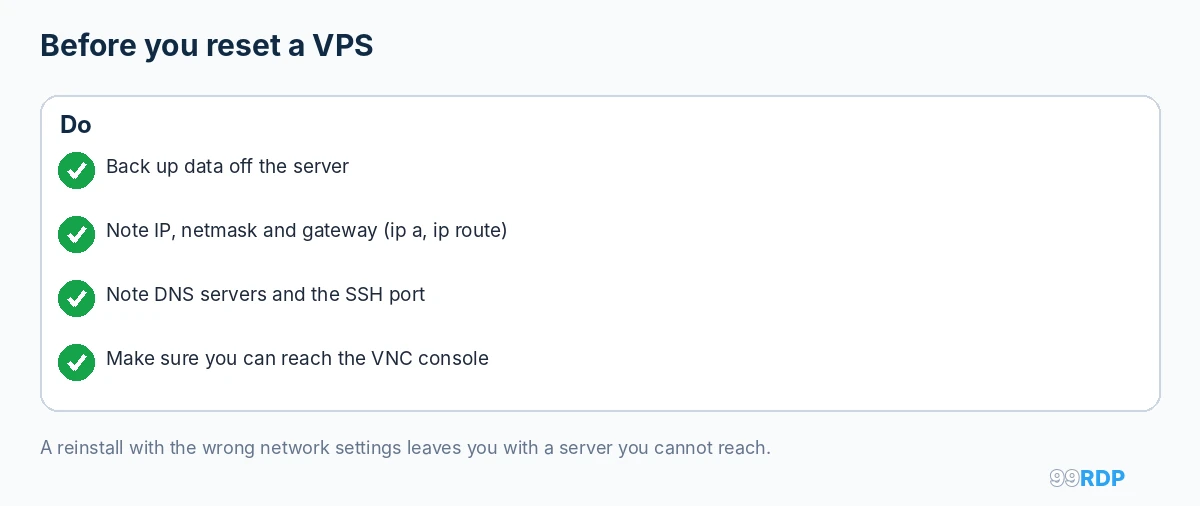
Before you start: back up and write down your network details
- Back up everything you need, off the server:
rsync -avz root@your-vps-ip:/var/www/ ./backup-www/, plus database dumps (mysqldump --all-databases > all.sql) and config files from/etc. A reinstall erases the whole disk. - Record the network configuration:
ip addr,ip routeandcat /etc/resolv.conf. Many VPS use static IPs; if the new system doesn't get the right address, you can't reach it over SSH. - Find out whether you have console (VNC) access from your provider. It's your way back in if networking fails after the reinstall.
Option 1: Ask your provider to reinstall
The safest option. Every provider can reinstall from their side even if you can't see a control panel. Open a support ticket with the OS and version you want (for example Ubuntu 24.04 or Windows Server 2022). It usually takes a few minutes and keeps the same IP address.
Option 2: Reinstall over SSH with a network-reinstall script
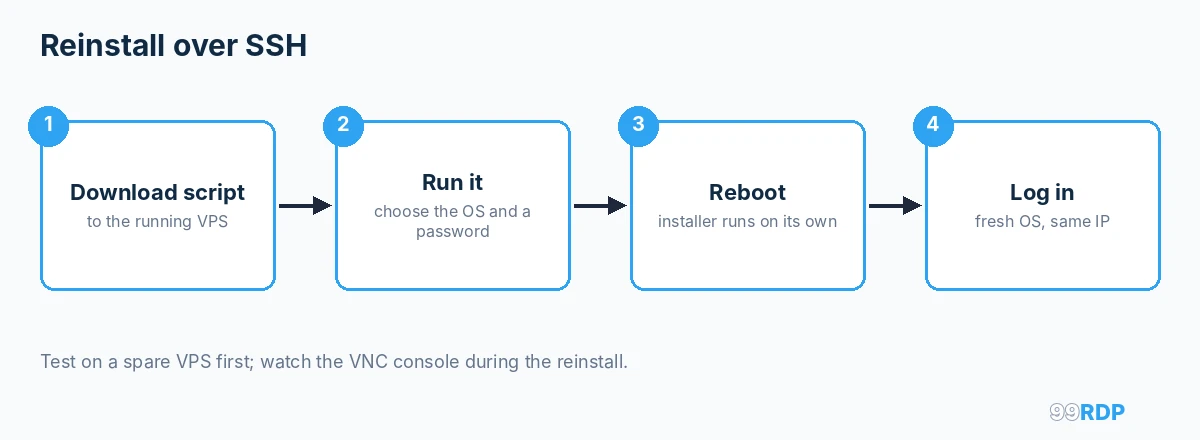
Network-reinstall scripts download an official installer, boot into it on the next restart, and install a fresh OS onto the disk, keeping your IP settings. The widely used bin456789/reinstall script supports many Linux distributions and Windows.
- Log in as root:
ssh root@your-vps-ip. - Download the script and read its README and options first:
curl -O https://raw.githubusercontent.com/bin456789/reinstall/main/reinstall.sh less reinstall.sh - Run it with the system you want, for example
bash reinstall.sh debian 12orbash reinstall.sh ubuntu 24.04, and set the new root password when prompted. - Reboot. The installation runs unattended; wait 10–20 minutes before trying to SSH in again. Remove the old host key on your PC first:
ssh-keygen -R your-vps-ip.
Limits: these scripts need a KVM (or similar full-virtualization) VPS. They don't work on OpenVZ or LXC containers, where you can't replace the kernel. Running a third-party script as root is a trust decision, so read it first, and only do this when you have console access or a provider who can help if it fails.
Option 3: Clean up without reinstalling
If you only want a "fresh start" for your applications and can't reinstall, remove what you added:
sudo systemctl disable --now apache2 nginx mysql 2>/dev/null
sudo apt purge apache2* nginx* mysql-server* mariadb-server* php*   # whatever you installed
sudo apt autoremove --purge
sudo rm -rf /var/www/* /etc/nginx /etc/apache2 /var/lib/mysql      # double-check every path
sudo deluser --remove-home olduser                                   # extra users you created
This is never as clean as a reinstall: leftover configuration, cron jobs and users are easy to miss. If the server was compromised, don't clean up; reinstall it with Option 1 or 2.
After the reset
apt update && apt upgrade -y
adduser admin && usermod -aG sudo admin
ssh-copy-id admin@your-vps-ip            # from your PC
ufw allow OpenSSH && ufw enable
Then disable root password login in /etc/ssh/sshd_config (PermitRootLogin prohibit-password), restore your data and set up backups.
Frequently asked questions
Can I reset a VPS without a control panel?
Yes. Ask your provider to reinstall it, or use a network-reinstall script over SSH on a KVM VPS. Back up your data first, because both methods wipe the disk.
Can I reinstall Windows on a VPS from Linux?
Some reinstall scripts, including bin456789/reinstall, can install Windows on a KVM VPS. You still need a valid Windows licence, and the VPS needs enough RAM and disk for Windows.
Will I keep my IP address after a reset?
Usually yes. A provider reinstall keeps the IP, and reinstall scripts copy your current network settings. Write them down anyway in case you need to fix them from the console.
Why can't I reinstall on my OpenVZ or LXC VPS?
Container-based VPS share the host's kernel, so you can't boot an installer. Only the provider can reset them.