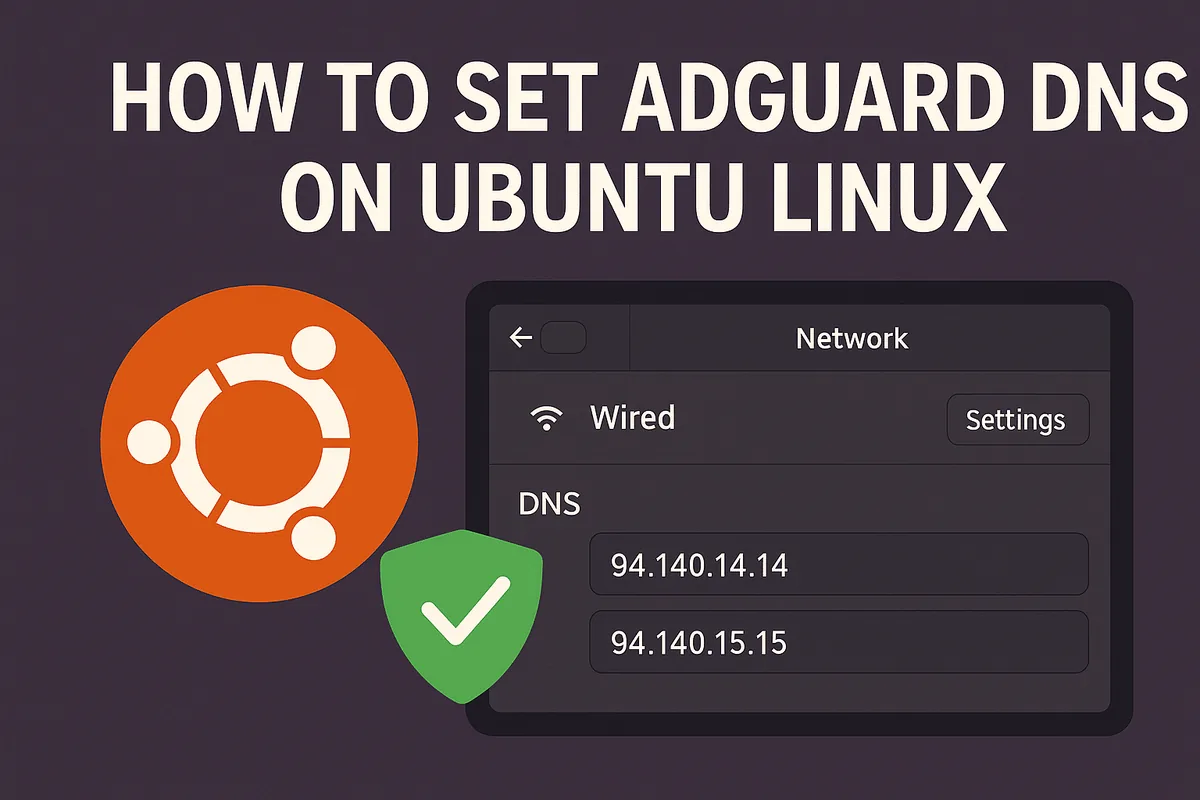
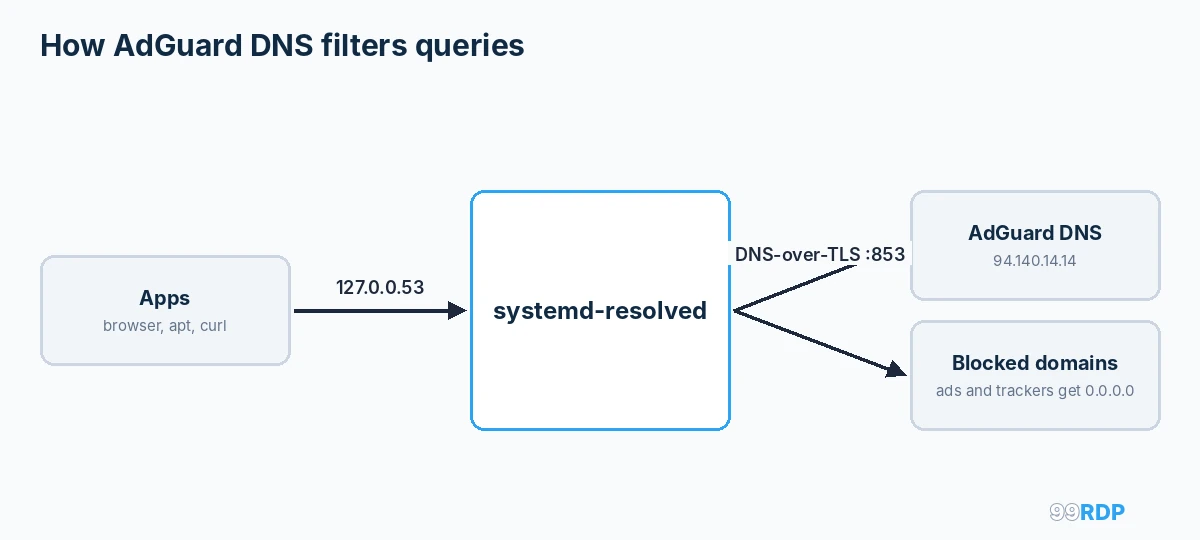
AdGuard DNS is a free public DNS service that blocks ads, trackers and phishing sites for every app on your system, with nothing to install. On Ubuntu and most modern Linux distributions you can set it in the desktop network settings, or system-wide with systemd-resolved, which also lets you encrypt DNS queries with DNS-over-TLS. This guide covers desktops, servers and how to verify it works.
Quick answerUse these DNS servers:
- IPv4:
94.140.14.14and94.140.15.15 - IPv6:
2a10:50c0::ad1:ffand2a10:50c0::ad2:ff - DNS-over-TLS hostname:
dns.adguard-dns.com
These are the "Default" servers, which block ads and trackers. AdGuard also offers Family protection servers (adds adult-content blocking) and Non-filtering servers; see its public DNS page for those addresses.
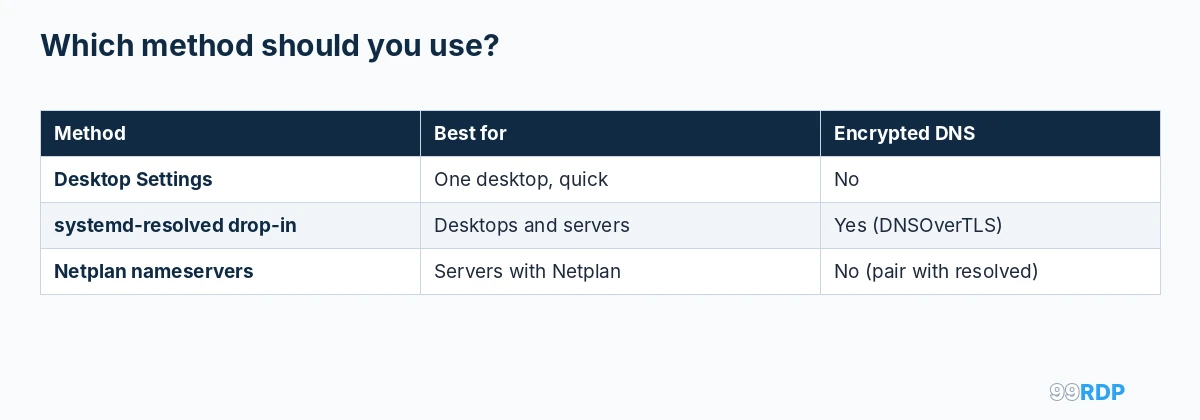
Method 1: Ubuntu Desktop (Settings)
- Open Settings → Network (or Wi-Fi) and click the gear icon next to your connection.
- On the IPv4 tab, switch Automatic off next to DNS, and enter
94.140.14.14, 94.140.15.15. - Optionally, on the IPv6 tab, do the same with
2a10:50c0::ad1:ff, 2a10:50c0::ad2:ff. - Click Apply, then turn the connection off and on again.
With NetworkManager on the command line, the same is:
nmcli con show                                    # find your connection name
nmcli con mod "Wired connection 1" ipv4.dns "94.140.14.14 94.140.15.15" ipv4.ignore-auto-dns yes
nmcli con up "Wired connection 1"
Method 2: System-wide with systemd-resolved (desktops and servers)
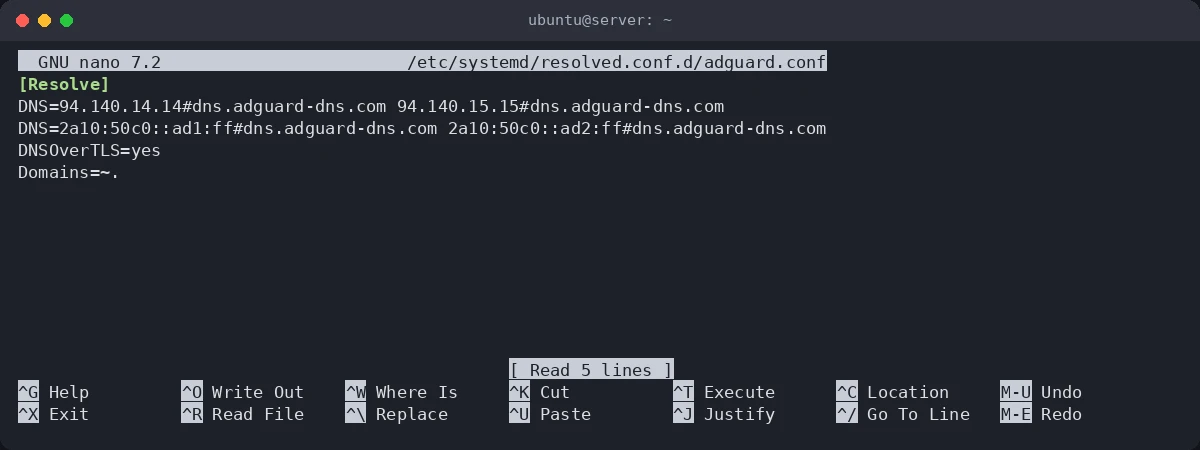
Ubuntu and many other distributions use systemd-resolved. Set AdGuard DNS, with DNS-over-TLS, in its configuration:
sudo mkdir -p /etc/systemd/resolved.conf.d
sudo nano /etc/systemd/resolved.conf.d/adguard.conf
[Resolve]
DNS=94.140.14.14#dns.adguard-dns.com 94.140.15.15#dns.adguard-dns.com
DNS=2a10:50c0::ad1:ff#dns.adguard-dns.com 2a10:50c0::ad2:ff#dns.adguard-dns.com
DNSOverTLS=yes
Domains=~.sudo systemctl restart systemd-resolvedDomains=~. makes these servers handle all lookups instead of the ones from DHCP. DNSOverTLS=yes encrypts queries; use opportunistic instead if your network blocks port 853.
Method 3: Ubuntu Server with Netplan
On a server with a static Netplan config, set the nameservers in /etc/netplan/*.yaml:
network:
  version: 2
  ethernets:
    eth0:
      dhcp4: true
      dhcp4-overrides:
        use-dns: false
      nameservers:
        addresses: [94.140.14.14, 94.140.15.15]
sudo netplan try # reverts automatically if you lose connection
sudo netplan applyKeep your interface name and the rest of your existing configuration; only add the DNS parts.
Verify that AdGuard DNS is active
resolvectl status | grep -A3 "DNS Servers"
resolvectl query doubleclick.net
With the default (filtering) servers, ad domains such as doubleclick.net resolve to 0.0.0.0 or return no address. You can also open AdGuard's DNS check page in a browser to confirm which server you're using.
Want your own filters? Private AdGuard DNS or AdGuard Home
- Private AdGuard DNS: the same service with an account, your own blocklists, a query log and per-device settings.
- AdGuard Home: open-source software you run yourself, for example on a VPS or home server, to filter DNS for a whole network.
Frequently asked questions
What are the AdGuard DNS server addresses?
Default (blocks ads and trackers): 94.140.14.14 and 94.140.15.15. IPv6: 2a10:50c0::ad1:ff and 2a10:50c0::ad2:ff. DNS-over-TLS: dns.adguard-dns.com.
How do I use AdGuard DNS with DNS-over-TLS on Linux?
Configure systemd-resolved with DNS=94.140.14.14#dns.adguard-dns.com and DNSOverTLS=yes, then restart it.
Why are my DNS changes overwritten?
DHCP or NetworkManager provides its own DNS. Use ipv4.ignore-auto-dns yes, Netplan's use-dns: false, or Domains=~. in systemd-resolved.
Is AdGuard DNS free?
Yes, the public servers are free and need no account.