Browsers handle everyday downloads, but for large files, unreliable connections, queues and scheduled downloads, a download manager is much better: it splits files into parts, resumes broken downloads and lets you pause and restart. This guide covers the best options for Linux desktops and servers, with how to install each one.
Quick answer
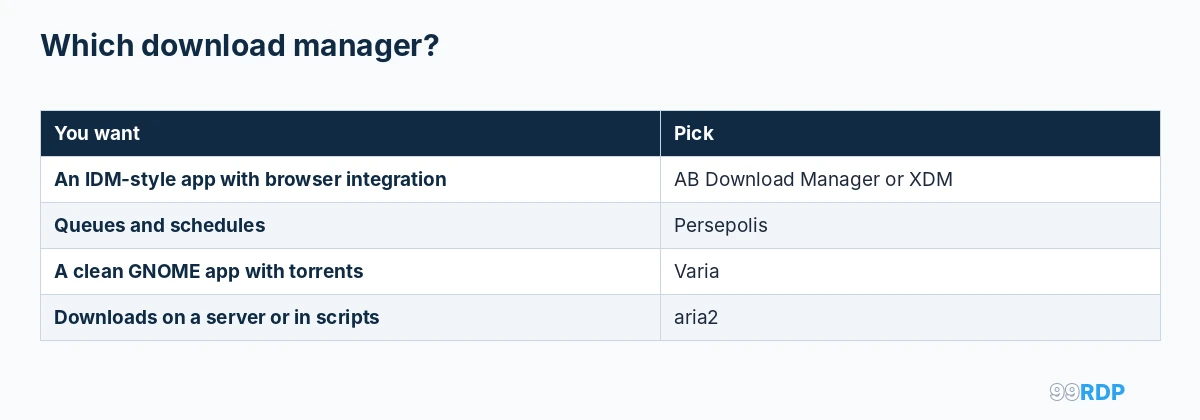
- Best all-round GUI: AB Download Manager or Xtreme Download Manager (XDM), both with browser integration.
- Lightweight GUI on top of aria2: Persepolis or Varia.
- KDE desktop: KGet. GNOME/GTK: Varia or uGet.
- Servers and scripts:
aria2c, pluswgetandcurl.
At a glance
| Tool | Type | Browser integration | Torrents | Best for |
|---|---|---|---|---|
| AB Download Manager | GUI, open source | Yes (extension) | No | A modern IDM-style experience |
| Xtreme Download Manager | GUI, open source | Yes (extension) | No | Video grabbing and segmented downloads |
| Persepolis | GUI for aria2 | Yes (extension) | Via aria2 | Queues and scheduling |
| Varia | GTK GUI for aria2 | Yes (extension) | Yes | GNOME users who want a clean app |
| KGet | KDE app | Via KDE integration | Yes | KDE Plasma desktops |
| uGet | GTK GUI | Yes (extension) | Via aria2 plugin | Lightweight desktops |
| aria2 | Command line | No | Yes | Servers, scripts, maximum speed |
1. AB Download Manager
A newer open-source download manager with a clean interface, multi-part downloads, queues, speed limits and browser extensions for Chrome and Firefox. It runs on Linux, Windows and macOS, so it suits people who move between systems. Install the Linux package from its official GitHub releases.
2. Xtreme Download Manager (XDM)
XDM speeds up downloads by splitting files into segments and can capture video from many websites through its browser extension. Download the Linux package from the official site or GitHub releases and install it, then add the browser extension so downloads are handed to XDM automatically.
3. Persepolis
Persepolis is a Python/Qt front end for aria2, so you get aria2's speed with a graphical interface, download queues and a scheduler for overnight downloads. It's in Fedora's repositories (sudo dnf install persepolis), in the AUR for Arch, and the project provides packages for Debian and Ubuntu.
4. Varia
Varia is a simple GTK download manager built on aria2. It supports HTTP and torrent downloads, a speed limit and a browser extension, and fits nicely into GNOME. Install it from Flathub: flatpak install flathub io.github.giantpinkrobots.varia.
5. KGet
KDE's own download manager integrates with the Plasma desktop, supports multiple sources (including torrents) and download groups. Install it with sudo apt install kget or your distribution's package manager.
6. uGet
A lightweight GTK download manager with categories, a clipboard monitor and an optional aria2 plugin for multi-part downloads. It's light on resources, but development has slowed, so prefer one of the tools above if you need active updates.
7. aria2 (command line, best for servers)
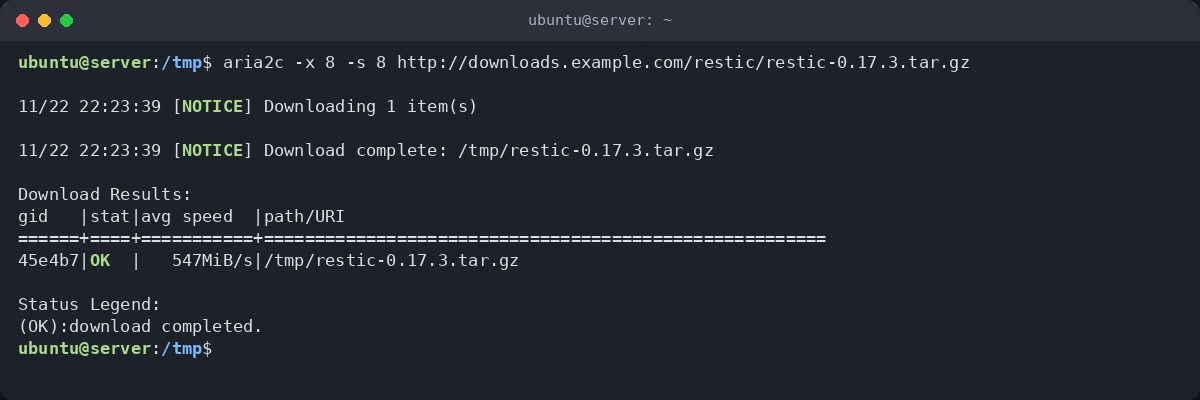
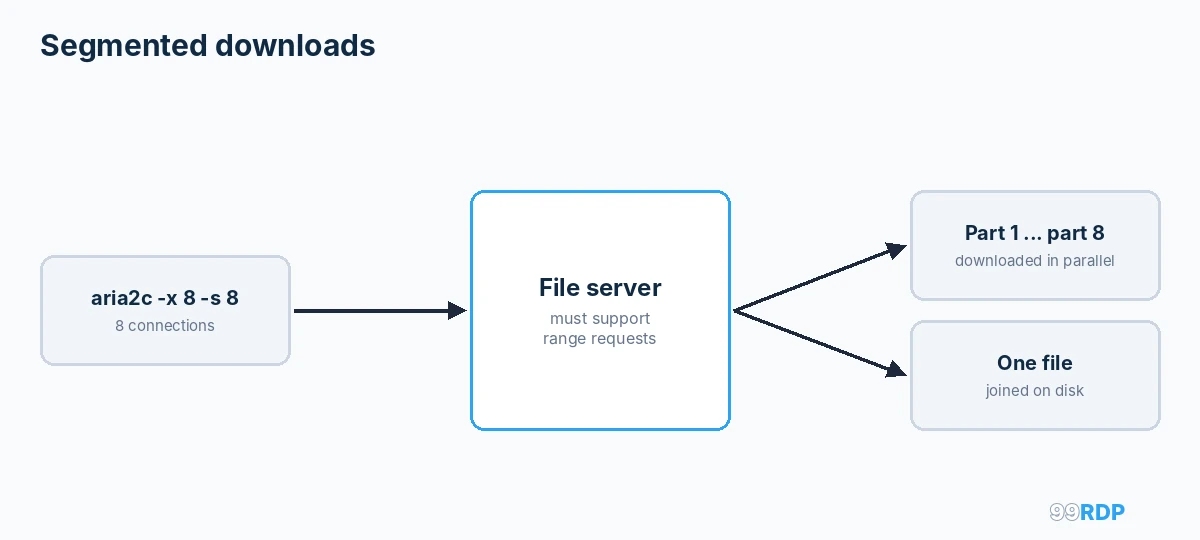
aria2 is a fast, low-resource command-line downloader that supports HTTP(S), FTP, BitTorrent and Metalink, with multiple connections per file.
sudo apt install aria2
aria2c -x 8 -s 8 https://example.com/large-file.iso          # 8 connections
aria2c -i urls.txt -j 3                                       # download a list, 3 at a time
aria2c --continue=true https://example.com/large-file.iso     # resume
For long downloads on a server, run aria2 inside tmux or screen so they continue after you disconnect from SSH.
wget and curl
For single files and scripts, the classic tools are enough: wget -c URL resumes a broken download, and curl -LO URL follows redirects and saves with the original file name.
What about Motrix and Free Download Manager?
Motrix was a popular aria2-based manager, but the original project hasn't been updated regularly; a rebuilt successor, Motrix Next, appeared in 2026. Free Download Manager offers a Linux package; download it only from the official site.
Frequently asked questions
What is the best download manager for Linux?
For a graphical app, AB Download Manager or XDM. For servers and scripts, aria2. Persepolis and Varia are good lightweight GUIs if you like aria2.
Is there IDM for Linux?
Internet Download Manager is Windows-only. AB Download Manager and XDM offer a similar experience on Linux, with browser integration and segmented downloads.
How do I resume a download in Linux?
Use wget -c URL, aria2c --continue=true URL, or the resume button in any GUI download manager.
What's the best command-line download manager for Linux?
aria2 (aria2c). It supports multiple connections, download lists, torrents and resuming, and uses very little memory.