Linux has dozens of text editors, from tiny terminal editors you use over SSH to full code editors with debugging and AI features. The right one depends on where you work: on a remote server without a desktop, on a Linux desktop, or writing code all day. This guide groups the best Linux text editors by type, explains what each is good at, shows how to install them on Ubuntu, Debian and Fedora, and helps you choose.
Quick answerOn servers, use nano if you want simple, or Vim/Neovim if you want speed and power. On the desktop, use the editor that comes with your environment (GNOME Text Editor, Kate, Mousepad). For programming, VS Code is the most popular choice, with Zed, Sublime Text and Neovim as strong alternatives.
Terminal text editors
These run inside a terminal, so they work over SSH on any server.
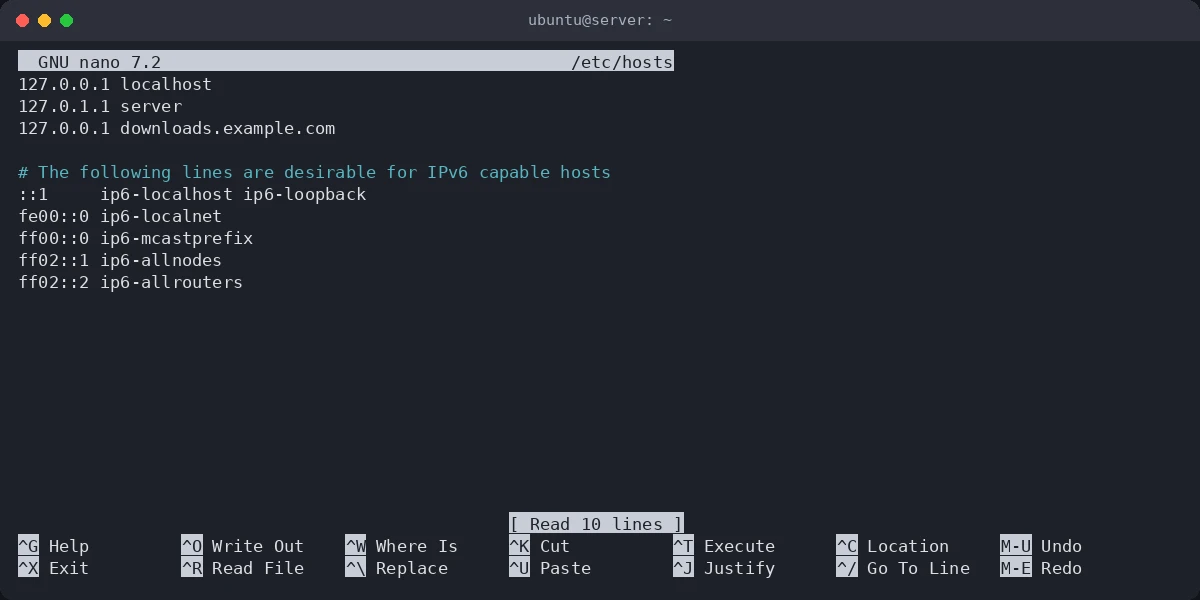
nano
nano is installed on almost every distribution and is the easiest terminal editor to learn. The shortcuts are shown at the bottom of the screen: Ctrl + O saves, Ctrl + X exits, Ctrl + W searches.
nano /etc/hostsBest for: quick configuration edits and beginners.
Vim and Neovim
Vim is a modal editor: you switch between a mode for typing and a mode for commands, which makes editing very fast once learned. It is available on virtually every Unix system (often as the minimal vi). Neovim is a modern fork with Lua configuration, a built-in language server client and a large plugin ecosystem, which turns it into a full code editor in the terminal.
sudo apt install vim neovim     # Ubuntu / Debian
sudo dnf install vim neovim     # Fedora
vimtutor                        # 30-minute interactive tutorial
To exit Vim: press Esc, then type :wq to save and quit, or :q! to quit without saving.
Emacs
GNU Emacs is an extensible editor that can be a whole environment: code editing, Org mode for notes and planning, Git with Magit, and much more. It runs in the terminal (emacs -nw) or as a GUI.
sudo apt install emacsBest for: people who want to customise every part of their workflow.
micro and Helix
micro brings familiar shortcuts (Ctrl + S, Ctrl + C/V, mouse support) to the terminal: a good step up from nano. Helix is a modern modal editor inspired by Vim and Kakoune with language server and syntax highlighting built in, no plugins required.
sudo apt install micro
sudo dnf install helix     # also available as a Snap and from its releases page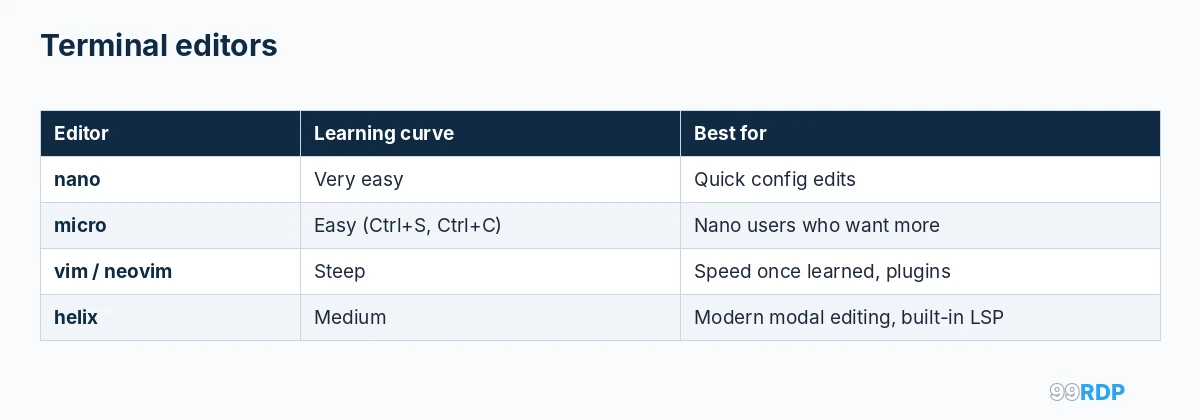
Graphical text editors
GNOME Text Editor
The default editor on GNOME (Ubuntu, Fedora Workstation), replacing gedit. It is clean and simple, with tabs, a dark mode, spell checking and automatic saving of unsaved documents.
Kate
KDE's advanced editor, with tabs, split views, a built-in terminal, project sidebar, language server support for many languages, and sessions. It is a lightweight IDE for many people.
sudo apt install kateMousepad and Pluma
Mousepad (XFCE) and Pluma (MATE) are fast and light, ideal on older hardware or on a VPS running a remote desktop with xrdp.
Code editors and IDE-style editors
Visual Studio Code
The most widely used code editor, with debugging, Git integration, an extension marketplace, remote development over SSH and in containers, and AI assistance. Install the official .deb or .rpm package from Microsoft, which also adds its update repository. VSCodium is a community build without Microsoft's telemetry and branding.
Zed
Zed is a fast, open-source code editor written in Rust, with real-time collaboration and built-in AI features. It has supported Linux since 2024.
Sublime Text
A very fast, polished editor with multiple cursors and a powerful command palette. It can be evaluated for free; continued use requires a licence.
JetBrains IDEs
For large Java, Python, PHP or Go projects, full IDEs such as IntelliJ IDEA, PyCharm and PhpStorm offer deeper refactoring and analysis than an editor.
How to choose
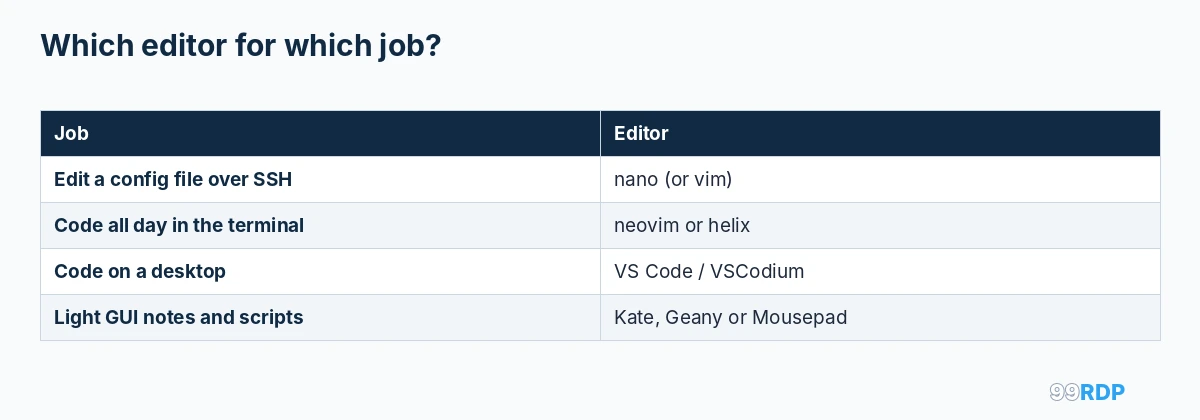
- Editing configs on a server over SSH: nano (simple) or Vim (fast).
- Notes and simple text on the desktop: your desktop's default editor.
- Programming on the desktop: VS Code or Zed; Kate for something lighter.
- Programming entirely in the terminal: Neovim or Helix.
- Working on a remote server from a desktop editor: VS Code's Remote - SSH extension edits files on the server with your local editor.
Set your default terminal editor
sudo update-alternatives --config editor    # Debian/Ubuntu system default
export EDITOR=nano                           # add to ~/.bashrc for your user
This is the editor used by commands such as crontab -e, git commit and visudo.
Frequently asked questions
What is the easiest text editor in Linux?
nano in the terminal, and GNOME Text Editor or Mousepad on the desktop.
Which Linux text editor is best for programming?
VS Code is the most popular. Neovim, Zed, Kate and Sublime Text are excellent alternatives depending on whether you prefer the terminal or a GUI.
How do I open a text file from the Linux terminal?
Run nano filename or vim filename. To view without editing, use less filename.
What text editor comes with Ubuntu?
Ubuntu Desktop includes GNOME Text Editor, and both Ubuntu Desktop and Server include nano and a minimal Vim.