On an Ubuntu server you'll often need to act as another user: become root to fix a config, run a command as the www-data web user, or test what a new account can see. This guide shows every common way to switch user from the command line, how to get back, why su root fails on Ubuntu, how to switch users on the desktop, and how to rename a user if what you actually want is to change a username.
Quick answer
su - username          # switch to another user (needs their password)
sudo -i                # become root (needs your own password)
sudo -u username cmd   # run one command as another user
exit                   # go back to your previous user
whoami                 # check who you are now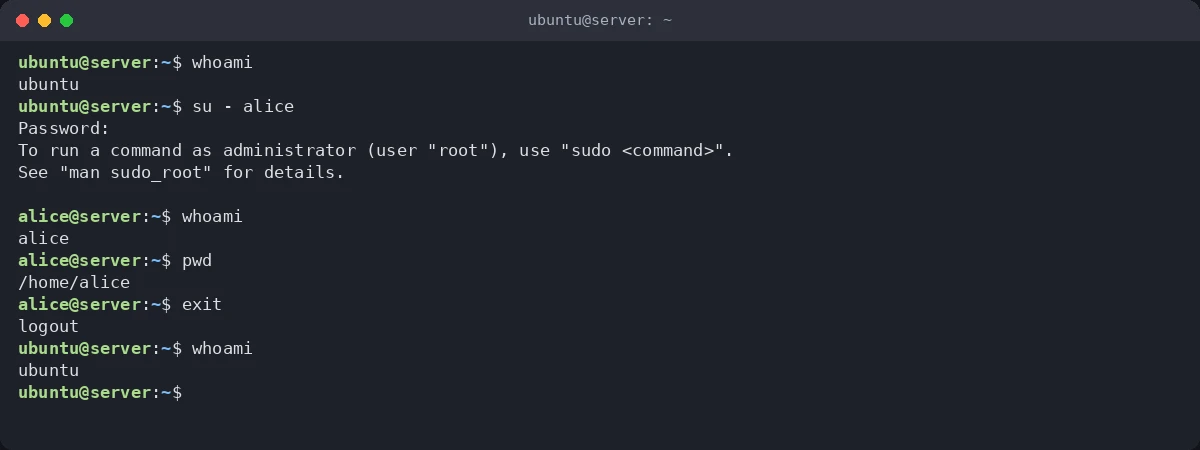
Method 1: su (switch user)
su starts a shell as another user. You need that user's password.
su - aliceThe - (or -l) gives you a full login shell: alice's home directory, environment variables and PATH. Without the dash, you keep your current directory and most of your environment, which can cause confusing permission errors. Use the dash unless you have a reason not to.
Run a single command as alice without staying in her shell:
su - alice -c "ls -la ~"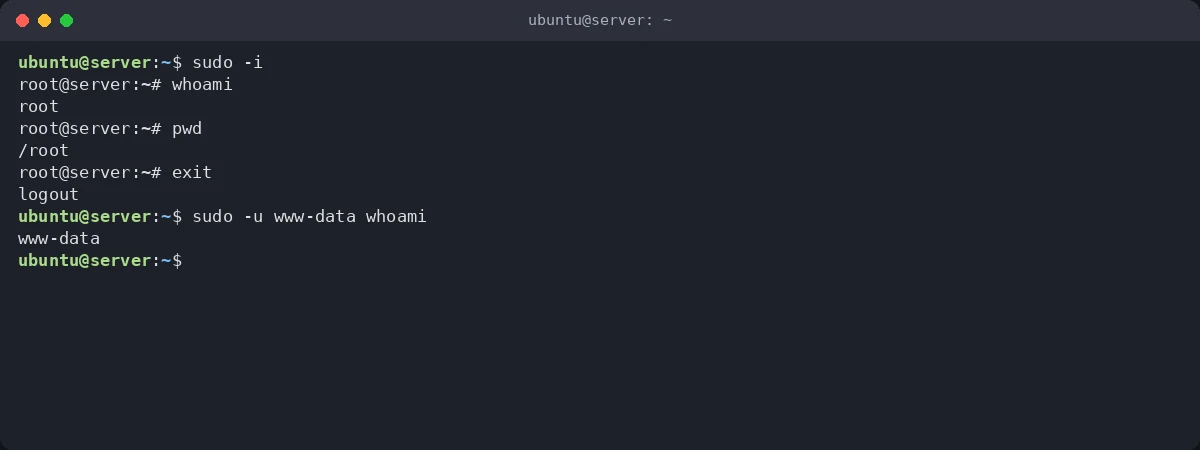
Method 2: sudo (the Ubuntu way)
On Ubuntu, members of the sudo group can act as other users with their own password. That's usually more convenient and safer than sharing passwords.
Become root
sudo -i        # root login shell (recommended)
sudo su -      # same result, older habit
sudo -s        # root shell, but keeps your environment
Become another user
sudo -iu alice           # login shell as alice
sudo su - alice          # same thing
Run one command as another user
sudo -u www-data php /var/www/app/artisan cache:clear
sudo -u postgres psql
This is the cleanest way to work with service accounts such as www-data or postgres, which have no password and often no login shell.
Why "su root" gives "Authentication failure" on Ubuntu
Ubuntu locks the root account by default; it has no password, so su or su - can't succeed. Use sudo -i instead. If you really need a root password (for example for console access), set one with sudo passwd root, but keep SSH root login with passwords disabled.
Get back to your own user
Type exit or press Ctrl + D. Each su or sudo -i opens a new shell on top of the previous one, so you return to exactly where you were. Check where you are with:
whoami     # current user
id         # user, groups and IDs
who        # who is logged in
Switch user on the Ubuntu desktop
- GNOME (Ubuntu desktop): click the system menu at the top right → power icon → Switch User… (shown when more than one account exists), or Log Out.
- XFCE/LightDM (Xubuntu and others): run
dm-tool switch-to-greeterto return to the login screen while keeping your session open. - Fast switch from the terminal with Ctrl + Alt + F3–F6 to open a text console and log in as another user.
Create a user to switch to
sudo adduser alice           # create user with home directory and password
sudo usermod -aG sudo alice  # give admin (sudo) rights
sudo deluser alice           # remove the user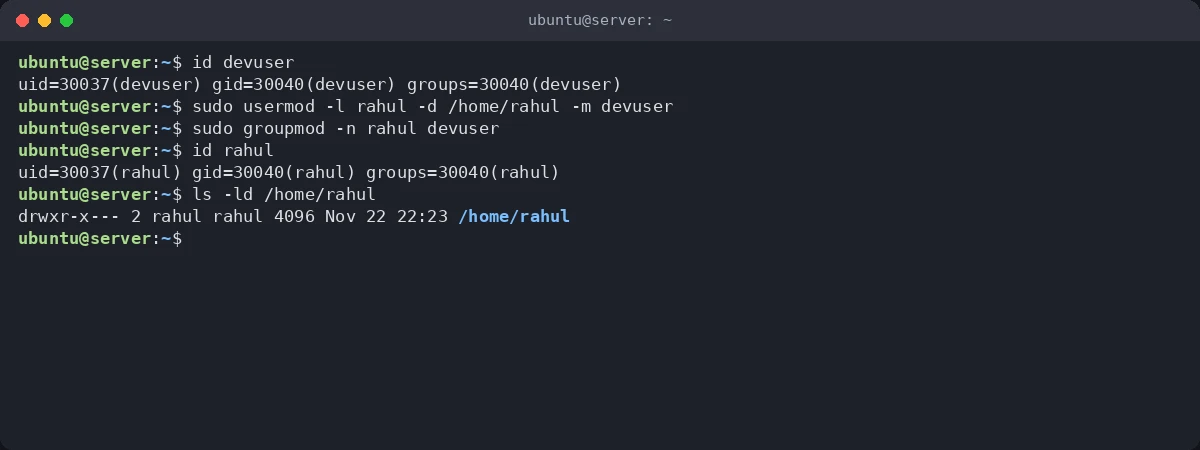
Change a username from the command line
If your goal is to rename an account rather than switch to it, log in as a different admin user (you can't rename the account you're logged in as) and run:
sudo usermod -l newname -d /home/newname -m oldname   # rename and move home
sudo groupmod -n newname oldname                      # rename the user's group
sudo chfn -f "New Full Name" newname                  # optional: display name
Afterwards, check scripts, cron jobs and config files that mention the old name or path.
Troubleshooting
- "user is not in the sudoers file": the account isn't in the
sudogroup. Ask an admin to runsudo usermod -aG sudo yourname, then log out and back in. - "This account is currently not available": the user's shell is
/usr/sbin/nologin(common for service accounts). Usesudo -u user command, orsudo -u user -s /bin/bashfor a temporary shell. - Wrong home directory or PATH after switching: you forgot the dash. Use
su - userorsudo -i.
Frequently asked questions
How do I change user in the Ubuntu terminal?
Run su - username and enter that user's password, or sudo -iu username and enter your own password.
How do I switch to root in Ubuntu?
Run sudo -i. Plain su doesn't work by default because Ubuntu's root account has no password.
What's the difference between su and sudo?
su asks for the target user's password and opens a shell as them. sudo asks for your own password and checks the sudoers rules, and it logs what was run.
How do I change my username in Ubuntu from the command line?
From another admin account, run sudo usermod -l newname -d /home/newname -m oldname and sudo groupmod -n newname oldname.