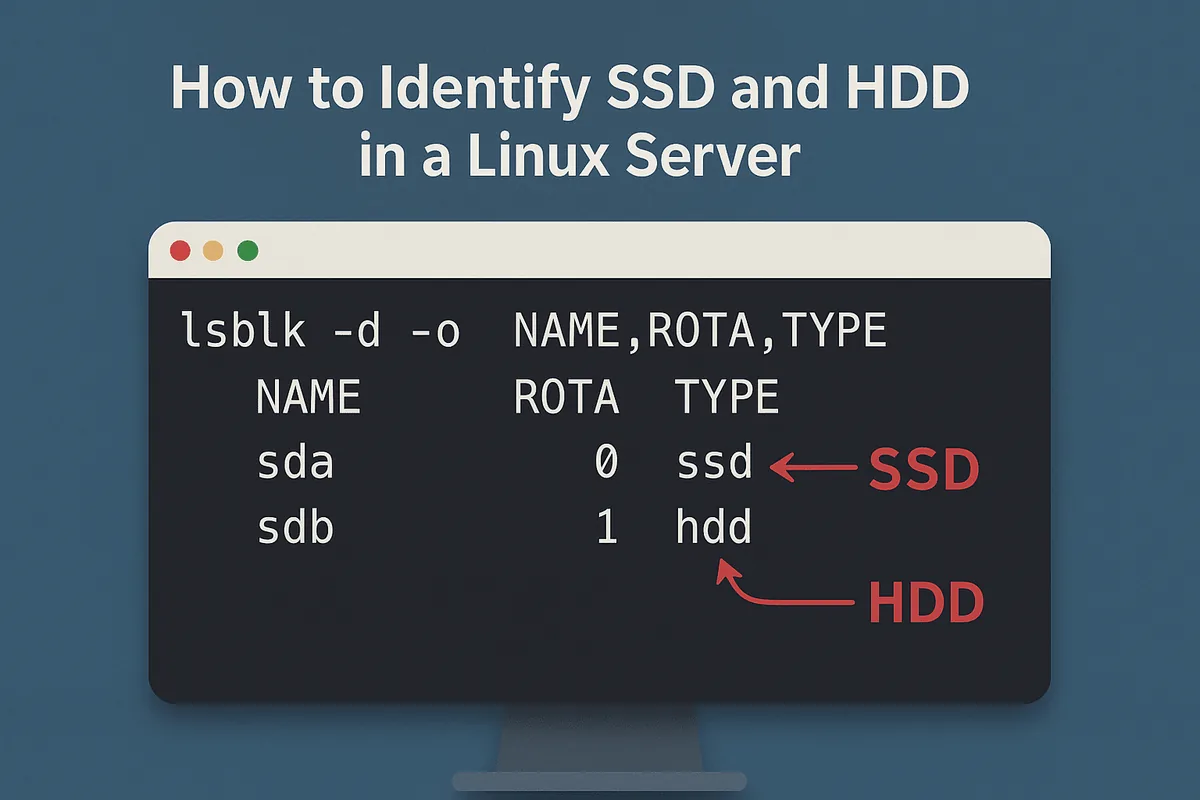
Knowing whether a server's disks are SSDs, NVMe drives or spinning hard disks matters for performance tuning, choosing filesystems and spotting a misbilled server. Linux tells you in several ways. This guide shows the quickest commands, how to read them, why a VPS can report the "wrong" answer, and how to check each disk's filesystem format too.
Quick answer
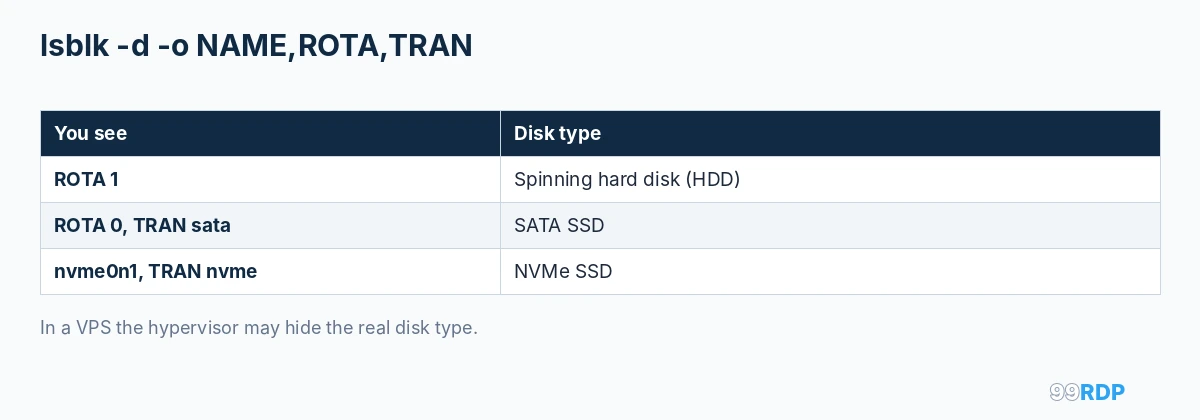
lsblk -d -o NAME,ROTA,TRAN,SIZE,MODELROTA 0 means non-rotational (SSD or NVMe). ROTA 1 means a rotating hard disk. Drives named nvme0n1 are always NVMe SSDs.
Method 1: lsblk (fastest)
lsblk -d -o NAME,ROTA,TYPE,TRAN,SIZE,MODELExample output:
NAME    ROTA TYPE TRAN   SIZE MODEL
sda        1 disk sata   3.6T ST4000NM000A-2HZ
sdb        0 disk sata 960G   SAMSUNG MZ7LH960
nvme0n1 0 disk nvme 1.8T SAMSUNG MZQL21T9HCJR- ROTA: 1 = rotational (HDD), 0 = non-rotational (SSD).
- TRAN: the connection:
sata,sas,nvme,usb, or empty for virtual disks. - MODEL: the drive model. Search it to confirm the type.
Method 2: read the kernel flag directly
cat /sys/block/sda/queue/rotational
# or for every disk:
for d in /sys/block/*/queue/rotational; do echo "$(echo $d | cut -d/ -f4): $(cat $d)"; done
This is the same value lsblk shows, useful in scripts or on minimal systems without lsblk.
Method 3: smartctl (most reliable on physical servers)
sudo apt install smartmontools        # or: sudo dnf install smartmontools
sudo smartctl -i /dev/sda | grep -E "Model|Rotation Rate|Form Factor"
Rotation Rate: Solid State Device means SSD. A value such as 7200 rpm means a hard disk. For NVMe drives, use sudo smartctl -i /dev/nvme0 or sudo nvme list (from the nvme-cli package).
Method 4: check SSD health and wear
sudo smartctl -H /dev/sda
sudo smartctl -A /dev/sda | grep -iE "Wear|Percent|Reallocated"
sudo smartctl -A /dev/nvme0 | grep -iE "Percentage Used|Media"
On NVMe drives, Percentage Used shows how much of the rated write endurance is consumed.
Why a VPS can show the wrong type
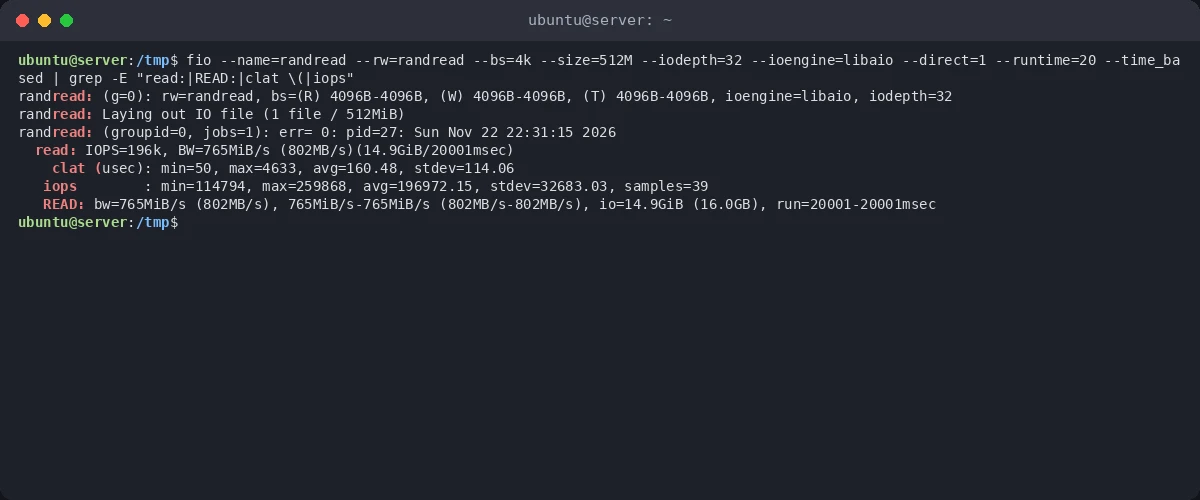
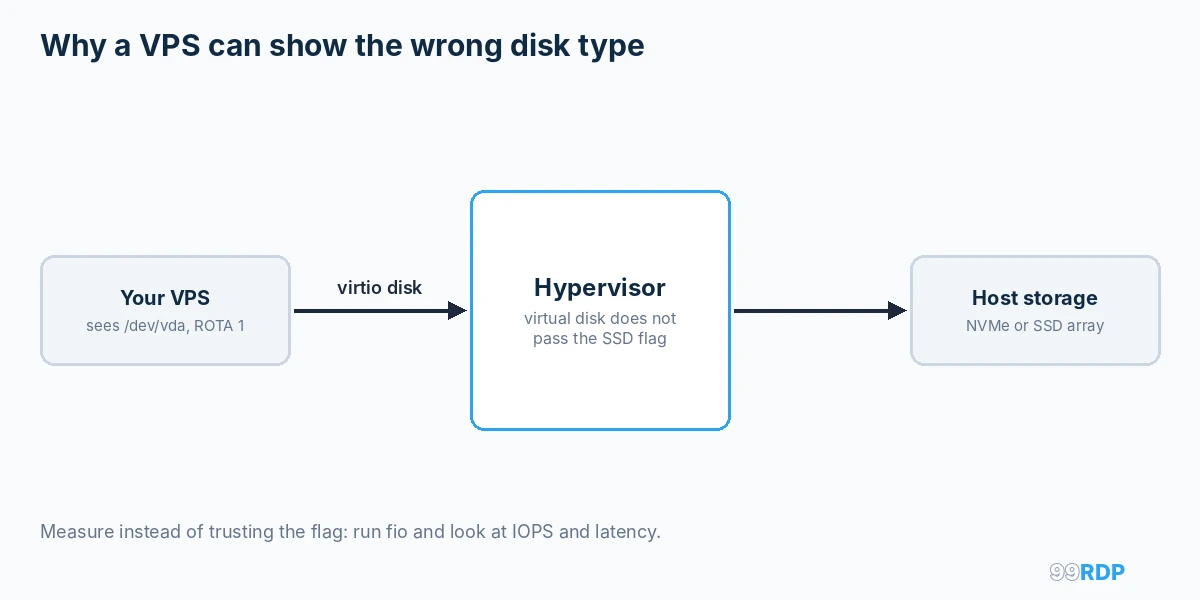
On a virtual server, you see a virtual disk (vda, or sda on virtio-scsi), not the physical drive. Many hypervisors report ROTA 1 even when the host uses NVMe, and smartctl usually has nothing to read. To judge VPS storage, measure it instead:
sudo apt install fio
fio --name=randread --rw=randread --bs=4k --size=1G --iodepth=32 --ioengine=libaio --direct=1 --runtime=30 --time_based
Tens of thousands of random-read IOPS point to SSD or NVMe storage; a few hundred point to hard disks.
Check the disk format (filesystem type)
"Disk format" usually means the filesystem on each partition, such as ext4, XFS or NTFS:
lsblk -f                 # filesystem, label, UUID and mount point of every partition
df -Th                   # filesystem type and usage of mounted filesystems
sudo blkid /dev/sdb1     # type and UUID of one partition
A partition with an empty FSTYPE column isn't formatted yet.
List all disks and storage
lsblk                    # tree of disks, partitions and LVM volumes
sudo fdisk -l            # partition tables and sizes
df -h                    # free space on mounted filesystems
Frequently asked questions
How do I know if my Linux disk is SSD or HDD?
Run lsblk -d -o NAME,ROTA. A 0 in the ROTA column means SSD, 1 means HDD. Confirm with smartctl -i, which shows "Solid State Device" for SSDs.
Does lsblk show NVMe drives as SSD?
Yes. NVMe drives (nvme0n1 and so on) show ROTA 0 and TRAN nvme.
Why does my SSD VPS show ROTA 1?
The hypervisor presents a virtual disk and often doesn't pass on the rotational flag. Benchmark the disk with fio to see its real performance.
How do I check the filesystem of a disk in Linux?
Use lsblk -f or df -Th. Both show the filesystem type (ext4, xfs, btrfs, ntfs and so on) for each partition.