There are several ways to run something automatically when Linux boots: a systemd service, a cron @reboot job, the old rc.local file, or desktop autostart for graphical apps. The right one depends on whether the command needs root, the network, or a logged-in desktop. This guide shows each method with working examples for Ubuntu, Debian, RHEL-based systems and others.
Quick answerFor anything important, create a systemd service:
sudo tee /etc/systemd/system/myscript.service >/dev/null <<'EOF'
[Unit]
Description=Run my script at boot
After=network-online.target
Wants=network-online.target

[Service]
Type=oneshot
ExecStart=/usr/local/bin/myscript.sh

[Install]
WantedBy=multi-user.target
EOF
sudo systemctl daemon-reload
sudo systemctl enable myscript.service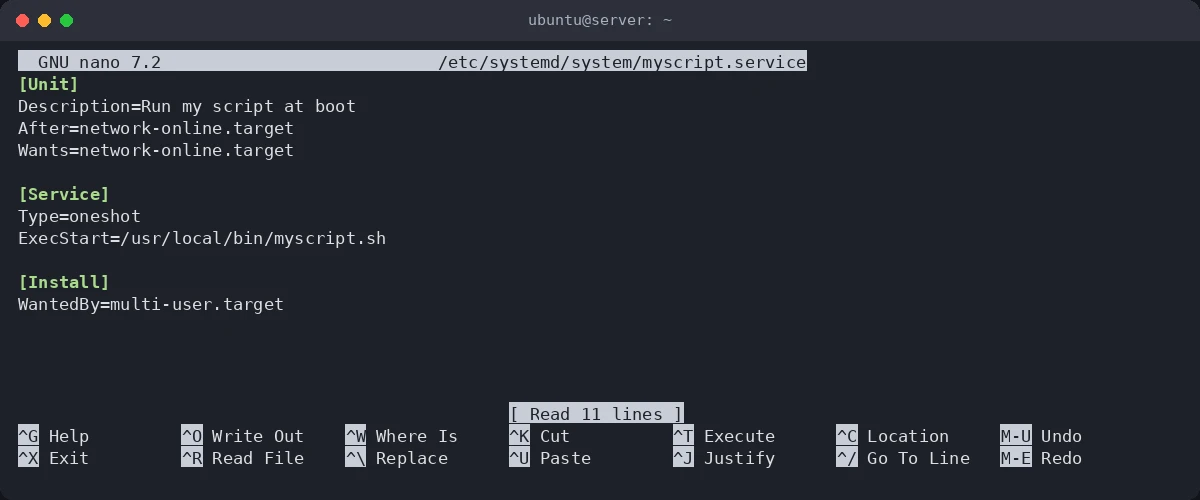
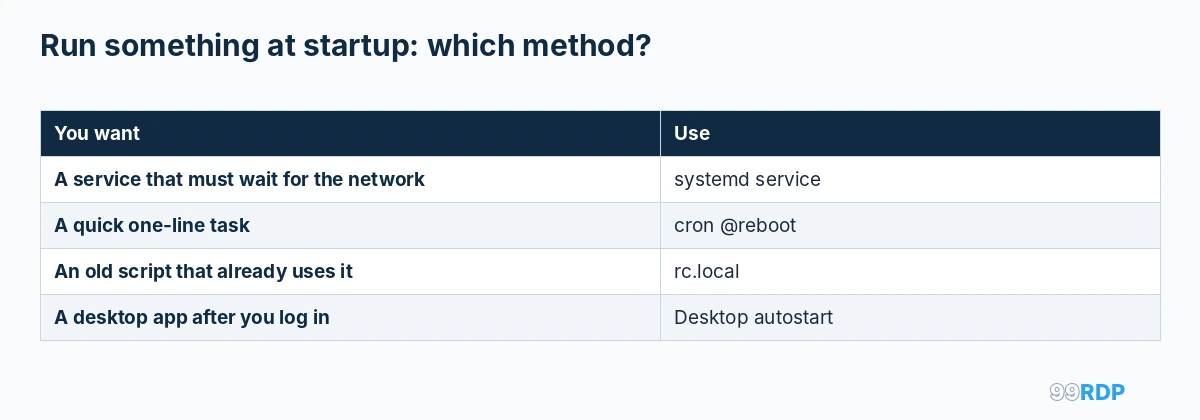
Which method to use
| Method | Runs as | Best for |
|---|---|---|
| systemd service | root or any user | Scripts and long-running programs; ordering, logging, restarts |
cron @reboot | The crontab's user | Quick, simple tasks |
/etc/rc.local | root | Legacy setups (needs enabling on modern systems) |
| Desktop autostart | The logged-in user | Graphical apps after login |
Method 1: systemd service (recommended)
Create the script and make it executable:
sudo nano /usr/local/bin/myscript.sh
#!/bin/bash
echo "Booted at $(date)" >> /var/log/myscript.log

sudo chmod +x /usr/local/bin/myscript.sh
Create the unit file shown in the quick answer, then enable it. Use:
Type=oneshotfor a script that runs and exits.Type=simplewithRestart=on-failurefor a program that keeps running (a bot, a worker).User=youruserin[Service]to run as a normal user instead of root.After=network-online.targetwhen the command needs the network.
Test it without rebooting, and read its output:
sudo systemctl start myscript.service
systemctl status myscript.service
journalctl -u myscript.service
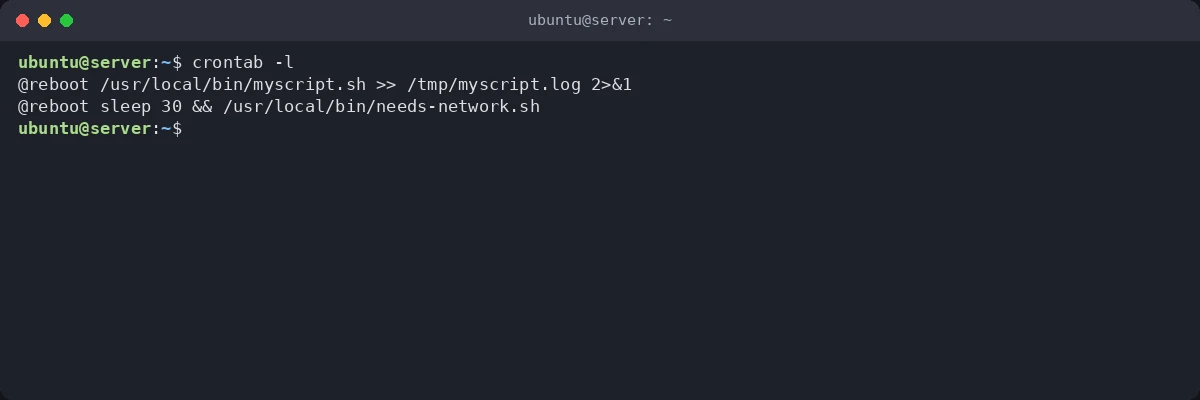
Method 2: cron @reboot
crontab -e          # or: sudo crontab -e for root
@reboot /usr/local/bin/myscript.sh >> /tmp/myscript.log 2>&1
@reboot sleep 30 && /usr/local/bin/needs-network.sh
cron starts early in the boot, and the network may not be ready yet; a short sleep helps, but a systemd service with After=network-online.target is more reliable. Use full paths, since cron has a minimal PATH.
Method 3: rc.local
Many older guides use /etc/rc.local. On modern Ubuntu and Debian it doesn't exist by default, but systemd still runs it if you create it and make it executable:
sudo tee /etc/rc.local >/dev/null <<'EOF'
#!/bin/bash
/usr/local/bin/myscript.sh
exit 0
EOF
sudo chmod +x /etc/rc.local
sudo systemctl start rc-local     # runs it now; it will also run at boot
On RHEL-based systems the file is /etc/rc.d/rc.local and also needs chmod +x. For new setups, prefer Method 1.
Method 4: Run a program when you log in to the desktop
For graphical apps, use the desktop's autostart settings (GNOME Tweaks → Startup Applications, or KDE System Settings → Autostart), or create a file in ~/.config/autostart/:
[Desktop Entry]
Type=Application
Name=My App
Exec=/usr/bin/myapp --minimized
Method 5: A per-user systemd service
To run something as your user without root, put a unit in ~/.config/systemd/user/ and enable it with systemctl --user enable --now name.service. Run sudo loginctl enable-linger $USER so it starts at boot even before you log in.
Frequently asked questions
How do I run a command at startup in Linux?
Create a systemd service with your command in ExecStart and enable it, or add an @reboot line to your crontab.
How do I run a script at boot on Debian or Ubuntu?
Use a systemd service. /etc/rc.local also works if you create it, make it executable and start rc-local.
Why doesn't my @reboot cron job work?
Usually the network or a mount isn't ready yet, or the script relies on a PATH that cron doesn't have. Add a delay, use full paths, or switch to systemd.
How do I run a script at startup without root?
Use your own crontab (crontab -e) with @reboot, or a user systemd service with lingering enabled.