A .sh file is a shell script: a plain text file containing a list of commands that a Unix shell, such as Bash, runs one after another. Shell scripts automate everything from installing software and taking backups to deploying websites and starting servers. This guide explains what's inside a .sh file, which shells run them, how to create and run one on Linux or macOS, how to open or run them on Windows, and the common errors you'll hit at first.
Quick answerA .sh file is a text file of shell commands. To run one on Linux:
chmod +x script.sh     # make it executable (once)
./script.sh            # run it
# or, without changing permissions:
bash script.sh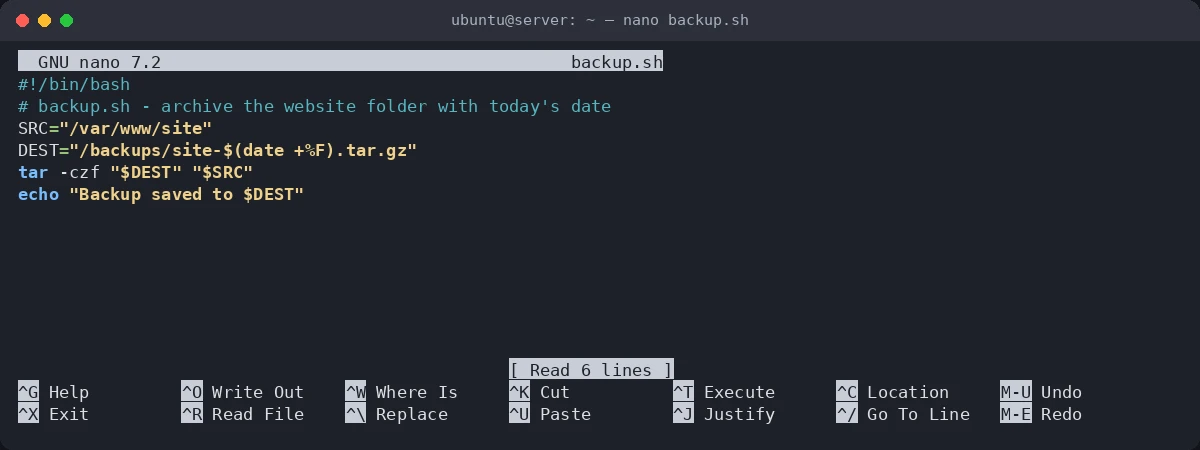
What's inside a .sh file
A typical script starts with a shebang line that says which interpreter to use, followed by ordinary commands:
#!/bin/bash
# backup.sh - archive the website folder with today's date
SRC="/var/www/site"
DEST="/backups/site-$(date +%F).tar.gz"
tar -czf "$DEST" "$SRC"
echo "Backup saved to $DEST"
Scripts can use variables, conditions (if), loops (for, while), functions and arguments ($1, $2), so they can be as simple or as powerful as you need.
Shells that run .sh files
| Shell | Notes |
|---|---|
| bash | The default interactive shell on most Linux distributions; most .sh scripts are written for it. |
| sh (dash on Debian/Ubuntu) | A minimal POSIX shell; faster, but lacks Bash-only features like arrays and [[ ]]. |
| zsh | Default on macOS; largely compatible with Bash scripts. |
| ksh | The KornShell, common on older Unix systems such as AIX and Solaris. |
The .sh extension is only a naming convention. Linux decides how to run a script from its shebang line, not its file name. .sh is simply the most commonly used extension for shell scripts; you'll also see .bash or no extension at all.
Create your first shell script
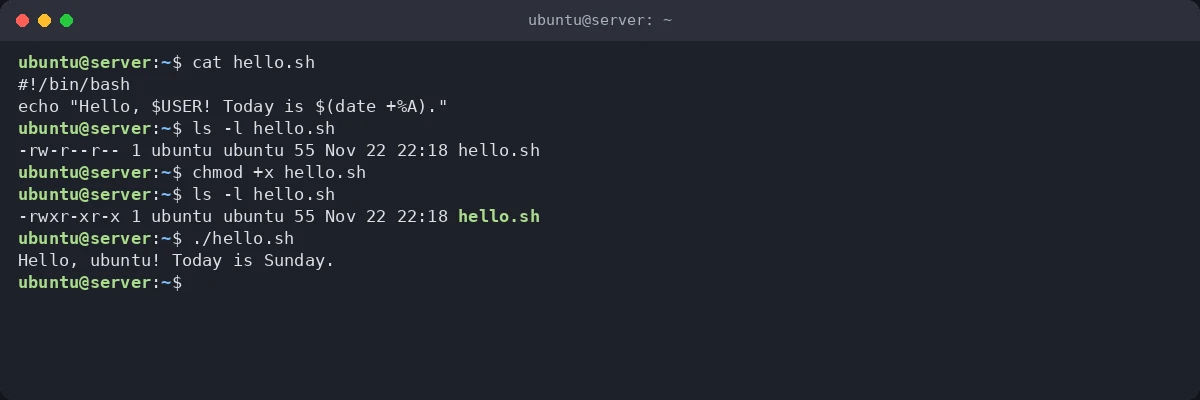
- Create the file with an editor:
nano hello.sh - Add the content:
#!/bin/bash echo "Hello, $USER! Today is $(date +%A)." - Save (Ctrl + O, Enter) and exit (Ctrl + X).
- Make it executable and run it:
chmod +x hello.sh
./hello.sh
Ways to run a .sh file
./script.sh: runs it with the interpreter from the shebang (needs execute permission).bash script.sh: runs it with Bash regardless of permissions or shebang.sh script.sh: runs it with the POSIX shell; Bash-specific syntax may fail.source script.shor. script.sh: runs it in your current shell, so variables andcdstay in effect afterwards (used for environment files).sudo ./script.sh: runs it as root when it needs system access. Only do this for scripts you've read.
Opening .sh files on Windows
- To read or edit: any text editor works, such as Notepad, Notepad++ or VS Code.
- To run: use WSL (
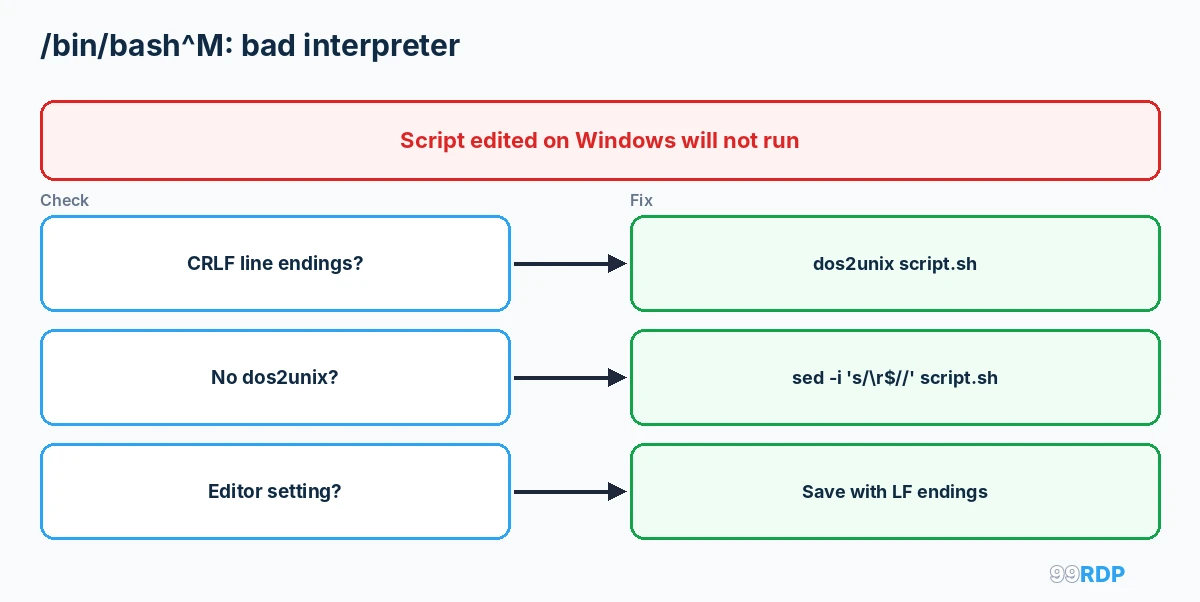
wsl bash script.sh) or Git Bash, which comes with Git for Windows. Windows' own Command Prompt and PowerShell can't run Bash scripts directly. - Line endings: scripts edited on Windows may get CRLF line endings, which break them on Linux (see below). Set your editor to LF for .sh files.
Common errors and fixes
- "Permission denied": the file isn't executable. Run
chmod +x script.sh, or start it withbash script.sh. - "bad interpreter: /bin/bash^M" or "$'\r': command not found": Windows line endings. Fix with
sed -i 's/\r$//' script.shordos2unix script.sh. - "command not found" for the script itself: you typed
script.shinstead of./script.sh; the current folder isn't in your PATH. - "Syntax error: "(" unexpected": a Bash script was run with
sh(dash). Usebash script.shor fix the shebang.
Good habits for scripts
- Add
set -euo pipefailnear the top so the script stops on errors and undefined variables. - Quote variables (
"$VAR") to handle spaces in file names. - Check scripts with ShellCheck (
sudo apt install shellcheck), which points out common mistakes. - Schedule repeating scripts with cron or systemd timers instead of running them by hand.
Frequently asked questions
What is a .sh file?
A shell script: a text file containing commands for a Unix shell such as Bash, run as a program.
How do I run a .sh file in Linux?
Make it executable with chmod +x file.sh and run ./file.sh, or run bash file.sh.
What is the most common file extension for a shell script?
.sh. It's a convention; the shebang line decides which shell actually runs it.
Can I run a .sh file on Windows?
Yes, with WSL or Git Bash. Windows' built-in shells can't run Bash scripts natively.