wget is a command-line tool for downloading files over HTTP, HTTPS and FTP. It is the quickest way to pull an installer, a backup or a whole directory onto a server where there is no browser. It is non-interactive, so it keeps working in scripts, cron jobs and over slow or unreliable connections. This guide shows how to install or update wget on Ubuntu and Debian, and covers the options you will actually use: saving with a different name, resuming, background downloads, rate limits, authentication, mirroring and more.
Quick answer
sudo apt update
sudo apt install wget
wget https://example.com/file.tar.gz
Step 1: Check whether wget is installed
wget --versionMost Ubuntu Server and Desktop installs include wget. If you see "command not found", install it.
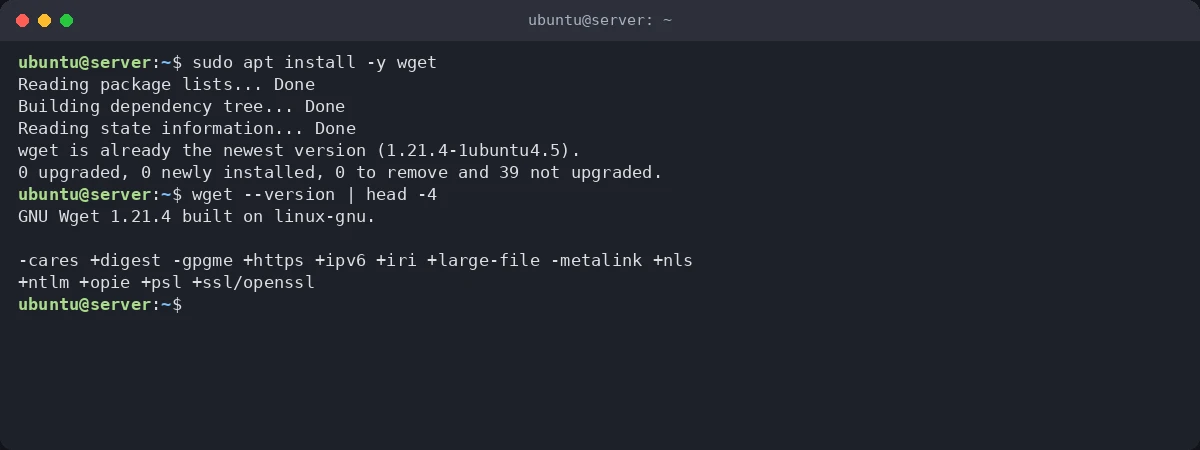
Step 2: Install or update wget
sudo apt update
sudo apt install wget
Running the same command again on a system that already has wget updates it to the newest version in Ubuntu's repositories. To update only wget during a normal system update:
sudo apt install --only-upgrade wgetOn Rocky Linux, AlmaLinux or CentOS, use sudo dnf install wget. Newer Fedora releases ship wget2, a rewrite that provides the wget command with mostly the same options.
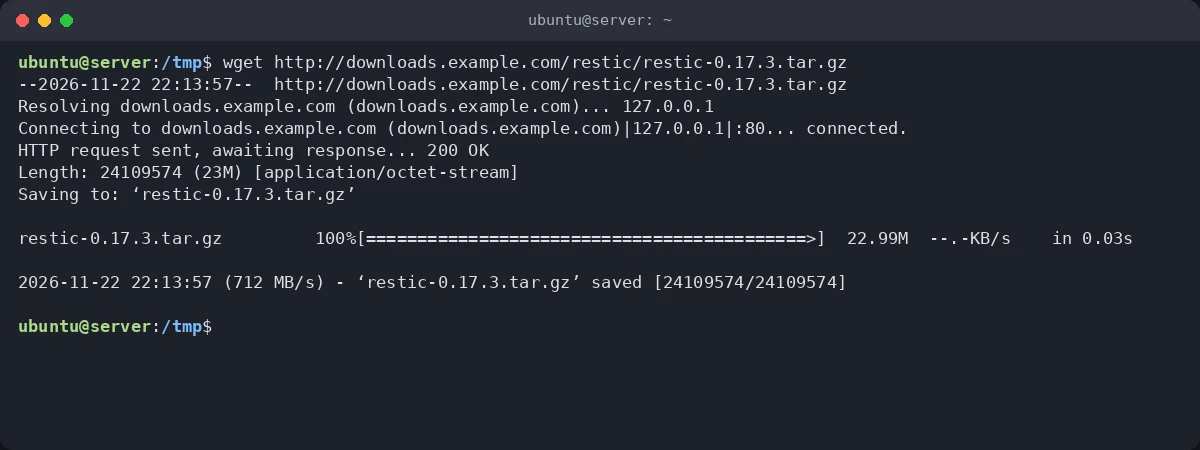
Download a file
wget https://example.com/archive.tar.gzThe file is saved in the current directory with its original name, and wget shows the size, speed and progress.
Save with a different name or in another folder
wget -O latest.tar.gz https://example.com/archive.tar.gz
wget -P /opt/downloads https://example.com/archive.tar.gz
-O (capital O) sets the output file name. -P sets the target directory. Use -O - to print the file to the terminal, for example to pipe a script into another command after you have reviewed it.
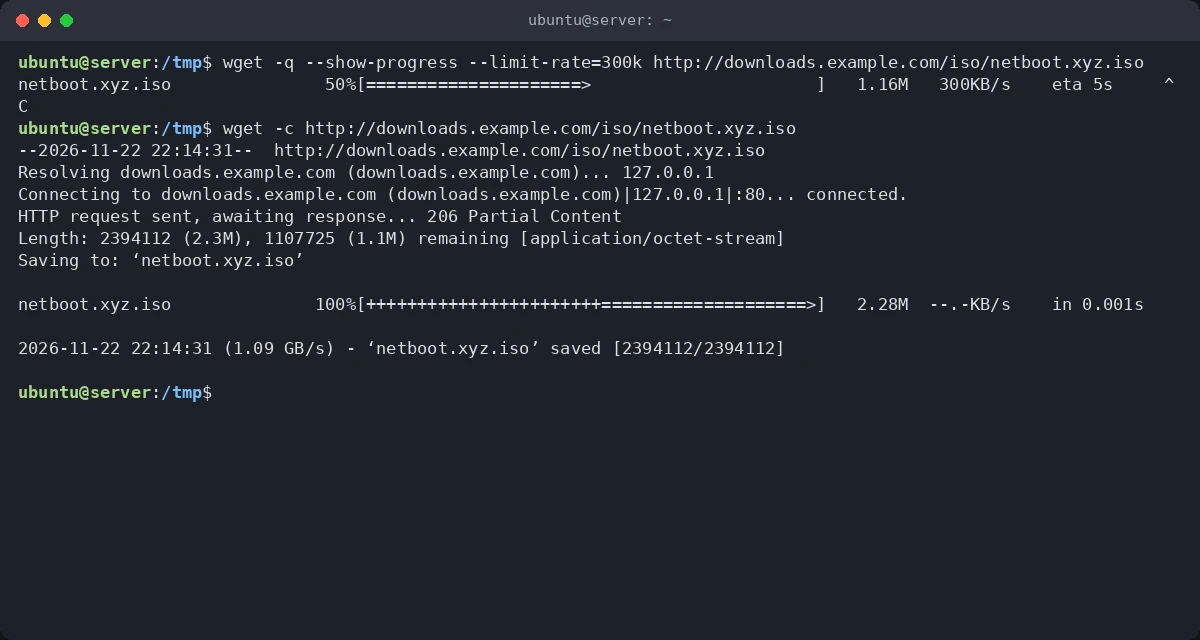
Resume an interrupted download
wget -c https://example.com/bigfile.iso-c continues a partly downloaded file instead of starting again, as long as the server supports it.
Download in the background
wget -b https://example.com/bigfile.iso
tail -f wget-log
The download continues even if you log out of SSH. Progress is written to wget-log.
Limit the download speed
wget --limit-rate=5m https://example.com/bigfile.isoThis caps the speed at 5 MB/s so the download does not saturate the server's connection while it serves websites or other traffic.
Download several files from a list
wget -i urls.txtPut one URL per line in urls.txt.
Retries and quiet mode for scripts
wget -q --tries=5 --timeout=30 https://example.com/file.zip-q hides output, --tries sets how many times to retry, and --timeout stops waiting on a dead connection. Use -nv (non-verbose) if you still want one line per file in your logs.
Password-protected downloads
wget --user=alice --ask-password https://example.com/private/file.zip
wget ftp://user@ftp.example.com/backup.tar.gz --ask-password
--ask-password prompts for the password, so it is not stored in your shell history or visible to other users in the process list.
Mirror a website or directory
wget --mirror --convert-links --page-requisites --no-parent https://example.com/docs/This downloads the pages under /docs/, with the images and CSS they need, and rewrites the links so the copy works offline. Only mirror sites you own or have permission to copy, and add --wait=1 to avoid overloading the server.
Certificate errors
If wget reports a certificate problem, first update the system's certificate store:
sudo apt install --reinstall ca-certificatesThe --no-check-certificate option skips verification, but it lets anyone in the middle tamper with the download. Use it only for testing against your own server with a self-signed certificate.
wget vs curl
Both download files. wget is designed for downloading: it saves to a file by default, resumes and retries easily, and can mirror sites recursively. curl is a general tool for talking to URLs and APIs: it prints to the terminal by default and supports more protocols and HTTP methods. Use wget for files, curl for APIs.
Frequently asked questions
How do I install wget on Ubuntu?
Run sudo apt update and then sudo apt install wget.
How do I update wget on Ubuntu?
Run sudo apt update followed by sudo apt install --only-upgrade wget, or update everything with sudo apt upgrade. Ubuntu provides security fixes for the version in its repositories.
Where does wget save files?
In the current working directory, unless you use -P for a folder or -O for a specific file name.
How do I download a file with a different name?
Use wget -O newname.ext URL.