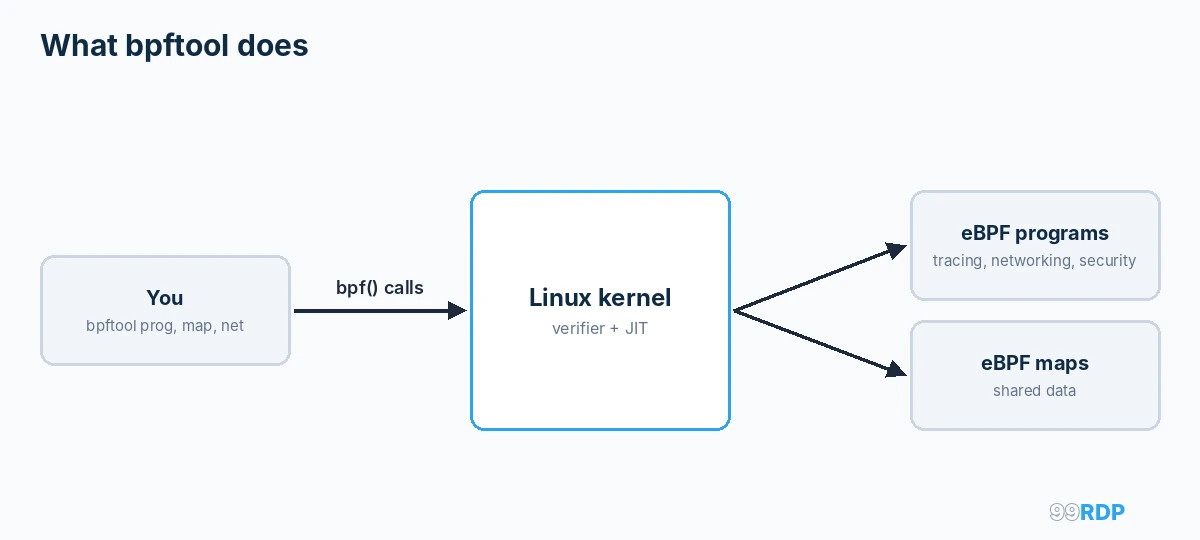
bpftool is the standard command-line tool for inspecting and managing eBPF programs and maps on Linux: listing loaded programs, dumping maps, probing kernel features and generating vmlinux.h for BPF development. How you install it depends on your distribution, and Ubuntu in particular packages it differently from everyone else. This guide covers Ubuntu 24.04 and 22.04, Debian, RHEL-based systems, Fedora and Arch, plus building it from source.
Quick answer
# Ubuntu 24.04 / 22.04
sudo apt install linux-tools-common linux-tools-$(uname -r)
# Debian / Fedora / RHEL / Rocky / AlmaLinux
sudo apt install bpftool        # Debian
sudo dnf install bpftool        # Fedora, RHEL family
# Arch Linux
sudo pacman -S bpf
# check
sudo bpftool version
Install bpftool on Ubuntu 24.04 and 22.04
On Ubuntu 24.04 (Noble) and 22.04, there is no standalone bpftool package. The linux-tools-common package ships a wrapper script that looks for the real bpftool binary under /usr/lib/linux-tools/$(uname -r)/, so you need the tools package that matches your running kernel too:
sudo apt update
sudo apt install linux-tools-common linux-tools-$(uname -r)
sudo bpftool version
If bpftool prints WARNING: bpftool not found for kernel …, the kernel-specific package is missing. Install linux-tools-$(uname -r), or linux-tools-generic to track the generic kernel automatically. Cloud kernels have their own variants (for example linux-tools-aws or linux-tools-azure).
Newer Ubuntu releases move bpftool into its own unversioned package. If apt install bpftool works on your release, use that: it doesn't depend on the running kernel.
Install bpftool on Debian
sudo apt update
sudo apt install bpftool
sudo bpftool version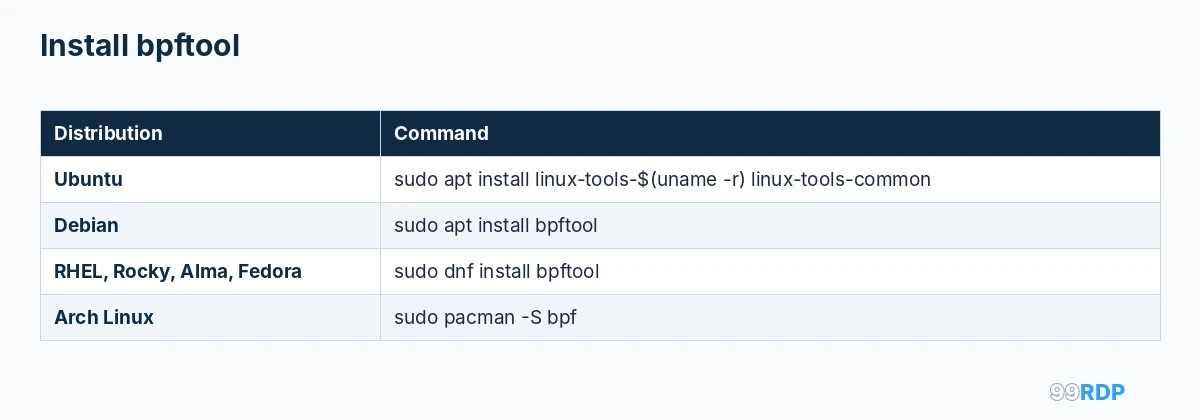
Install bpftool on RHEL, Rocky, AlmaLinux and Fedora
sudo dnf install bpftool
sudo bpftool version
On CentOS 7, use sudo yum install bpftool, though its old kernel supports only a small part of eBPF.
Install bpftool on Arch Linux
On Arch, bpftool is in the bpf package:
sudo pacman -S bpfBuild bpftool from source
Build from source when your distribution has no package, or you need a newer version than it ships. The official mirror is libbpf/bpftool on GitHub:
sudo apt install -y git build-essential libelf-dev zlib1g-dev clang llvm   # Debian/Ubuntu
git clone --recurse-submodules https://github.com/libbpf/bpftool.git
cd bpftool/src
make
sudo make install          # installs to /usr/local/sbin/bpftool
bpftool version
On RHEL-based systems, install the build dependencies with sudo dnf install git make gcc elfutils-libelf-devel zlib-devel clang llvm.
Useful bpftool commands
sudo bpftool prog show                 # list loaded eBPF programs
sudo bpftool map show                  # list eBPF maps
sudo bpftool net show                  # XDP and tc programs attached to interfaces
sudo bpftool feature probe | less      # what eBPF features your kernel supports
bpftool btf dump file /sys/kernel/btf/vmlinux format c > vmlinux.h   # header for CO-RE programs
Most commands need root, or the CAP_BPF and CAP_PERFMON capabilities.
Running eBPF on a VPS
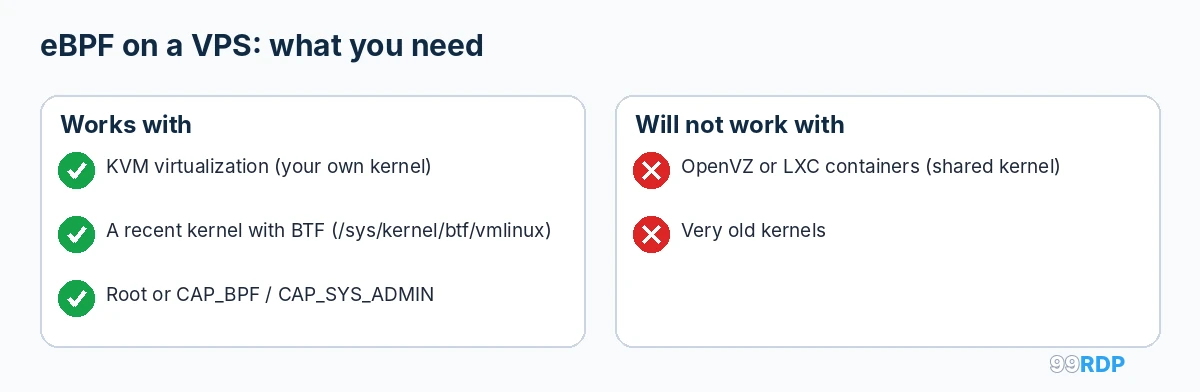
eBPF needs your own kernel. It works on KVM-based VPS and dedicated servers, where you control the kernel, but not on container-based virtualization (OpenVZ, LXC), where the host's kernel is shared and BPF is usually blocked. Check that /sys/kernel/btf/vmlinux exists if your tools rely on BTF (CO-RE).
Frequently asked questions
How do I install bpftool on Ubuntu 24.04?
Run sudo apt install linux-tools-common linux-tools-$(uname -r). The bpftool command in linux-tools-common is a wrapper that needs the kernel-specific tools package.
Why does bpftool say "not found for kernel"?
The linux-tools package for your running kernel isn't installed, often right after a kernel upgrade. Install linux-tools-$(uname -r), or reboot into the kernel whose tools are installed.
What is the bpftool package called on Arch Linux?
bpf. Install it with sudo pacman -S bpf.
Does bpftool need root?
Yes, for almost everything except reading BTF files. Run it with sudo or grant CAP_BPF.