A reinstall deletes everything on the server. Copy your files somewhere safe first.
- Open your server in the client area. Under Manage, click Reinstall.
- Choose the operating system.
- Type
REINSTALLin the box and click Erase and reinstall.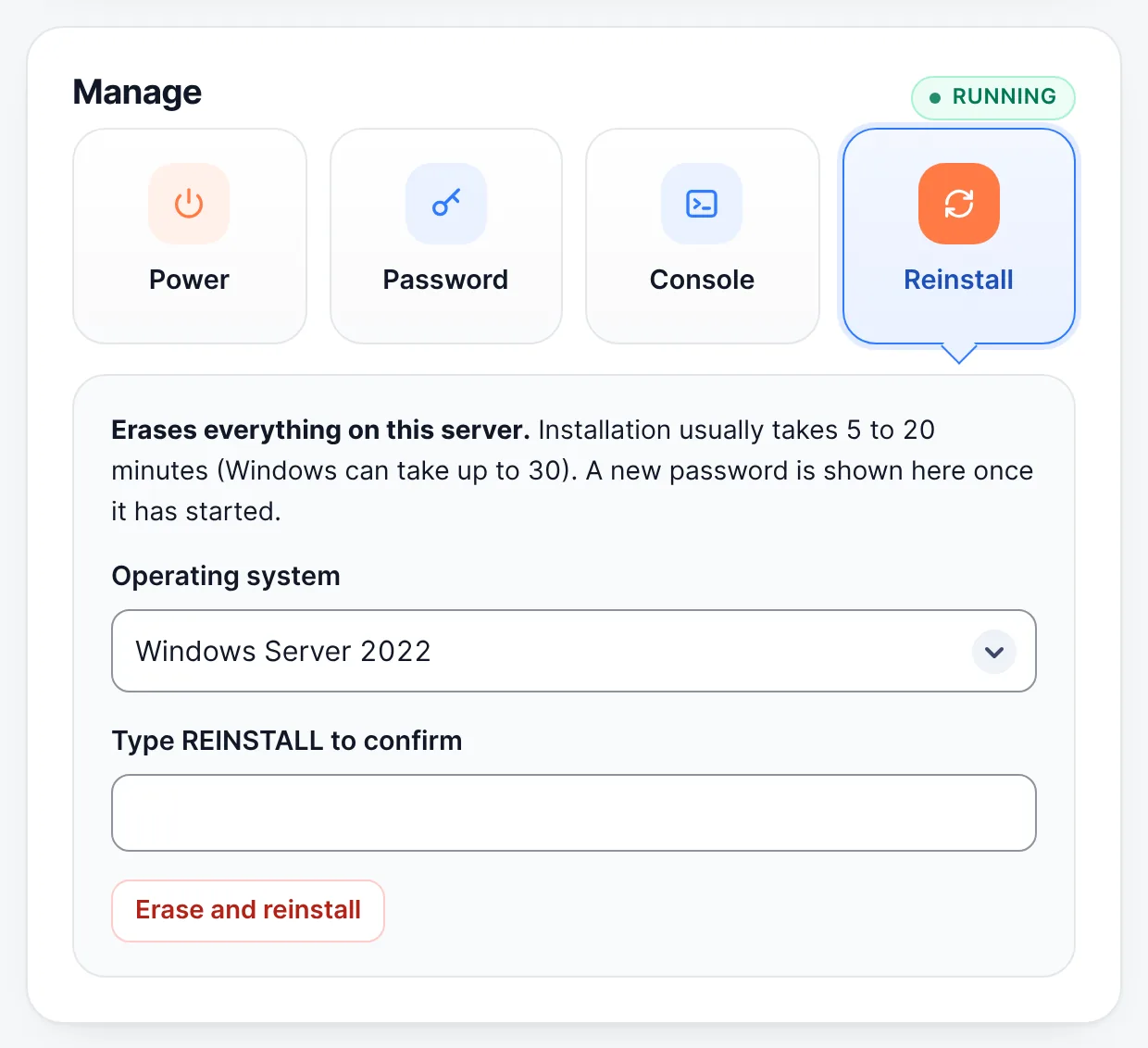
Manage → Reinstall → choose the operating system → type REINSTALL - Wait 5 to 20 minutes (Windows can take up to 30). The new password is shown on the server page once it has started.
On dedicated servers the reinstall is done by our team: use the Reinstall request on the server page.
Still stuck? Our server team is online 24/7 on live chat, or open a ticket in the client area.