Sooner or later every Linux server needs a config file edited from the terminal, and the two editors you'll find almost everywhere are Nano and Vim. Nano works like a basic Notepad: open, type, save. Vim is a modal editor that takes time to learn but makes experienced users extremely fast. This comparison explains how each one works, the commands you actually need, and which to choose for your situation.
Quick answerUse Nano if you edit a config file now and then and want zero learning curve. Learn Vim if you spend a lot of time on servers, edit large files or code, or work on systems where Nano isn't installed (vi is on practically every Unix-like system).
Vim vs Nano at a glance
| Nano | Vim | |
|---|---|---|
| Learning curve | Minutes | Days to weeks for fluency |
| Editing style | Type directly (modeless) | Modal: Normal, Insert, Visual, Command-line |
| Shortcuts | Shown at the bottom of the screen | Memorized keys and commands |
| Installed by default | Ubuntu, Debian, most desktops | vi almost everywhere; full Vim often |
| Search and replace | Yes (basic regex) | Powerful regex, across ranges and files |
| Macros, registers, plugins | No | Yes |
| Syntax highlighting | Yes | Yes |
| Best for | Quick edits, beginners | Heavy editing, coding, power users |
What is Nano?
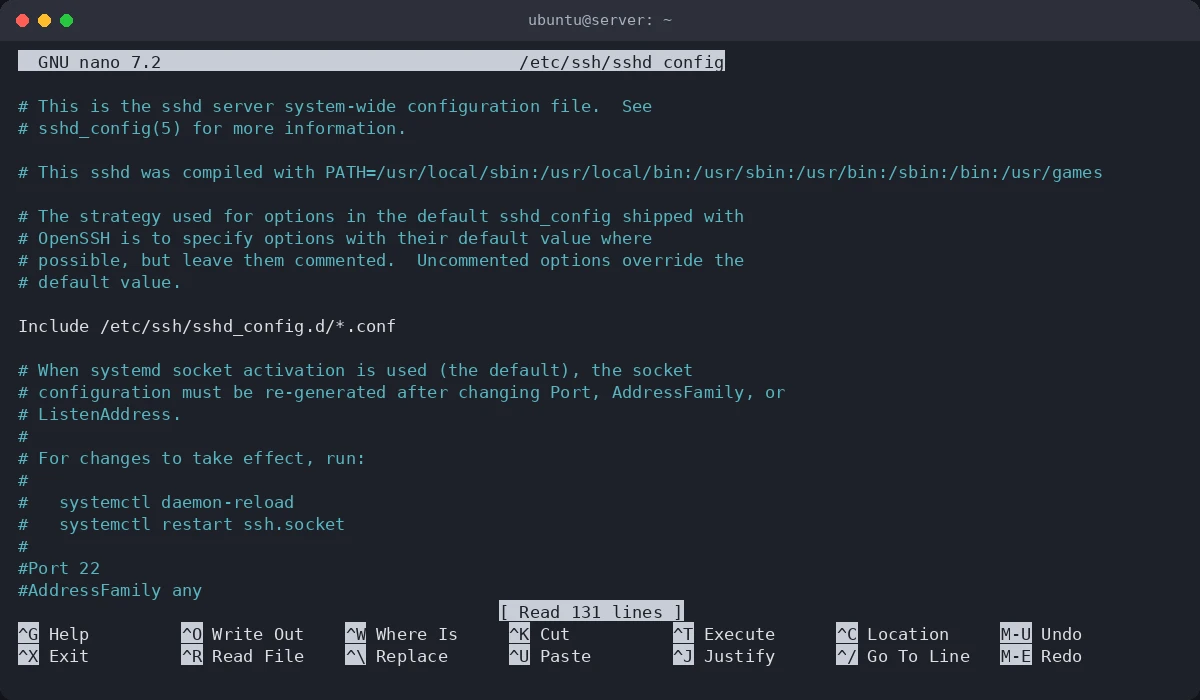
Nano is a small, modeless terminal editor. You open a file and start typing; the most useful shortcuts are listed at the bottom (^ means Ctrl, M- means Alt).
sudo nano /etc/ssh/sshd_config| Action | Keys |
|---|---|
| Save | Ctrl + O, then Enter (newer versions also Ctrl + S) |
| Exit | Ctrl + X |
| Search | Ctrl + W |
| Search and replace | Ctrl + \ |
| Cut / paste line | Ctrl + K / Ctrl + U |
| Go to line | Ctrl + _ |
| Undo / redo | Alt + U / Alt + E |
Show line numbers with nano -l file, or add set linenumbers to ~/.nanorc.
What is Vim?
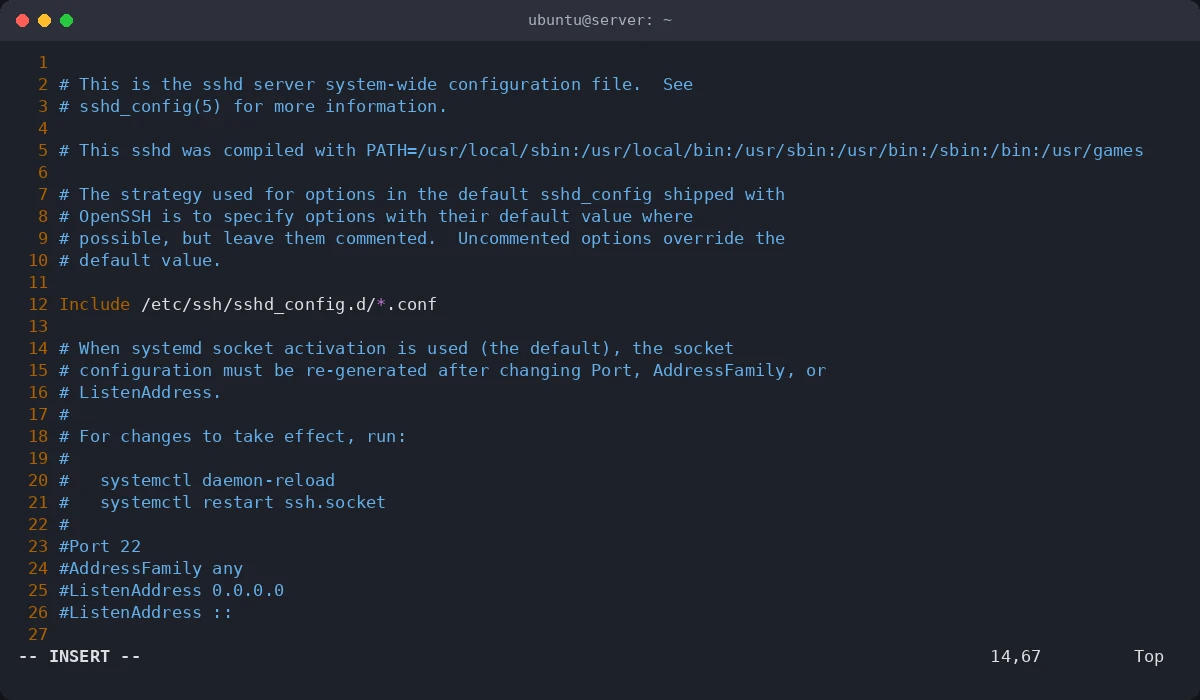
Vim ("Vi IMproved") builds on the classic vi editor. Its key idea is modes: in Normal mode keys are commands (move, delete, copy), in Insert mode you type text, in Visual mode you select, and after : you enter command-line commands. Commands combine like a language: d (delete) + w (word) = dw; 3dd deletes three lines.
sudo vim /etc/ssh/sshd_config| Action | Keys |
|---|---|
| Start typing | i (insert), a (append), o (new line) |
| Back to Normal mode | Esc |
| Save / quit / both | :w / :q / :wq (or ZZ) |
| Quit without saving | :q! |
| Search | /text, then n for next |
| Replace in whole file | :%s/old/new/g |
| Delete / copy / paste line | dd / yy / p |
| Undo / redo | u / Ctrl + R |
| Go to line 42 | :42 or 42G |
Run vimtutor in a terminal for a built-in 30-minute lesson. It's the fastest way to get comfortable.
Key differences that matter in practice
Speed of editing
For changing one value in a config file, Nano is as fast as anything. For repetitive edits, such as changing a pattern on 200 lines, reformatting blocks or recording a macro (qa … q, then @a), Vim is much faster once learned.
Availability
Minimal containers, rescue systems and some routers include vi but not Nano. Knowing basic Vim (i, Esc, :wq, :q!) means you can always edit a file.
Customization
Nano has a simple ~/.nanorc. Vim has ~/.vimrc, plugins, split windows, tabs, buffers and integration with linters and Git. Neovim, a modern Vim fork with Lua configuration, is popular for full development setups.
Change the default editor
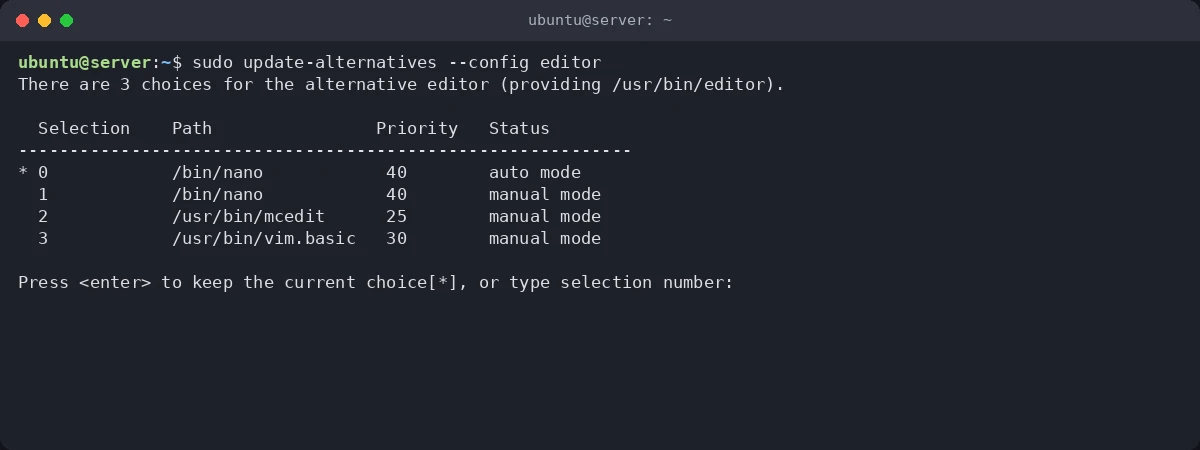
Commands like crontab -e, visudo and git commit open the default editor. Choose it with:
sudo update-alternatives --config editor   # Debian/Ubuntu system default
export EDITOR=vim                          # per user, add to ~/.bashrc
What about less, cat and echo?
These aren't editors, but they often do the job. Use less file to read a long file without risk of changing it (/ searches, q quits). Use echo "line" | sudo tee -a file to append one line in a script. For editing, though, you need Nano or Vim.
Which should you choose?
- Beginners and occasional edits: Nano.
- System administrators: learn enough Vim to survive, use whichever you prefer day to day.
- Developers living in the terminal: Vim or Neovim.
Frequently asked questions
Is Vim better than Nano?
Vim is more powerful; Nano is easier. Neither is better for everyone. Pick Nano for simple edits and Vim if you edit text heavily.
How do I exit Vim?
Press Esc, then type :wq to save and quit, or :q! to quit without saving.
How do I save a file in Nano?
Press Ctrl + O and Enter to save, then Ctrl + X to exit.
What's the difference between vi and Vim?
vi is the original editor; Vim is an improved version with syntax highlighting, undo history, plugins and more. On many systems the vi command actually starts Vim.