
Kali Linux uses NetworkManager, so connecting to Wi-Fi works the same way as on most Debian-based desktops. You can do it from the panel icon in a few clicks, or from the terminal with nmcli or nmtui. This guide covers both methods, plus fixes for the most common reasons Wi-Fi doesn't show up at all: a blocked radio, missing firmware, or running Kali inside a virtual machine.
Quick answerOpen a terminal and run:
nmcli radio wifi on
nmcli device wifi list
nmcli device wifi connect "YourNetworkName" password "YourPassword"
Before you start: check that Kali can see a Wi-Fi adapter
Run this to list your network interfaces:
ip linkA wireless interface is usually called wlan0 (or something like wlp2s0). If you only see lo and eth0, Kali has no usable Wi-Fi adapter yet. Jump to Wi-Fi not showing in Kali Linux below.
Method 1: Connect to Wi-Fi from the desktop (GUI)
The steps are almost identical in Xfce (Kali's default), GNOME and KDE:
- Click the network icon in the top panel, next to the clock.
- Make sure Enable Wi-Fi is ticked. In Xfce, right-click the icon to see this option.
- Pick your network from the list of available networks.
- Enter the Wi-Fi password and click Connect.
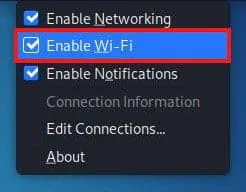
To turn Wi-Fi off, untick Enable Wi-Fi in the same menu.
Method 2: Connect to Wi-Fi from the terminal with nmcli
nmcli is the command-line client for NetworkManager. It's the fastest method and works over SSH.
1. Turn the Wi-Fi radio on
nmcli radio wifi onCheck the status with nmcli radio wifi. It should print enabled.
2. Scan for networks
nmcli device wifi listThis shows each network's SSID, signal strength and security type. If the list is empty, run nmcli device wifi rescan and try again after a few seconds.
3. Connect
nmcli device wifi connect "YourNetworkName" password "YourPassword"Put the network name in quotes if it contains spaces. To connect to a hidden network, add hidden yes to the end of the command.
4. Confirm the connection
nmcli connection show --active
ping -c 3 8.8.8.8
Turn Wi-Fi off or disconnect
nmcli device disconnect wlan0     # disconnect from the current network
nmcli radio wifi off              # turn the Wi-Fi radio off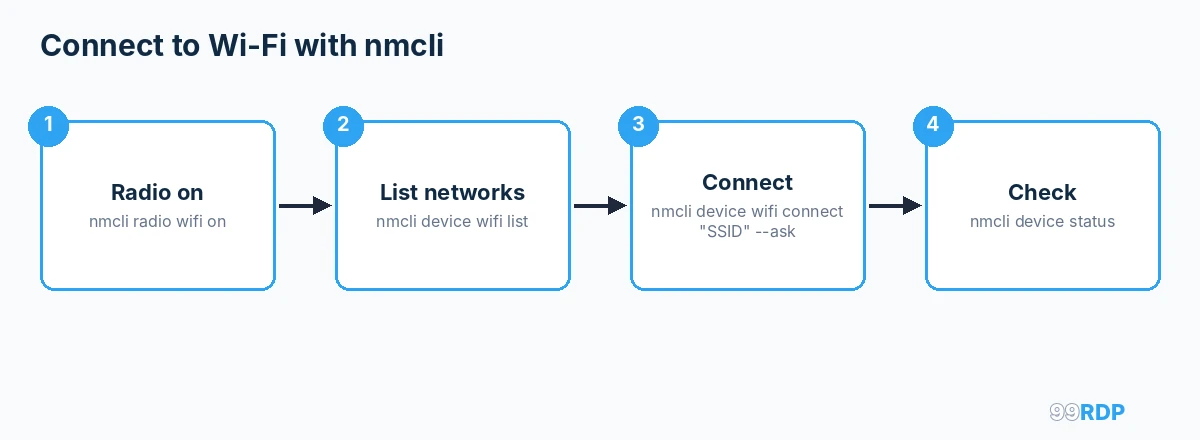
Method 3: Use nmtui (menu in the terminal)
If you'd rather not type commands, nmtui gives you a simple menu inside the terminal:
- Run
sudo nmtui. - Choose Activate a connection and press Enter.
- Select your Wi-Fi network, enter the password and choose OK.
- Choose Back, then Quit.
Wi-Fi not showing in Kali Linux? Fix it step by step
1. Kali is running in a virtual machine
This is the most common cause. VirtualBox and VMware don't pass your laptop's built-in Wi-Fi card to the guest. Kali only sees a virtual Ethernet adapter, which already gives it internet through the host. To use Wi-Fi inside the VM (for example for wireless testing), you need a USB Wi-Fi adapter, passed through to the VM under Devices → USB. Check that Kali sees it with lsusb.
2. The Wi-Fi radio is blocked
rfkill listIf Wi-Fi shows Soft blocked: yes, unblock it:
sudo rfkill unblock wifiHard blocked: yes means a physical switch or a key combination (often Fn + F-key) has turned Wi-Fi off. You may also need to enable it in the BIOS.
3. The interface is down
sudo ip link set wlan0 upReplace wlan0 with your interface name from ip link.
4. Missing driver or firmware
Find your Wi-Fi chipset and the driver in use:
lspci -nnk | grep -iA3 net      # built-in (PCIe) cards
lsusb                           # USB adapters
sudo dmesg | grep -i firmware   # look for "failed to load" errors
Most missing-firmware problems are fixed by installing the firmware package for your chipset, then rebooting:
sudo apt update
sudo apt install firmware-realtek firmware-atheros firmware-iwlwifi firmware-misc-nonfree
sudo reboot
Install only the package that matches your chipset (Realtek, Atheros or Intel) if you prefer. Some newer USB adapters need an out-of-tree driver. Search your exact chipset ID from lsusb together with "Kali driver".
5. NetworkManager isn't running
sudo systemctl enable --now NetworkManager
systemctl status NetworkManager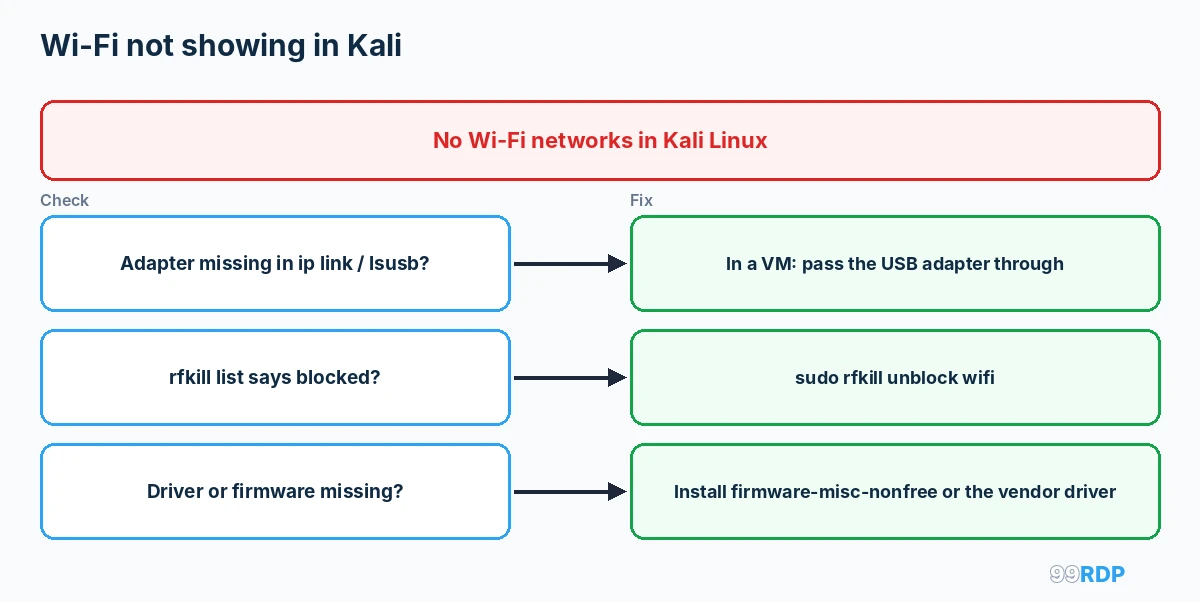
Frequently asked questions
How do I enable Wi-Fi in Kali Linux using the terminal?
Run nmcli radio wifi on, then nmcli device wifi connect "Name" password "Password". If the radio won't turn on, run sudo rfkill unblock wifi first.
Why doesn't Kali Linux show any Wi-Fi networks?
The usual reasons, in order: Kali is in a VM without a USB Wi-Fi adapter, the radio is blocked (rfkill), or the adapter's firmware is missing.
Are iwconfig and ifconfig still needed?
No. They come from older packages. The ip, iw and nmcli commands used above replace them on current Kali releases.
Can I use Wi-Fi on a Kali Linux VPS?
No. A cloud server has no wireless hardware and connects to the internet over the provider's network. Wi-Fi only applies to Kali on a laptop, desktop or a VM with a USB adapter.